GoHighLevel Welcome Email Workflow for a Waitlist (With Claude)
Prefer to watch? Watch on YouTube · Subscribe for new builds · Read the transcript
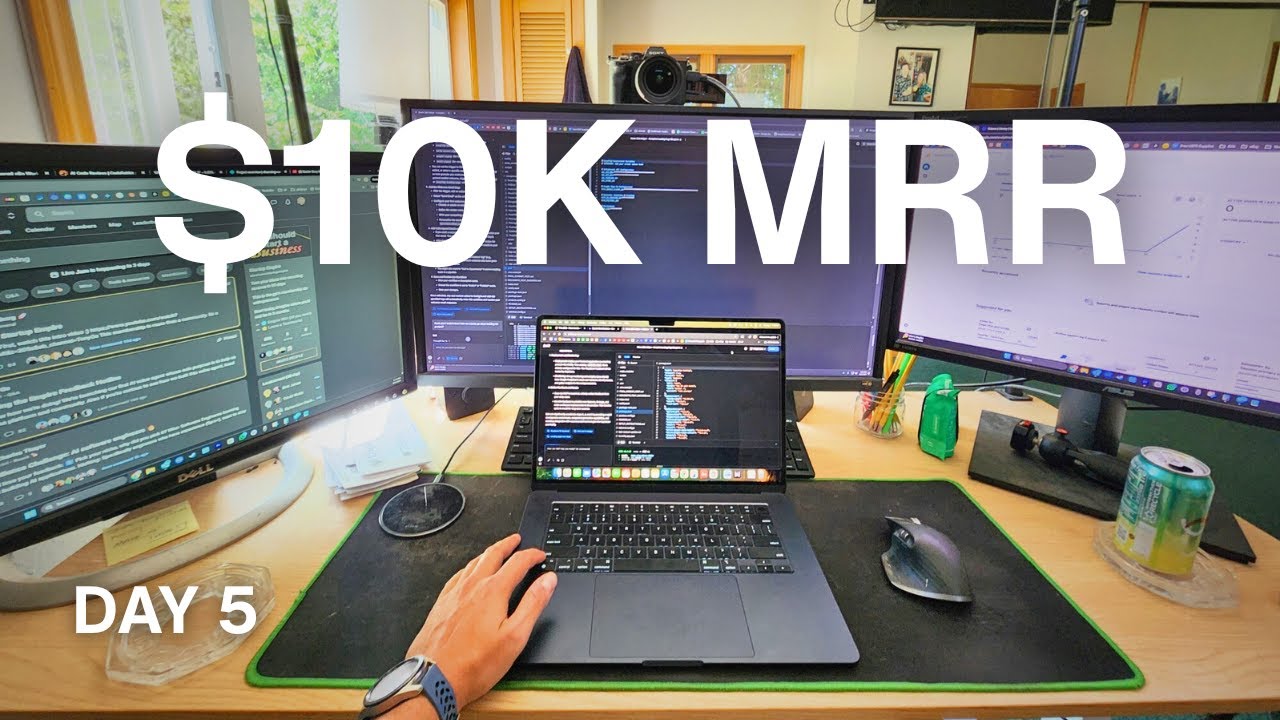
In this video I'm on day five of building an AI startup with a goal of 10K MRR, and I set up a welcome email for everyone who joins the waitlist. I build the workflow in GoHighLevel, have a Claude project write the email, and show how the app idea came from ideabrowser.com. It's for beginners who have a landing page collecting emails and want to know what to do with those signups next.
I recorded this in August 2025. Tools change fast, so check the current GoHighLevel and Idea Browser docs before you copy my exact clicks.
What I cover in this video
- 0:00 Day five recap, and why I almost quit on day two trying to connect GitHub with the back end of Bolt and the landing page.
- 0:45 The milestone so far: 35 email signups in 36 hours.
- 2:17 Where the idea came from on Idea Browser and why it fit my reselling background.
- 3:03 How I use Idea Browser with a Claude project to get a 90-day MVP roadmap.
- 3:49 Google Analytics on the landing page, plus the plan for the first product.
- 6:05 Creating the workflow in GoHighLevel and adding four contact tag triggers.
- 10:45 Dictating a prompt to Claude to write the welcome email, then fixing what it got wrong.
- 15:20 The test email lands in my inbox, and what I'm building next.
Where the idea came from and how I use Idea Browser
I've spent about five years in reselling, flipping things online and on eBay. So when I saw an idea on Idea Browser for an app that automatically sells your used stuff online, I already knew the customer really well.
Idea Browser gives you a roadmap to follow. Five days before this video I knew nothing about vibe coding, setting up repositories, email capture, Google authentication, Google Analytics, or landing pages, so having that foundation helped a lot. So far I've done the landing page and the brand packaging. I haven't touched the marketing section or the MVP yet.
I use it together with Claude, set up as a Claude project. If you want your MVP roadmap, you click Build in Idea Browser and it gives you a prompt to feed into Claude. Claude then writes out a 90-day MVP roadmap, and the plan is to feed that into Bolt to start building.
Day two was rough. Connecting GitHub with the back end of Bolt and the landing page took more hours than I've ever spent on one thing, and I almost quit. What I realized is that I wasn't doing things wrong. I just didn't have the information yet. I also got Google Analytics connected to the landing page, so I can see where people click, what makes them bounce, and where the traffic comes from.
Setting up the workflow triggers in GoHighLevel
GoHighLevel is the back end where I collect the waitlist emails. I already use it in my resell business, and I think it's one of the best CRMs out there once you learn it. Here are the steps I follow in the video:
- Go to Automations in the GoHighLevel dashboard and create a workflow. I start from scratch, though there are templates.
- Add a trigger and pick Contact Tag as the trigger type.
- Add a filter for Tag Added and choose the tag.
- Save the trigger, then repeat for each tag you want to start the email.
The Netlify function behind my signup form applies the tags when someone signs up. I add four triggers, one per tag:
easy flip landing page, which every signup getsearly access signupGoogle sign up, for people who use Google authentication (that took me a whole day to figure out)email signup, for people without a Gmail account
Any of those four tags being added now starts the email. For a general waitlist welcome, the early access or landing page tag alone would do the job.
After the triggers, click the plus icon and choose Send Email as the action. From there you pick or create a template, set the sender name and email, and write the subject line and body. You can add follow-up emails with delays later. I used an existing address of mine as the sender for now and still need to set up a proper easyflip.ai email.
Writing the welcome email with Claude
I went back to my Claude project and dictated the prompt with Wispr Flow, which saves me a lot of time compared to typing. This is roughly what I said:
I'm creating an email workflow sequence within GoHighLevel. I want to welcome people who are joining the waitlist for this app. Can you write a quick email introduction of thanking the person for joining the waitlist and kind of giving them a timeline as we build this project? Can you include some emojis and make it sound personable?
The first draft called the app Reseller AI, which is wrong. I asked Claude to rewrite it with the real name, easyflip.ai. You always need to proofread what AI gives you before you send it.
The final email thanks people for joining, introduces me and my reselling background, and gives a timeline:
- Weeks one to two: validating demand and gathering feedback
- Next 30 days: building the MVP with AI-powered photo recognition and pricing
- Months two to three: beta testing with waitlist members and preparing for launch
I pasted it into the workflow, sent a test to my own email, and it came through.
The product plan and what comes next
The first version is going to be very simple: take a photo with your phone and have it listed to eBay. I want to soft launch that to the waitlist and bring in beta testers so we can improve it. Long term, the vision is listing to multiple marketplaces to cut down on listing time.
I see two types of customers. One is resellers. The other is busy people who have stuff around the house and would normally drop it off at Goodwill because they don't have time to list it.
At this point nothing in the app itself is built. All I have is the landing page, the waitlist, and this email. The next step is starting the MVP from the roadmap and picking a Google or AWS option for the photo recognition. If you're at the same stage, the Build an App with AI page is a good place to start.
Key takeaways
- A waitlist welcome email in GoHighLevel is a workflow with Contact Tag triggers and one Send Email action.
- If your signup form applies more than one tag, add a trigger for each tag you want to start the email.
- A Claude project that already knows your idea can draft the email quickly, but proofread it. Mine got the app name wrong on the first try.
- Idea Browser gave me the idea and a roadmap, and its Build button gives you a prompt to paste into Claude for the MVP plan.
- Getting stuck on day two was about missing knowledge, and working through it is how I learned the tools.
FAQ
How do you send a welcome email to waitlist signups in GoHighLevel?
Go to Automations, create a workflow, and add a trigger with Contact Tag as the type and a Tag Added filter for the tag your signup form applies. Then click the plus icon, choose Send Email as the action, and fill in the sender, subject, and body.
Can one GoHighLevel workflow have more than one trigger?
Yes. In the video I add four Contact Tag triggers to the same workflow, one for each tag my signup form applies, and any of them starts the welcome email.
How does Idea Browser work with Claude?
I have my idea set up as a Claude project. When I click Build in Idea Browser for something like the MVP roadmap, it gives me a prompt to feed into Claude, and Claude writes out a 90-day MVP roadmap that I plan to take into Bolt.
Can Claude write a waitlist welcome email?
Yes. I dictated a prompt asking for a short, personable thank-you email with a build timeline and emojis. The first draft used the wrong app name, so I had Claude rewrite it and proofread it before sending a test.
Transcript
Read the full transcript
0:00Day five of building an AI startup until we hit 10K MR. And we've had some difficulties over the last 3 days, especially in day two, we really overcame some problems. Let me explain. So, keep in mind this is coming from a person that knew nothing 5 days ago. Day two is filled with a lot of problems that gave me a lot of bad confidence and feeling like this project wouldn't even turn out. So figuring out how to operate and connect GitHub with the back end of Bolt and the landing page really seemed to be a big problem. I mean, I almost quit on day two. That's how bad it really got. I've never spent so many hours trying to figure out one thing and getting it to work. And I just realized that it wasn't the things that I was doing. It's just the lack of information and knowledge that I had. So by problem
0:45solving and figuring it out, I stayed diligent and committed to the vision. And we finally got it to work. And then I got a huge dopamine boost that I've hadn't had in a while that actually learning how to use these tools was not only for my benefit for the people that I was building the project for. So I just wanted to show that this simple idea came from the ideab browser.com. And I just wanted to show the progress we've made so far in just 5 days, which is really crazy. And in this video, we're going to be going over just connecting a simple email sequence with go high level to get uh kind of an introduction to the people that are joining the weight list. A big milestone that we've hit so far is 35 email signups in 36 hours. I'm blown away. Let's jump into the computer and I'll show you what I'm talking about. I really do know that going through trials and tribulations of learning anything
1:31new is only going to make you a better person in the long run. And I feel like in today's society, learning new things and doing difficult things is an afterthought and kind of a lost art. So, I love this challenge and that's why I'm documenting from step one all the way to step a thousand, however long it takes, and just showing you the real authentic journey of what it takes to build this AI startup from scratch. And I want to just show you the progress we've made so far, the tools that we're using, and the project that we're working on today. So, first off, we had gotten our pipeline all figured out in GoHigh Level, which is kind of the backend for collecting emails. I want to show you the birth of this idea that just was perfect timing. Came from ideabser.com. And I'm involved heavily in this space
2:17of reselling, flipping things online, flipping things on eBay. So, I knew the avatar really well as we have about 5 years experience of working in this industry. So app that automatically sells your used stuff online. What the idea browser does is basically just give you a road map, road map to get you from point A to point Z, whatever you want to say. Um, and it is really a nice kind of like foundation to help you get through all of this. So, I know nothing. Like literally, and I still know nothing, but 5 days ago, I knew absolutely nothing about vibe coding, getting things up and going, setting up repositories, connecting email capture sequences, Google authentication, Google Analytics, landing pages, all this. I don't know.
3:03But over the trials and tribulations, we have gotten it all figured out. And idea browser has been helpful in getting that all going. So, we started with the landing page, we did the brand packaging, we did all that. We have yet to touch the marketing section um or the product and building out the MVP. Um I am using this in conjunction with Claude. I have it set up as a claude project. And um what I like about the idea browser is that um say you want to check out your MVP road map. You just click on build and it gives you a prompt to feed into Claude to help you with that MVP. And you can see it build it out right here. 90-day MVP roadmap on kind of things to do. We would then feed that into Bolt to be able to kind of start building this out. Um, but it's
3:49really nice to have that extra help. So, idea browser, we got that all figured out, which is amazing. And I want to show the kind of the more of the backend stuff that we got done. Um we did figure out after a little bit of figuring out um connecting our Google Analytics to our um landing page. So then we can further optimize our website and just figure out kind of where people are clicking, what's making them bounce, where's the traffic coming from. This is just 24 to 48 hours worth of data. So that was really cool getting that all figured out and put in. So today's project is basically going to be um really simple. It's going to be connecting uh it's going to be um building out an email
4:34sequence for people that join the weight list and kind of just letting them know that we acknowledge them. Here's kind of the timeline. Here's the features that we're implementing and going from there. We're first just going to be building a very simple product and opening it up for beta testing. So, as simple as connecting your phone and taking a photo and having it listed to eBay. So, that's like the first kind of launch. We're looking to a soft launch to our people on the wait list and having beta testers join in so we can improve upon the product. The long-term vision is being able to get it out to multiple marketplaces to be able to cut down on the listing time so people can just put stuff on eBay and set it and forget it. And so that's kind of our vision with it
5:20um in a nutshell. But yeah, that's what these videos are about. Documenting the journey, being as authentic as possible. My goal is to do daily updates, quick videos like this on kind of our recap, where we're at right now, and what we're working on for the future. It says 90 days we're looking to get this done. It could be sooner, it could be later. So, I'm excited to share with you. Let's get into building out this email sequence and seeing how that all works out. Okay, first task of hand is navigate to automations in the goh highlevel dashboard. So let's go to the automation section. I am somewhat familiar with building out a workflow for this as we already have this kind of involved in our resell business. Um but let's see
6:05what we can learn and implement. So um automations and then create a new workflow. Um, and we're going to do it from scratch as they do have templates. I love go high level. It's I think one of the best CRM out there. Um, as you get to learn it, it can be a very powerful tool in your business. So, set up the workflow trigger. The first step in your workflow will be the trigger. So, this is going to be upon sign up. Um, I automatically have every email tagged as easy flip landing page. So, that's one of the tags we'll use that will initiate the trigger. So, we're going to select contact tag as the trigger type. So, contact
6:50tab. Hey, and if you're getting value out of these videos and you just love seeing the raw real I'm not selling a course, I'm not doing anything because there is no anything to sell. Uh, make sure you follow, subscribe, like the video. Um, push it out to other people because it's just a guy working in the bedroom getting this project done. So, I really helped support the channel and I'm super grateful for all the new people that have come along. It's been really cool is I really didn't, you know, build this channel to gain subscribers or gain notoriety. I just built it as more of like a documenting my journey and kind of like just relating to people like yourself that might not know too much about AI, but you want to get involved that you can do this too. So, um yeah, so go high level.
7:36um new workflow. We're adding the trigger contact tag as the trigger type and specify the tags that your Netlifi function applies when a user signs up based on your current setup. These tags include uh let's see, add filters, tag added. Okay, cool, cool, cool. So, easy flip landing page. Boom. Uh, tag added, tag removed. Um, okay. I think I got to add another workflow trigger. Um, so save trigger, add a new trigger,
8:22contact tag, and then we're going to add early access signup. Add filters. Tag added. Early access signup. Save trigger. Add a new trigger. Let's see. Contact tag. Boom. And then the next one is Google sign up. So for people that can sign up uh just with simple Google authentication. That took a whole day to figure that out as well, but it's good that we have that. I think it helps with conversions and getting more signups. So, the next one would be contact tag and contact tag email signup. So, those are people that don't have a Gmail account, which yes, those do exist. Uh,
9:09you never know. Um, so we added that as well. So, that would be email sign up right there. So, we have all the triggers set. All four of those are going to now initiate an email sequence. So you can set the trigger to fire when any of these tags are added or when a specific combination is present depending on how granular you want the automation to be for a general weight list welcome triggering early access signup or easy flip landing page would be suitable. Okay. Add the welcome email setup. After the trigger add an action by clicking the plus icon. Cool. Um and then next you can see send email as the action. So, send email as the action.
9:59Uh, let's see. Send email as the action. Configure your first welcome email. Choose or create an email template. Define the sender name and email address. Write your compelling subject line and email body. Personalize the custom values. Add a subsequent email and delays. Optional. So like follow-up emails if we want to wait a couple days and follow up um that we can add we can add onto this workflow much more. So let's go into Claude and let's just have it write out an email um based on this information. So we're going to be going back to our email uh to our Claude project which has been super helpful so far. And I use Whisper Flow now. It's
10:45amazing if you're not using Whisper Flow to talk to your AI. It's uh going to save you a lot of time. That's all I'll say there. Um so let's get this email written out. I'm creating an email workflow sequence within GoH High Level. I want to welcome people who are joining the weight list for this app. Can you write a quick email introduction of thanking the person for joining the weight list and kind of giving them a timeline as we build this project? Can you include in include some emojis and make it sound personable? Boom. Let's see what it comes up with. I love using uh Claude projects. I have several projects going, not only for my resell business, but other business
11:30ventures as well. It's just really helpful to help kind of like brainstorm ideas and have like an assistant there to guide you along the uh process. So, here is a great email. Welcome to the reseller AI family. Hey there. Joining the resell AI weight list. Well, okay. Didn't get that right, but it's okay. Um, just you always got to proofread. Um, can you rewrite with the name of our app called easyflip.ai? You always need to proofread because AI isn't all there yet. I mean, I it it is. I just think that in some cases you do
12:16need to uh at least proofread some of it to make sure it's on point. So, here we go. Um that looks good. We can always kind of cross reference and check it out. Um before we end up sending it. So, email name. Um let's see what did it even suggest for this email name. Um maybe at boge getpaidtosource.com. I do need to get an actual um email for easyflip.ai and I can always update that later. Subject templates. Okay, so it's already got that built in. Subject. Very cool. And once this is built out, I just really want to acknowledge the people
13:01who sign up and join the weight list. So um All right. So, the email says, "Thanks for so much. Thank you so much for joining the easyflip.com or.ai weight list. I'm Bo. I'm absolutely pumped that you're interested in what we're building. As someone who's been in the reselling game for years and I just hit nearly 1 million sales on whatnot within a year, that's a live selling platform that we've been doing. Uh, I know firsthand how timeconuming it can be to list items properly. That's exactly why I'm creating this app, to help fellow resellers and anyone with this stuff around the house can turn their clutter into cash faster than ever. Side note, the biggest sector growing in the real estate space is storage units. So,
13:48there's over 55,000 storage units in America today and it's what investors are looking for. So, storage units, people have a bunch of stuff and it's crazy. And I'm a really big believer in kind of management and managing the items that you have. So I wanted to build this app not only for resellers but also for just like the people that are just, you know, busy with their life, but they don't have time to like list the stuff on eBay. You know, they just drop it off to Goodwill and done. This is a way for people can just take a few pictures and then it's done and you wait for the items to sell. So um I know there's kind of like two different type of avatars. Um, but those are the people that I'm kind of looking to target. Um, so yeah, the the email looks good.
14:33Here's what to expect over the next few months, weeks one to two, validating demand, gathering feedback from awesome people like you. Next 30 days, building the MVP with AI powered photo recognition and pricing. Yes, that's going to be our next goal actually after this. And then um let's see, beta months two to three beta testing our weight listed members. Um, that's you and preparing for launch. So, yeah, that kind of gives you a good idea on where we're at. This looks great. I'm happy um with that. So, test emails. I wanted to go to uh send to my um email just to see kind of what that looks like. But everything looks really good. I like it. I like it. Let's go ahead and save that and see how it turns out if it actually
15:20sends to my email. And I got it. Cool. Very cool. Very cool. Awesome. Very cool. So, that was the project for today. I wanted to keep you updated in the process and keep you in the loop. Tomorrow, we're going to start working on the MVP, looking at the road map, actually integrating um either Google um AR or um AWS AR for the photo recognition and start to actually build this app out because we have nothing built so far. All we have is what you've seen so far. So, now it's actually time to build this thing out. And I'm super excited to show you along the way. Will there be mistakes? Absolutely. I'm not going to cut them out. I'm going to leave them in the videos and to help you guys grow and to grow maybe your AI
16:06startup. Leave some comments down below. What are your thoughts? Any suggestions? Maybe things that I could do better, things that I'm doing wrong because there's a ton of more smart people out there, far smarter than me, that are also building their projects and I want to hear feedback. What are some ideas and thoughts? So, appreciate you guys.
Ready to start building with AI?
Join the Shipping Skool community free. Paid members get live bootcamp calls every week and weekly-updated courses.
Join Shipping SkoolKeep reading
How to Start a SaaS With AI: Idea Browser, PRD, and Claude Code
Validate an idea first (I use Idea Browser), turn it into a PRD with Claude, then build in Claude Code on top of Ross Mike's Next.js starter kit. Hook it up to GitHub, a database like Neon or Supabase, Vercel for hosting, and Better Auth for login.
Build a Waitlist Landing Page with Bolt.new in 48 Hours
I took a startup idea from Idea Browser and used Bolt.new to build a landing page for easyflip.ai with Google sign in and a GoHighLevel email waitlist in under 48 hours. This is my day 3 recap of how the idea, the prompt, and the backend came together.
How to Connect a Bolt.new Landing Page to GoHighLevel (My Mistakes)
I publish a Bolt.new landing page to easyflip.ai, then connect it to GoHighLevel using DNS records, a Netlify serverless function, and environment variables. The biggest time sinks were an API key hidden outside my sub account, a missing GitHub connection, and files in the wrong folder.