OpenClaw CRM: How DenchClaw Runs Your Sales Pipeline Locally
Prefer to watch? Watch on YouTube · Subscribe for new builds · Read the transcript
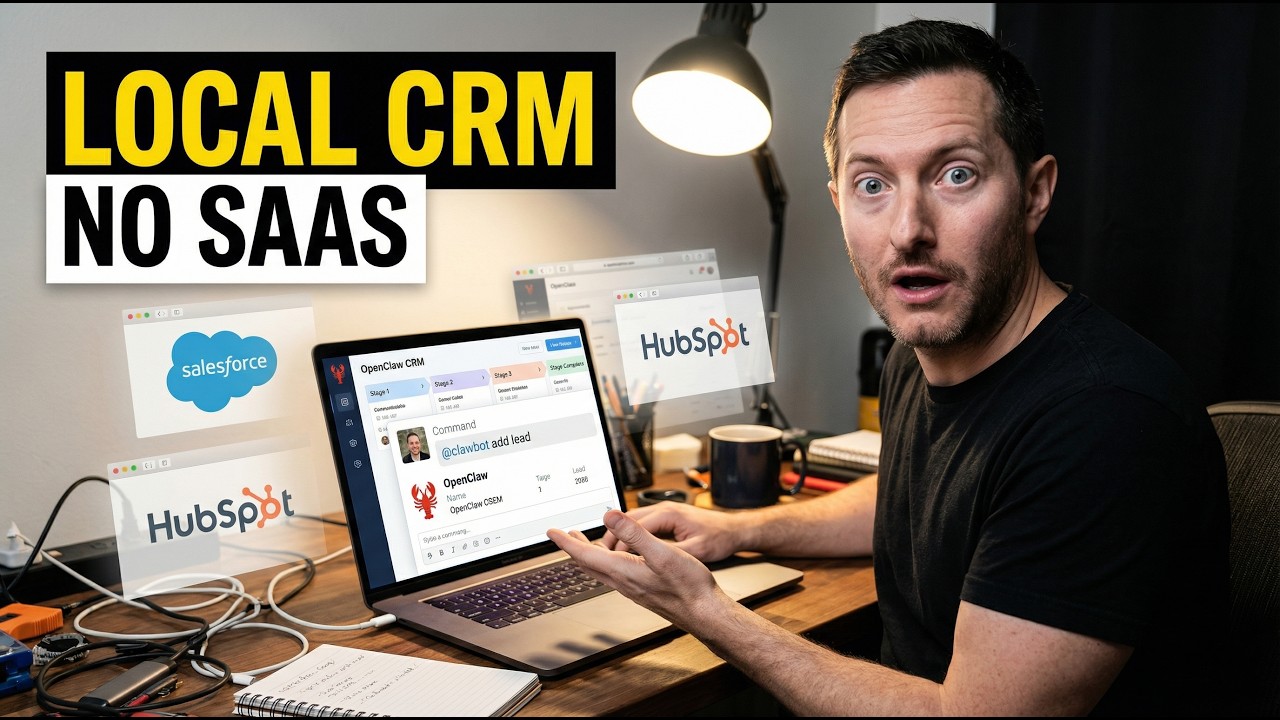
In this video I break down DenchClaw, a local CRM framework built on top of OpenClaw. You run your sales pipeline by telling the agent what you want instead of clicking through fields and filters. It's for solo founders, small teams, and agencies whose CRM has quietly died because nobody keeps it updated. I recorded this in April 2026. Tools like this change fast, so check the current docs before you set anything up.
What I cover in this video
- 0:00: Why most CRMs rot. The software isn't the problem. People just hate feeding it.
- 1:31: What DenchClaw is, with example commands for managing a pipeline in plain English
- 2:19: The one-command setup that installs DuckDB, a web UI, and an OpenClaw profile
- 3:50: Why CRM work is such a good fit for OpenClaw
- 4:35: How file-based views and settings let the agent reconfigure the workspace
- 6:07: A full sales workflow for a solo founder, start to finish
- 8:23: Browser automation with your Chrome profile, and why it calls for caution
- 12:14: The guardrails you still need, and who this setup makes sense for
Why CRMs die and what DenchClaw changes
Most CRMs don't fail because they're missing features. GoHighLevel has thousands of features, and you might only use 10 of them. They fail because they depend on busy people typing in updates after every call, meeting, and DM. Someone says they'll update their notes later. A deal never gets moved to the finished stage. A CSV export never gets imported. The real contacts end up living in your inbox, your browser tabs, and your head. A month later the CRM looks fine on the surface, but the data underneath is stale.
DenchClaw takes a different approach. It's a local CRM framework built on OpenClaw that turns pipeline management into a conversation. You tell the agent what you want, and it changes the system for you. Examples I walk through:
- "Create a leads object."
- "Import this CSV."
- "Show me everyone with more than five employees."
- "Group the view by status."
- "Draft outreach for the people in new."
- "Go to LinkedIn and add the latest 20 profile viewers as leads."
According to the use case write-up, a single npx command installs the whole stack. It sets up DuckDB, a web UI, and an OpenClaw profile with browser automation skills, then opens the app locally at localhost:3100. I like that it tackles setup, because a lot of AI demos skip the week of wiring tools together that happens before the cool part. Most people don't want another project. They want the thing to work.
Why this is such a good fit for OpenClaw
OpenClaw is strongest when the work spreads across tools, files, and interfaces, and CRM work does exactly that. Leads live in spreadsheets, email, LinkedIn, call notes, calendar events, docs, exports, and random browser tabs. Storing them isn't the hard part. Coordinating them is. You need something that can read structured data, change views, move between apps, and keep context the whole way through. That's what AI agents are for.
DenchClaw gives you several views: table, Kanban, calendar, timeline, gallery, and list. The important part is that the views and settings live on the file system as YAML files, markdown files, and config that OpenClaw can edit directly. Most business software isn't built for agents. The agent clicks the UI or calls an API, so it's always working around the software. Here the interface is made of files the agent understands natively, so changing the UI is just another task in the same loop. You can say "Show me all the contacted leads," "Sort by last updated," or "Switch to Kanban grouped by status," and the workspace actually changes.
The sales workflow example
Picture a solo founder or tiny agency with leads coming in from Apollo, LinkedIn, referrals, inbound forms, and scraped lists. Normally you bounce between finding leads and cleaning them up. With a local OpenClaw setup, you could say: create a leads object with name, email, company, status, and notes; import the CSV I downloaded from Apollo; show me contacted leads; switch to a Kanban board; add the last 20 people who viewed my LinkedIn profile; then draft personalized outreach based on company news. At that point it's less a database and more a cheap sales operator. Founders lose time in the gaps between data, context, and action, and this setup closes those gaps.
Why local matters
Local does mean private, but it also means less stack sprawl. You have fewer credentials to manage, no separate database server, and no extra cloud dashboard. According to the use case, DuckDB sits right on your machine with no server process. It's just a file. For non-technical founders the real obstacle is setup friction, because every new service, environment variable, webhook, or auth flow is another reason the thing never ships. On a related note, I also mention that you can build out something like GoHighLevel with OpenClaw or Claude Code in a couple of days.
Browser automation and the guardrails you need
The use case says DenchClaw can copy your Chrome profile so the agent has the same logged-in sessions you do. Instead of fighting API calls, you can say "Import everything from my HubSpot," and the agent can log in, export everything, and bring the data over locally. That's powerful, but once an agent is acting with your browser identity, you're in grown-up territory. It works well when you're careful and it's dangerous when you skip the precautions.
I also wouldn't rip out a mature CRM at a big sales org tomorrow. If you have deep automations, reporting layers, compliance needs, or a large team, you need a real migration plan. Natural language doesn't fix bad data hygiene either. If your sources are messy and your statuses are vague, the agent will just move the chaos faster. You still need:
- Clear fields and stage definitions
- Human review on outbound messages
- A decision on what the agent can do automatically and what needs your approval
- A narrow start with browser automation: imports, research, drafts, and view updates, but no unrestricted send power on day one
The bigger opportunity for builders
I see DenchClaw as a sign of a whole category, not just a local CRM. It's agent-first business software where the agent sits at the front door instead of being bolted on at the end. Normal software is built for people to click. Agent-native software is built for people to describe what they want. I think a lot of money in the OpenClaw ecosystem will come from packaged vertical versions: the same engine with a different data model for agencies, recruiting, deal sourcing, investor relations, or creators managing sponsors. The formula is to take a messy workflow, turn the interface into something the agent can control, keep the data close to the machine, make natural language the default, and wrap it around one outcome people already want.
Key takeaways
- CRMs usually fail because people stop updating them, not because they're missing features.
- DenchClaw runs on OpenClaw with a local DuckDB file and a web UI at
localhost:3100, and you manage it in plain English. - Because views and settings are YAML and markdown files, the agent can reconfigure the workspace itself.
- Browser automation through your Chrome profile is powerful, so start with imports, research, and drafts, and keep humans approving outbound.
- The bigger opportunity is agent-native wrappers around painful, specific workflows like sales follow-up.
FAQ
What is DenchClaw?
DenchClaw is a local CRM framework built on top of OpenClaw. You manage your sales pipeline by talking to the agent, which can create objects, import CSVs, change views, and draft outreach.
How do you install DenchClaw?
According to the use case write-up, a single npx command installs the stack. It sets up DuckDB, a web UI, and an OpenClaw profile with browser automation skills, then opens the app locally at localhost:3100.
Is it safe to let an OpenClaw agent use my browser for CRM work?
It can be powerful, but once the agent acts with your browser identity, you need real precautions. I recommend starting narrow with imports, research, drafts, and view updates, keeping human review on outbound, and not giving it unrestricted send power on day one.
Should a large sales team replace its CRM with DenchClaw?
I wouldn't start there. Teams with deep automations, reporting layers, compliance needs, or lots of people need a migration plan. This setup fits solo founders, small teams, and agencies best.
Chapters
- 0:00Why most CRMs rot
- 1:46What DenchClaw actually is
- 4:12One-command setup and the local stack
- 6:39Why OpenClaw fits CRM work so well
- 9:11Natural language pipeline management
- 11:46Browser automation and imports
- 14:18Why this matters for founders and agencies
- 17:02The guardrails you still need
- 19:21Final takeaway
Transcript
Read the full transcript
0:00In this video, we're going to be going over one of the cleanest open claw use cases I've seen for quite a while because it attacks a problem every founder pretends is solved until they actually open their CRM. So, the problem is not that the CRM is missing features. For example, GoHighLevel has thousands of features and you might only use 10 of them. The real problem is people hate feeding the CRM. That is why most CRM setups die. Not because HubSpot is weak, not because Airtable is bad, not because people forget what the pipeline is. They die because the second a system depends on busy humans typing in updates after every call, every meeting, every direct message, every random follow-up, the
0:45whole thing starts rotting. Someone says they'll update their notes later, somebody forgets to move the deal into the finished stage, somebody exports leads into a CSV and never imports them, or somebody keeps the real contacts in their inbox, their browser tabs, and in their head. Then a month later the CRM looks alive on the surface but dead underneath because it doesn't have fresh contacts. That is why this open claw use case matters to solve all of those problems. It's called Drench Draw and the idea is way bigger than just one tool. It is a local CRM framework built on top of open claw that turns pipeline management into a conversation. Instead of clicking through 50 fields and filters, you tell the agent what you
1:31want and then it changes the system for you. Create a leads object. Import this CSV. Show me everyone with more than five employees. Group the view by status. Draft outreach for the people in new. Those are just examples. Another one is like going to LinkedIn and add the latest 20 profile viewers as leads. This is huge. Not is totally different than using just a plain old CRM. It's just a different feeling, right? And the reason I think this one has the most use case for CRMs and open claw because it's not just saying "Hey, and what if AI helped inside a CRM?" It's basically taking over the CRM. It's bundling the whole annoying setup problem as well. According to this use case, I have a link down below, one of the command installs the stack MPX Drench Draw Dench
2:19Claw, then it sets up DuckDB, a web UI, and an open claw profile. Basically, browser automation skills and he opens up the app locally at localhost:3100 and you have everything ready to go, a local CRM. That's automated. That's the part that matters here because a lot of AI demos cheat the hard part. They show one cool action after you've already spent a week in wiring in 10 tools together. But normal people do not want another project. They want the thing working. So, when I see this use case that's trying to compress the entire setup burden and the workflow burden at the same time, that's why I'm making this video. Real quick, before we keep going, if you're watching this and you want to actually build with some of these tools, not just watch videos about them, then you're going to want to check out our community down below, Shipping School.
3:05We have a full Claude Code course, a full Open Claw course, and four live bootcamps every single week where we actually help you get set up from scratch. Like actually set this thing up, not just watch a tutorial and figure it out by yourself. And we also provide one-on-one coaching, so you could book a call with me, we could share screens, and I can help you get Claude Code or Open Claw running on your machine. That's it. No fluff. I built this community because watching YouTube's only gets you so far. We launched it just 3 days ago and we have over 55 members. You need people around you who are actually building, people who hold you accountable, and coaches who can help you when you get stuck. I'll put the link in the description down below. Get in now before the price goes up. I'm
3:50going to talk about why this is such a strong Open Claw fit. Open Claw is a really good use case and a really good tool when the work lives across tools, files, and interfaces. A CRM is exactly that. Leads live in spreadsheets, email, LinkedIn, call notes, calendar events, docs, exports, and random browser tabs. They're everywhere. The actual problem is not the storage though. The actual problem is the coordination. You need something that can read structured data, change views, move between apps, and keep the context as it goes on. And that is the agent agentic territory, right? And Dench Claw leans all the way into that. The use case says it gives you multiple views like table, Kanban boards, calendar, timeline, gallery, and
4:35list. But the key detail is not the number of views. The key detail is that the views and the settings are file system first. YAML files, markdown files, config that Open Claw can directly edit. That's the sneaky important because most businesses software is not agent native. Their agent can maybe click the UI, maybe call an API, or maybe fake it and you think it's actually doing work and it's not. But it is still working around the software. Here, the interface is made out of files the agent can understand natively. So, changing the UI is not the some special engineering task. It becomes part of the same loop as every other task. That means you can say something like "Show me all the contacted leads." or "Sort by the last updated leads." "Switch to Kanban grouped by status." And the system can
5:21actually reconfigure the workspace instead of just talking about I'm talking about this because a CRM is the backbone of any solopreneur and any business that has to do with sales outreach. And this use case should really matter to you if you're trying to do something the same. You can essentially build out GoHighLevel with Open Claw or Claude Code in a couple days. Now, this takes it a next step next step further with AI agents managing the whole CRM pipeline. I'm going to walk through the sales angle because this is where I think will people will readily resonate this the most. Imagine you're a solo founder or just like a tiny startup agency. You've got leads coming in from Apollo, LinkedIn, referrals, other inbound forms, maybe a scraped list from
6:07ListSource, from a niche directory, maybe people who viewed your profile in the last month, maybe people you've even met in direct messages, I don't know. In a normal setup, you are constantly moving between acquisition and cleanup. Find leads, import leads, normalize leads, update fields, create views, draft emails, copy notes, maybe sync it to HubSpot if you are disciplined enough, which most people don't. Now, picture a local Open Claw setup where you say "Create a leads object with a name, an email, and a company status, and notes. Import this CSV I downloaded from Apollo. Show me contacted leads. Switch to a Kanban board. Then go look at at least the last 20 people who viewed my LinkedIn profile and add them too. Then draft personalized outreach
6:52based on company news." That is not a database. That is a sales operator, a cheap one, too, for like pennies on the dollar. And that is why I think this use case is so good. It does not just make the CRM prettier and fancier, it compresses the gap between data, context, and action. That gap is where founders lose their time. The lead list exists, the outreach should automatically happen, the notes should get saved, the view should get updated. But there is too much friction between each step. Open Claw is basically removing all that friction automatically. That also explains why the local part matters. A lot of people hear local and think that just private. And yes, it does mean private, that's part of the privacy. But local also means less stack sprawl, fewer
7:38credentials, no separate database server, no extra cloud dashboard just to manage your own business data. According to the use case, DuckDB sits right there on the machine. No server process, no network complexity, it's just a file. That is the beauty for this type of workflow. Because when you are trying to help non-technical founders or small teams, the enemy is not the missing feature. The enemy is the setup drag or the friction. Every new service, environment variable, webhook, authentication flow, and hosted dependency becomes another reason the thing never ships. One file is easier to
8:23trust. One local app is easier to adopt. One agent that sees the same workspace you see is easier to understand. There is another detail in this use case that really stood out to me and it is the browser automation piece. The workflow says Dench Claw can copy your Chrome profile so the agent has the same off state. That means instead of fighting API calls all day, you say "Import everything from my HubSpot." And the agent can log in, export everything, and bring that data over locally. I want to be clear, that is very powerful, but it is also where you need to use your brain. People kind of use AI to avoid working hard and actually using your brain. Don't do that. Because the minute an agent is acting with your browser identity, you are in grown-up territory.
9:10This is not a fun demo anymore. This is a real operator that has leverage in your business. It's great when it's used carefully, but extremely dangerous when you don't put the proper precautions in place. That does not weaken the use case, it actually strengthens it because it shows what people really want. They do not want 10 disconnected SaaS tools. They want one working operator that can see what they see and do what they would have done anyway. And if you are a builder, there is a business hiding inside this. You are You do not need to sell people on AI in the abstract. You sell them on the outcome they already understand. A real estate team wants follow-up discipline. A recruiting shop wants candidates tracked without admin drag. A B2B service business wants
9:56outbound without a giant sales stack. A founder who you know, say something like this, right? For example, what if your CRM finally updated itself because the agent lives inside the workflow instead of sitting outside it? >> If you're struggling to keep up with content, what I'm about to save you about 40 days worth of work. I built something called content [music] machine. It's 10 AI agents that run on the open claw orchestration and they handle everything. Scripts, thumbnails, X posts, blogs, outreach, clips, newsletters, all of it. So, I went from 1,000 subscribers to 4,000 subscribers on YouTube in 7 days using this exact system. Every single morning I wake [music] up and the content's already done. I spend maybe 15-20 minutes
10:42reviewing and approving them and I move on with my day. It works for any niche, fitness, [music] finance, real estate, marketing, whatever you're building and it is 100% completely customizable to your use case. So, you get the mission control dashboard, all of the cron jobs, everything I've built over the last 40 days helping me gain more and more people to subscribe and join the community. So, you plug in your own thing and it molds it to you, it learns how you talk and it writes so it doesn't sound like AI slop. $97 one time, it's not a subscription. I'll put the link down below and you'll thank me later. That will sell. I think a lot of people in this next wave of open claw and businesses that we see will look a lot like this. Not giant frontier inventions, packaged vertical systems.
11:29Same core infrastructure, different wrapper, different data model, different workflow language. Like one version for agencies, one version for recruiting, maybe another version for deal sourcing, one version for like investor relations, one version for creators managing sponsors. Same engine, it's just a different job. That is how real money usually gets made, not by inventing gravity, but by packaging it for a niche that hates the current tools. There is also a product lesson here. Normal software was built for humans to click, but agent-native software is built for humans to describe and that is a completely different design center. When the state of the system lives in files, the agent can read and edit. When the data is local and when the UE can be reconfigured by instruction and
12:14customized for you. You stop treating it and treating the agent like a help bubble and start treating it like an operator. That's the biggest shift in all this and I think Bench to Claw is a glimpse of that shift. Now, I would tell you to rip out every mature CRM in big sales organizations and replace it tomorrow. I wouldn't start there. I would pump your brakes a bit. That would be quite wrong. If you've got deep automations, reporting layers, compliance needs and a huge team, there is a migration plan. Also, natural language is not an excuse for bad data hygiene. If your lead sources are messy, your statuses are vague and your rules are undefined, the agent will not magically create clarity out of chaos. It will just move the chaos faster. So, there are guardrails. You still need clear fields, you still need stage definitions, you still need to review on
13:00outbound, you still need to decide what agent can do automatically and what needs approval. And with browser automation especially, I would start it very narrow. Imports, research, draft and generation and view updates, not unrestricted send power on day one. That is just common sense, right? But if you are a solo founder, small team or agency, this kind of setup makes a ton of sense. Because the value of a CRM is not the database, the value is whether the system keeps enough context alive to drive the next action. That is what most people are paying for and still do not get. So, when I look at this use case, I do not see a local CRM, I just see a category. I see an agent-first business software where the agent is not bolted on the end. It is in the front door. You speak, it restructures the system, it
13:46imports the data, it changes the view, it drafts the next move and it keeps working from the same context. That's the power in this use case. And for the open claw ecosystem, I think this is one of the cleanest arguments that the money is not only in general systems, it is in the operational wrappers around the painful workflows. Sales is painful, straight up. You've built an app and now you're ready for distribution. If you thought building the app was hard, wait till you start trying to sell your product. That's where the fun kicks in. Follow-up is also very painful. Pipeline upkeep is painful, which means this is exactly the kind of pain people will pay to remove. So, if you're looking for an open claw use case that feels like a real business and not just a science fair project, this is the best one I've seen in a while. Because every founder knows the feeling of a CRM falling apart
14:33and every founder would love a version that actually behaves like a living system instead of a graveyard of half-updated deals. That's the whole point of this video and that's the whole point of this use case is we don't need more dashboards, we need less context loss, less manual cleanup, more motion, more visibility and more deals in our deal pipeline. That is what makes this one matter and I think you're going to see a lot more open claw products go after this exact pattern. Like you take a messy workflow, you turn the interface into something the agent can control, keep the data close to the machine, make the default interaction natural language, then wrap it in one specific outcome people already want. That's the formula and it's very strong. This use case proves that. And if you're early, that is the opening because the people
15:19who build the best agent-native wrappers around boring business pain are the ones who are going to make the money. That is where I would look. And if you want to build out something similar in your setup and you want to take the next step with AI, this is exactly what we teach in our community. We have 218 members that have joined this community that I just launched 26 days ago. We go over open claw use cases, open claw workflows, we build with claw code. And if you're wanting to take the next step in your AI journey, I'll put the link to it down below. We do nine live boot camp calls every single week. You can jump into one of these calls and get your questions answered. If you haven't subscribed to this channel already, please click subscribe, hit the notification bell cuz I release four to six videos every single day. We'll see you in the next video. Have a blessed day. Bye-bye.
Ready to start building with AI?
Join the Shipping Skool community free. Paid members get live bootcamp calls every week and weekly-updated courses.
Join Shipping SkoolKeep reading
She Runs 9 AI Agents That Manage Her Entire Life. Here Is Her Exact Playbook.
A startup founder scaled from one AI agent to nine, managing her entire life and two businesses. Here is her exact playbook, mistakes included.
The Mom Who Runs a Household With a Staff of AI Agents (Jesse Genet)
Jesse Genet had never opened a terminal. Six months later she runs 5 AI agents on 5 Mac Minis handling everything from lesson plans to a custom kids TV app. Her story proves you don't need a CS degree to build with AI.
Hermes Agent Has 237 Real Use Cases Now
Hermes Agent has public receipts now. Here is what the 237 use cases actually prove for builders using OpenClaw, Codex, and persistent agents.