Vibe Coding a Startup Idea with Idea Browser and Bolt.new (Day 1)
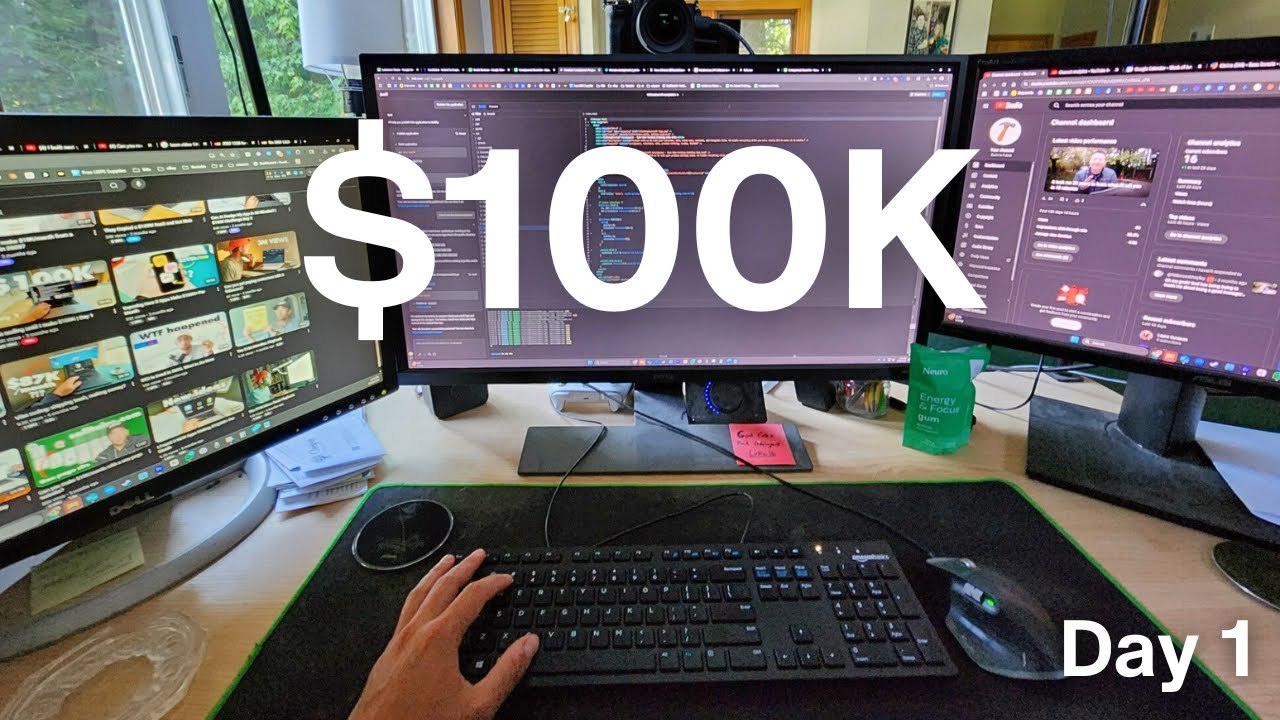
Prefer to watch? Watch on YouTube · Subscribe for new builds · Read the transcript
This is day 1 of my build in public series, where I vibe code app ideas and show every step, mistakes included. In this video I pick a startup idea from Idea Browser, copy the prompt it generates, and turn it into a first landing page with Bolt.new. It's for beginners who have ideas and no coding background, which is where I am too.
I recorded this in July 2025. These tools change fast, so check the current docs for Idea Browser and Bolt.new before you follow along.
What I cover in this video
- 1:32 The first two things I vibe coded: a consignment landing page and a profit tracker
- 3:03 Why I'm starting with Idea Browser and its data-backed startup ideas
- 3:48 Asking Idea Browser about my idea and reading its answer
- 9:08 Opening the idea builder to get prompts for AI builders
- 9:54 My prompting trick: talk through the idea and have the AI write the prompt
- 12:11 Pasting the prompt into Bolt.new
- 13:43 The landing page Bolt produced after about five minutes
- 17:34 The next step: a brand package and ad creatives
Where I'm starting from
I run a clothing resale business that does live selling on Whatnot. We recently hired a few employees, so I finally have time to work on the business instead of in it. That's what got me into vibe coding.
I know nothing about code. I have maybe 10 hours of vibe coding experience, and before this video I had built two things:
- A profit tracker. I upload spreadsheets of my invoice statements and sales, and it shows my profit per week, per show, and per month. I built it for myself, not to sell.
- A landing page for our consignment program. I built it with Bolt.new, and the call to action is booking a call with me.
Each one took me less than a few hours. Bolt.new sits in the same group as Lovable, Cursor, Replit, and Windsurf, and it will probably be one of the main platforms I use in this series. If you're comparing options, I keep a list of the best vibe coding tools.
Picking a startup idea with Idea Browser
Idea Browser is a project from Greg Isenberg of the Startup Ideas Podcast. It has an idea of the day and hundreds of startup ideas, each with data-backed research behind it. I like that because I'm not starting with something that only sounds good. There's search data showing people want it.
The idea I picked is an app that automatically sells your used stuff online. You snap a photo and it lists the item on the marketplaces for you. I also want AI to answer the buyer questions that come in, so the only thing the seller does after taking pictures is pack the item, print the label, and ship it.
I chose it because I've been in this niche for about five years. For our first four years of reselling we sold on eBay, and creating listings one at a time was tedious. I'm building this for people with full-time jobs who have a garage full of stuff and no time to list it.
At the bottom of the idea page there's a box where you can ask anything about the idea. I told it I'm already in the niche with 17,000 subscribers on our other YouTube channel. It rated execution difficulty at 4 out of 10, estimated an MVP in two to three months, called the market fit strong given that audience, and gave me these next steps:
- Define the MVP features, focusing on AI pricing suggestions and cross-platform listing.
- Choose development tools. It suggested platforms like Sharetribe for quick setup.
- Integrate payments with Stripe or PayPal. This is one reason I use Bolt.new, since it makes Stripe payments easy to add.
- Launch a beta with my subscriber base to get feedback early.
My plan is to make the first version free. You take a picture and see what the item sells for online, and in exchange I get your email. If you want the item listed for you, that's the paid part.
Let the AI write the prompt
I figured out early that the prompts I write on my own are not good. So I use an app called Wispr Flow. I hold a button on my keyboard, talk through my whole idea, and end with a line like this:
Create me a prompt that I can give to my AI engineer.
You can ask for a prompt for Lovable, Bolt.new, or Claude Code. I use Claude for most of this, but ChatGPT or Manus would work too. You are never going to outprompt an AI. What it writes is far more detailed than what I'd come up with.
Idea Browser does the same thing for you. I signed up for the Pro plan, which has an idea builder that turns the idea's research into prompts for AI builders. It offered Bolt, Cursor, v0, and Replit. I picked Bolt because I'm more familiar with it, and the landing page prompt was already written, JSON included.
Building the landing page in Bolt.new
I copied the prompt and pasted it into Bolt.new. One thing I like about Bolt is that you can watch it work through the build on the left side of the screen.
After about five minutes I had a starting point. The headline read "Turn your clutter into cash in under 60 seconds," and the page promised one photo turning into listings on eBay, Facebook Marketplace, Poshmark, and OfferUp. It laid out three steps: snap a photo, AI does the work, get paid fast.
It isn't perfect. The reviews are placeholders, and I'm not sure the demo button does anything. I'd also like to add Mercari and Depop later. The page suggested a 5% commission where you only pay when you sell. That could be part of the business model, or I may go with a flat monthly subscription.
One warning from my first 10 hours: Lovable and Bolt can hallucinate and get stuck in a loop, and that burns a lot of credits. Most of the time I take the problem into Claude Code and it helps fix it.
Idea Browser also lays out what comes after the landing page. Next up is a brand package with a logo, colors, and voice, plus ad creatives.
Key takeaways
- Start with an idea that has research behind it. Idea Browser gives you the data, a difficulty score, and next steps.
- Pick a niche you already know. Five years of reselling is why this idea made sense for me.
- Have the AI write your prompts. Talk through the idea, then ask for a prompt you can paste into your builder.
- Bolt.new turned one pasted prompt into a usable landing page in about five minutes. Treat it as a starting point, not a finished product.
- When Bolt or Lovable starts looping on a problem, take that problem to Claude Code before you waste more credits.
FAQ
What is Idea Browser?
Idea Browser is a project from Greg Isenberg of the Startup Ideas Podcast. It has an idea of the day and hundreds of startup ideas with data-backed research, and you can ask questions about any idea. On the Pro plan I used its idea builder to get ready-made prompts for AI builders like Bolt, Cursor, v0, and Replit.
How long does Bolt.new take to build a landing page?
In this video it took about five minutes after I pasted in the prompt from Idea Browser. The page was a starting point, not a finished product. The reviews were placeholders and I wasn't sure the demo button worked.
How do I write better prompts for Bolt.new or Lovable?
Let the AI write them. I use Wispr Flow to talk through my idea out loud to Claude, then ask it to create a prompt I can give to my AI engineer. The result is far more detailed than what I'd write myself.
What should I do when Bolt or Lovable gets stuck in a loop?
Lovable and Bolt can hallucinate and repeat the same failed fix, which wastes credits. Most of the time I take the problem into Claude Code and it helps fix it.
Transcript
Read the full transcript
0:00Today marks the first day along our build in public journey. My name is Bo Johnson and I am a huge avid fan of ideas and seeing them come to life. So right now we're living in an amazing time to make that actually happen through vibe coding. I've been sitting on the sidelines for the last year as I grow other businesses and just really getting the itch to be able to see these ideas come to life and on this channel you're going to be witnessing the entire journey. Today marks day one and I want to update you all as much as possible. So if you are like me that loves ideas, loves startups and loves seeing them to come to life in this new day and age of
0:45AI, you're going to be seeing what tools that I'm using. You're going to see all the mistakes that I make because I know there will be mistakes. And you're also going to see how it is to kind of take an idea from concept all the way to shipment. So, we're going to see that process. I want to just show you and give you a little background on what I've been working on. Um, so here's the idea we'll work on, but I want to just touch on I have another business. It is a clothing resell business and we do live selling. So, we do it on the platform called Whatnot. And that's been taking up a lot of my time lately. And we've just recently fi hired a few employees to kind of take a lot of that time spending working in the business. And now I get to work on the business. So this is the first kind of
1:32product that I made using the term vibe coding, right? Uh just this landing page for our consignment program. So it's a really cool thing. At the end, the call to action is basically they could book a call with me and they can start consigning their clothing with us in our company. So, this is really the first thing that I used to build um that I built with Bolt. Bolt new is a platform just like lovable cursor and replet uh wind surf to be able to take you know speak to the code right and to be able to take your idea and see it um come to fruition. So, I've been using Bolt.new. That's going to be probably one of the main platforms I use to build a lot of these projects with. So, uh yeah, this
2:17was kind of our second project we work with. Our first project I built not knowing how to do anything. Just a few months ago, I built this profit tracker for myself really, not to bring to market, but maybe I could in the future. So, this was just for me to analyze what I was spending for product in my business and what the average profit and average sale price I was making per sale. This was uh basically a simple uh dashboard of me being able to just upload my spreadsheets of my invoice statements and my actual sales and to be able to give me just a good uh like ballpark view of just my uh current, you know, profit per week, per show, per month. So, that was a really cool thing
3:03to build and was fun. Took me less than a few hours. Took me less than a few hours to build this as well. So, I'm excited to share this journey with you. What we're going to be tackling first on this uh YouTube channel is we're going to be using idea browser from Greg Eisenberg startup ideas podcast uh his um project he's been working on. So, this idea browser is filled with the ideas of the day has over hundreds of startup ideas that are all driven with databacked research and that's why I love it. So, we're not just starting something that sounds good. We're not just starting something out of thin air. We're starting something with proven data and proven search results that this is in demand. This is something that
3:48solves a problem. So, this is what we're going to be building first and I'm excited to share the journey with you. So, uh I at the bottom of the page it says get instant answers. Ask anything about this business idea. So, I've already put in I'm building this idea already involved in the niche with 17,000 subscribers on our other YouTube channel. Uh, so we'll be able to market it and get it to market relatively easy. Just need to take the next and first step in building this project. So, I'm just going to hit enter and see what it says and kind of interact with this um idea and see how it's going to work um and just give me some more clarity. So, you can see execution difficulty is four
4:33out of 10. So, it doesn't seem like it's going to be very complex. Uh, simple build for a decluttering marketplace with a clear MVP path. Uh, the reason why I chose this idea was because I've already been in this niche for about 5 years. I know the ins and outs of just the excess of items that people have. You know, we live in a a world of of today where almost everybody has a storage unit. Uh, everybody has a bunch of stuff in their closet that they're not using. I want to make it a simple idea and a simple process where this app where you could just snap a photo and it automatically lists your item on all the marketplaces. Also, I want to integrate AI into handling all of the the messages
5:20that come in. Just make it a seamless process for people that don't need to waste time listing stuff on eBay and doing all that stuff. I hope that makes sense. But I get it from my point of view because listing items individually takes so much time. And I'm building this for people that don't have a lot of time, that have a full-time job, and that just want to go into their garage, snap a few pictures, and those items are automatically listed on marketplaces for sale. So MVP tidine, it says it's two to three months with existing marketplace platforms and payment integrations. This is going to be a monthly subscription. The viability is market fit, strong given your existing subscriber base of 17,000 resellers. Marketing advantage, easy to leverage your current audience for initial traction. We also have an email list and we're also going to do a
6:06lot of paid Facebook, Instagram, and Tik Tok ads. The next step would be define MVP features, focus on core functionalities like AI pricing suggestions and cross-platform listing. This app at first will be free and I want to make the free component basically where people can just do pricing analysis where they can just take a picture and know what that item sells for online and they can get familiar of kind of like what things are worth and I want to make that free and of course in exchange we will get an email. Uh, choose development tools. Consider using platforms like Share Tribe for quick setup. Integrate payment solutions. Use Stripe or PayPal for seamless transactions. And that's why we're using Bolt.new is it makes it very
6:51easy to integrate Stripe payments. So, I thought that was pretty cool. All right. And launch beta engage your subscriber base for feedback and early adoption. So that's going to be really cool to help um you know get feedback right away and create this feedback loop for improvement. Overall you have a solid foundation to build upon leverage your existing community to validate and refine your offering quickly. I love this. I mean this is such a good thing. Idea browser. My whole goal with this channel was to build these ideas out as fast as possible. Track the entire journey. We'll be tracking it on uh X as well. So follow along there for for all the little updates. But I'm excited. I love seeing ideas come to life. If you
7:37if you think about it, everything that you see around you today in the world was once an idea in someone's mind first. It was them taking the leap of faith and executing on an idea is the reason why you see these things to begin with. Your phone was an idea. This mouse was an idea. Your screen you're looking at through me uh to see this video was an idea. And it's really we're living in the day of the idea guy, quote unquote, uh, from Sam Alman. So, it's never been easier than now to build the idea. And what you need to do is just learn some of the tools that help those ideas come to pass. So, I'm fired up. I don't know if you are like me, but this is going to be people for who love to nerd out on
8:22data, love to see ideas come to life, and love to learn because I love to learn. So, um, so this is going to be our idea. This is going to be the first one we're we're trying. Um, will we fail? Maybe. I don't know, guys. I'm I'm not going to be uh sugar coating anything. Are we going to make mistakes? There could be videos of me just figuring out an entire problem that we've come across. So, I love it. Comes with tons of data, too. I don't know if I want to go through it all individually, but um it just looks great. You can read it here. Um awesome. Awesome. I love it. Um we could a really cool thing. I signed up for the pro plan uh on the idea um browser and we can build this idea where it says take this
9:08ideas research and start building. get perfectly crafted prompts that bring together market insights, audience understanding, and strategic context to build something amazing. So, we could go right to the idea builder and start right away, which we should just click on it and see what happens. So, um, build this idea app that automatically sells your used stuff online. Turn this ideas research into actionable prompts for AI builders. All right, cool. Cool. So, I'm already um figured out that the prompts that I prompt AI with suck. So, I've been using uh an app called Whisper Flow to just be able to hit a button on my keyboard and just talk with the AI. So, what I do,
9:54and is an incredible hack for anyone that uses AI, is that you get your idea fleshed out. You just hold the button down, you speak to the computer. here's my idea. And then at the end, you're just going to say, "Create me a prompt that I can give to my AI engineer. Give me a prompt that I can enter into lovable bolt.new Claude code, whatever." And it's going to be able to craft a prompt for you that's going to be far better than what you could have come up with. So, I use Claude a lot for all of my kind of just generalized prompting and ideas. You could use chat GPT. You could use Manis AI, whatever your choice is. But, um, that is a huge hack that I feel like no
10:39one really talks about. Like, you're never going to outprompt an AI. It's going to be so much more detailed and better. Um, so that's what I would suggest if you're looking to build along in this journey. But pretty cool. I'm excited. Um, I'm probably going to start with uh start with the landing page and just see how this goes. It seems overwhelming. There's so much on here. Oh my god. This is insane. Greg, what did you do? This is going to be so much fun. I am so excited. Let's start building this landing page and get going. So, um, let's see. App that automatically sells your new stuff online. I probably would want to tweak the name of it. I think it comes up with
11:25a name, but okay. Let's see. Let's build it. I'm going to build it with bolt new. But all of these are really good. You got cursor, VO, you got uh replet. I like bolt um just because I'm more familiar with it. Um so let's see here. It comes with the prompt already which is really cool. So it already generates the prompt for you and that is insane. I love that. Oh my goodness. Like I said guys, have the AI prompt for you because look at this. Holy smokes. comes with the JSON and everything. Oh my holy smokes. Okay, so let's copy prompt and see all tools. Let's just click here and see what happens. We want to start with
12:11Bolt. It's going to open our Bolt profile. Uh let's see what happens. Maybe I just copy and paste this into Bolt and go from there. That is really cool. Oh my goodness. Let's see. So yeah, I just copy paste this into Bolt. I already have many projects going, but let's see how fast this knocks this out. One of the cool things I like about Bolt is that you're able to see it work through the challenges on this left hand side right here, which I think is pretty cool. So I know nothing about code, no experience doing any coding, but I do say I have maybe 10 hours of experience
12:56doing some Vibe coding. So, um I do like kind of helping this work through some of the problems. AI especially a lot of lovable and bolt. It seems to have a hard time uh hallucinating at times. So, that's sometimes you you need to correct that because you will waste a lot of credits just doing this infinite loop of hallucination. So, you can most of the time take a lot of the problems and put them into clawed code and that will help um fix a lot of the problems. So, uh, I I think Claude code can be one of the best out there, um, when it comes to breaking down a lot of these problems where you get a lot of hallucinations from these AI models. So, that's working on it. Uh, let's see how long it takes.
13:43Okay, so after about five minutes, here's what we got as a starting point. It's really cool to see it come to life after just five minutes. That is crazy. Do you know how long this would take? five years ago, many, many hours, possibly even days to get this. Will it be perfect? No. But at least we have a starting point, right? And that's what I wanted to accomplish in this video to give us some actual vision for the channel, to give us an idea of where we're going with this channel. And I want to take it step by step because my goal is to help beginners out there take the next step. I'm a beginner, so we can all learn together and problem solve a lot of these issues that are going to come up. I already know it. So, uh, cool
14:30little landing page. Turn your clutter into cash in under 60 seconds. Stop wasting 3 hours per item. One photo automatically creates optimized listings on eBay, Facebook Marketplace, Poshmark, and Offer Up simultaneously. Watch a two-minute demo. Start selling in 60 seconds. That's pretty cool. Pretty cool. Awesome. Really simple. really clean and clear, which is what I like. Uh, really cool. Obviously, a lot of these reviews are just in place um because we just started this. But, um, hours of manual work, taking photos, writing descriptions. I mean, I've been there. I' I've been an eBay reseller. Um, for our first four years of reselling, we sold on eBay, and it was
15:15very time consuming, very um, tedious. you you're basically a glorified uh uh data analyst or uh you just put input a lot of data. Creating the listings can be very boring and uh time uh time intensive. So, okay. So, let's see here. Um so, that's good. That that's the whole goal. It's a pain point. Not a lot of people have a lot of time, which is why we want to target those people that are like, you know, have full-time jobs. They don't have a lot of time, but maybe they have a ton of stuff in their garage. So, one photo, four platforms, instant listings. I would love to expand this onto more platforms like Merkari, um, Depop. Um, I know it just has a few on
16:02there, but I'm sure we can integrate those down the line. Uh, sell anything in three simple steps. Snap a photo. AI does the work. Get paid fast. That's going to be awesome. What I like about this project is also that um a thing that happens quite a bit and can be annoying is buyers questions, inquiries about products. Um I'm going to have the AI autorespond to all of these questions. So, it's a very hands-off experience. All the person's going to need to do is other than take the pictures is once the item sells, they're going to need to package it up and ship it off, print the label, and get it get it on on the road. So, uh very hands-off approach. So, I'm looking forward to this. Uh, right. So, gives just a little breakdown there. Everything you need to know to sell
16:47smarter. Amazing. I just love it. I love it. Um, so 5% commission, you only pay when you sell. That could be a good part of the business model or just a flat reoccurring uh subscription. And I was thinking as to start it off, it would be free. So the free part would be basically uh you're able to kind of see what the price of these items go for. So um so there'll be a free downloadable. They'll be able to analyze the price of these items that they take pictures of and then if they want to get them listed, they can uh um pay for the service. So pretty cool. I mean this is pretty uh amazing. It just blows me away
17:34that this just came out in five minutes. So, watch twominute demo. I don't know if that's going to work exactly, but um pretty cool. Pretty freaking cool, guys. So, this is what's going to be happening on the channel. I wanted to actually take just the first step into building this out. Now that we have the landing page, we're going to take the next step. Let's see if it has steps for us already done. Uh I'm sure it does. So, let's see. That was the first step to build it. Um, so the landing page, that's what we worked on. Next, we're going to need to create a brand package and add creatives. So, complete brand identity with logo, colors, and voice. So, we're
18:20doing the landing page. Obviously, we're going to want to build it out a bit more, but here's kind of the next steps into getting everything done. This is just insane. I love it. This is so good. So, I'm fired up and I'm excited that we got this thing off the ground. This has been an idea for my personal journey over the last year. Actually, two years ago when AI first came out, I had the idea to release an an app called Reseller Buddy. And at the time, there was no vibe coding um type of programs or apps out there that were easy to use. So, this is going to be exciting. And uh comment down below your thoughts. Where are you in your journey? Has you've been using AI in your business at all? So,
19:06I'm going to try to release as many updates as possible. I'll put a link to our Twitter down below and you'll be able to track daily updates. But my goal is to put out a video every day until this is complete. So, this is what it's going to be very raw, unedited, but you're going to see the tools that we use and the learning experience that come from them. So, hope you guys have a blessed rest of the day and we'll see you
Ready to start building with AI?
Join the Shipping Skool community free. Paid members get live bootcamp calls every week and weekly-updated courses.
Join Shipping SkoolKeep reading
Build a Waitlist Landing Page with Bolt.new in 48 Hours
I took a startup idea from Idea Browser and used Bolt.new to build a landing page for easyflip.ai with Google sign in and a GoHighLevel email waitlist in under 48 hours. This is my day 3 recap of how the idea, the prompt, and the backend came together.
How to Add Google Analytics to a Bolt.new Landing Page (No Code)
I create a Google Analytics property, copy the measurement ID, and give it to Bolt, which replaces the placeholder in my GitHub repo so the landing page tracks page views, scrolls, button clicks, and email signups.
Build a Homeschool Science App with Google AI Studio and Gemini Omni
I build a DIY homeschool science project app with Idea Browser and Google AI Studio. To get past generic AI design, I attach screenshots, the saved HTML and the link of a site I like. Then I make an animated hero video with Gemini Omni and lay it over the landing page.