Free guide
How Claude Code Cloud Sessions Use Your API Keys Without Seeing Them
Claude Code's cloud sessions now work out their own setup and keys. Here's how your key gets used without ever entering the session, and how to set it up yourself.
The short version
- Every cloud session runs in an isolated VM that Anthropic manages, separate from your machine and from other sessions.
- The first session runs your setup, then Anthropic snapshots the disk so later sessions start with everything already installed.
- Network secrets stay outside the VM. Anthropic's agent proxy adds the key to requests for the hosts you list, so the key never shows up in the session's environment variables or files.
How it actually works
A sealed room for every session
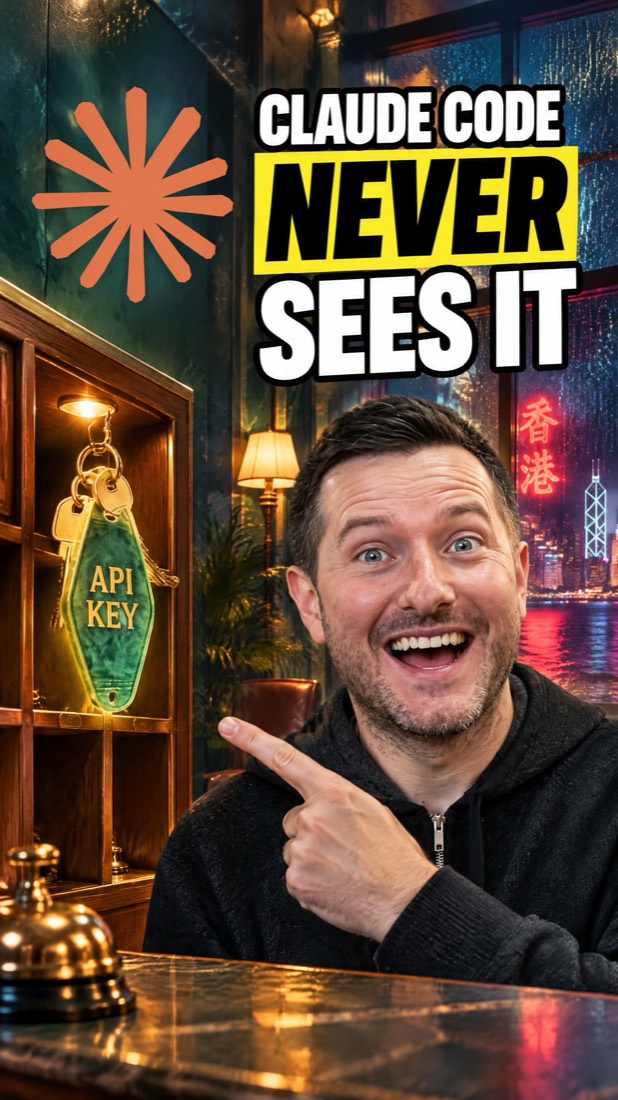
A cloud session is a Claude Code session on an isolated, Anthropic-managed virtual machine instead of your computer. Think of it as a hotel room: Claude works inside it, and nothing in it is your laptop.
Unpacked once, ready next time
The first time you start a session in an environment, its setup script runs (installing what your repo needs). If setup finishes within roughly five minutes, Anthropic snapshots the filesystem and later sessions start from that snapshot, skipping setup. The cache rebuilds when you change the script or allowed hosts, or after about seven days. Since November 6, Claude can work out the dependencies, network access and keys a repo needs and save the environment for you.
Every call out goes through a switchboard
All outbound traffic from an Anthropic-hosted session passes through a proxy. The default Trusted level only reaches allowlisted domains: package registries, GitHub and cloud SDKs. You can switch to None, Full, or a Custom list of your own domains.
The key waits at the front desk
A network secret is stored on the environment, not in the VM. When Claude calls your API, the request leaves the VM without the key, and Anthropic's agent proxy adds it for the hosts you listed. The key doesn't appear in the session's environment variables or in any file, so there's nothing in the room to print or leak. It can still be used on the hosts you listed, so list only the ones you need.
How to set it up
1.Start a cloud session
Use claude.ai/code, the Desktop app, the Claude mobile app, or the terminal. From a repo whose branch is pushed to GitHub:
claude --cloud 'Run the test suite and fix any failures'2.Put API keys in Network secrets, not environment variables
At claude.ai/code, open the environment selector under the message box, open your environment's settings, select Network secrets, then Add secret. Fill in Allowed websites (for example api.example.com) and paste the key as the header Value (default header Authorization with prefix Bearer). You can't view the value again after saving. Plain environment variables are readable by anyone who uses the environment.
3.Check that the key isn't in the session
Start a session in that environment and ask Claude to call the API, for example with curl. The API should answer as if the key were sent, while the key itself doesn't appear in the session's environment variables or files.
curl https://api.example.com/v1/ping env | grep -i key # the secret should not be here4.Pick the network level
In the environment's Network access setting choose None, Trusted (the default: package registries, GitHub, cloud SDKs), Full, or Custom with your own list, one domain per line. A leading *. matches every subdomain.
5.Keep setup under five minutes so it gets cached
In the Setup script box, install what isn't pre-installed and make the script exit zero. Run independent installs in parallel so the whole script finishes in roughly five minutes and Anthropic can snapshot it.
#!/bin/bash
apt update && apt install -y shellcheck || true
The fine print
- Cloud sessions are on Pro, Max, Ultra and Team plans, and for Enterprise users with premium seats or Chat + Claude Code seats. Automatic setup was announced for Pro, Max and Ultra. Cloud sessions count toward your plan's usage limits.
- Network secrets need an Anthropic-hosted environment. Self-hosted environments don't have them, and organizations using customer-managed encryption keys can't save them.
- The proxy never attaches a secret to GitHub (it has its own proxy), the Anthropic API, public package registries, or requests made by the setup script.
- The snapshot keeps files only. Databases or services the setup script started aren't running in the next session.
- On November 7, the cloud environments docs still described manual setup; the automatic setup comes from @ClaudeDevs' November 6 announcement.
FAQ
Does Claude see my API keys in Claude Code cloud sessions?
Not if you add them as network secrets. The key is stored on the environment and Anthropic's agent proxy adds it to requests after they leave the session's VM, so it never appears in the session's environment variables or files.
What's the difference between environment variables and network secrets?
Environment variables are loaded into the session and any command Claude runs can read them. Network secrets stay outside the VM and are attached by the proxy only to requests for the hosts you listed.
Why does my cloud session start faster the second time?
When the setup script finishes within roughly five minutes, Anthropic snapshots the filesystem and later sessions start from that snapshot. The cache rebuilds when the script or allowed hosts change, or after about seven days.
What can a Claude Code cloud session reach on the internet?
By default (Trusted), only allowlisted domains such as package registries, GitHub and cloud SDKs. You can set None, Full, or a Custom list. GitHub, enabled MCP connectors and your network secrets' hosts work through their own paths.
How do I start a Claude Code cloud session from the terminal?
Run claude --cloud with a task in a repo whose branch is pushed to GitHub. You need to be signed in with a claude.ai account.
Sources
- Configure cloud environments (Claude Code docs)
- Use Claude Code in the cloud (Claude Code docs)
- @ClaudeDevs announcement, Nov 6 2026
Facts checked 2026-11-09 against the Claude Code docs pages for cloud environments and cloud sessions, and the @ClaudeDevs post of 2026-11-06.
Want help building with tools like this?
Join the Shipping Skool community free. Paid members get live bootcamp calls every week and weekly-updated courses.
Join Shipping SkoolMore free guides
How ChatGPT Wallet Pays Without Seeing Your Card (and How to Set It Up)
OpenAI's new ChatGPT Wallet lets your dot pay for things on your behalf, and neither the agent nor the store ever sees your real card number. Here's how the stand-in card works and how to set it up.
Claude Code Custom Themes: Animated Backdrops and Your Own Colors
The Claude Code desktop app can now wear a theme: your own colors and an animated scene behind the chat. Here is how a theme works, two ways to get one today, and why you should treat a theme like code.
Astryx: Give Your AI Agent Meta's Design System So Every Screen Matches
Meta's open-source design system ships 150+ React components, seven themes and a CLI your coding agent reads from. What it is, how it works, how to set it up today, and the fine print.