Free guide
How Claude Code's Code Mode Works (and How to Turn It On)
Claude Code can now write a small JavaScript program that calls its tools, instead of calling them one at a time. Here's what that changes and how to switch it on.
The short version
- Normally every tool call is a round trip: Claude asks, the tool answers, and the whole answer goes into Claude's context.
- In Code Mode, Claude writes one JavaScript script that calls the tools, so loops and filtering happen in the script instead of in the conversation.
- Only what the script returns comes back. In Anthropic's own example, a 10,000-row sheet comes back as five rows.
How it actually works
The old way: every answer lands on the desk
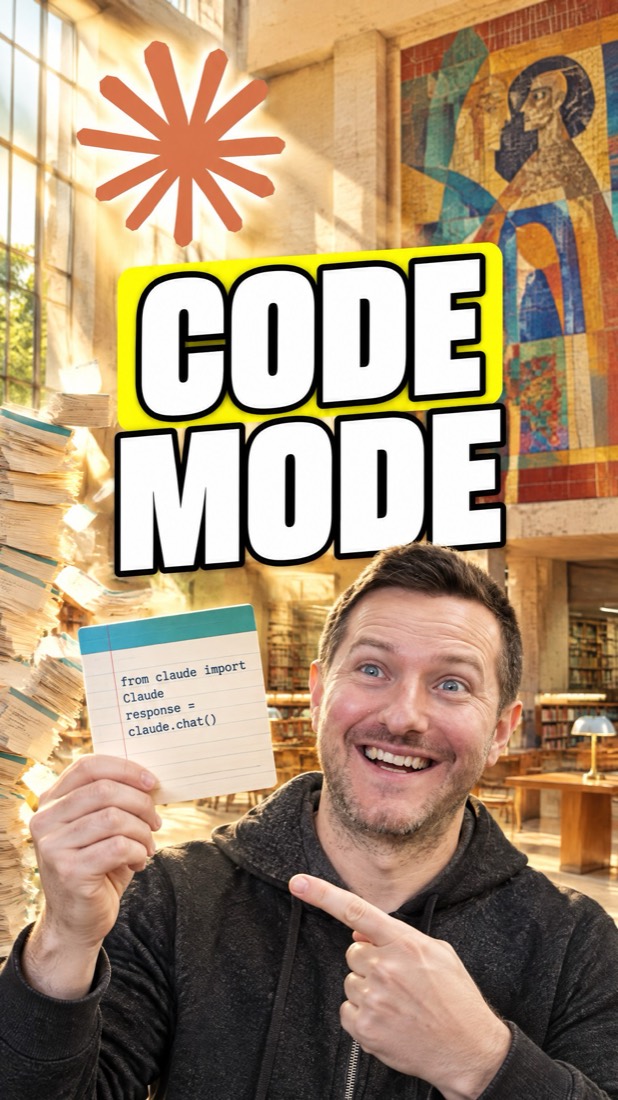
Think of Claude's context as a desk in a library. With normal tool calling, Claude asks for something, the tool answers, and the whole answer is put on the desk. Then Claude asks for the next thing. Anthropic's engineering team put it plainly: every intermediate result has to pass through the model. Ask for a 10,000-row sheet and all 10,000 rows end up on the desk, even if you needed five.
Code Mode: send a call slip instead
In Code Mode, Claude writes a short JavaScript program instead of making the calls one by one. The program calls the tools itself, the way a call slip sends a clerk into the stacks with instructions. Loops, if-statements and filters run in the program, so Claude doesn't have to read each step to decide the next one.
Only the result comes back
The big results stay with the program. Anthropic describes the idea this way: intermediate results stay in the execution environment, and the agent only sees what you log or return. Their example filters a 10,000-row spreadsheet in code, and the agent sees five rows instead of 10,000. A smaller, cleaner context means fewer tokens spent and less room for Claude to copy data wrong between calls.
Still checked before it runs
The script runs through a tool in Claude Code called REPL. In the 2.1.323 build, auto mode checks a script before running it, and it refuses to run code after a hook has changed it. Exactly how Code Mode works with your permission rules isn't documented yet, so treat it as an experiment.
How to set it up
1.Update Claude Code to 2.1.323 or later
Code Mode arrived in version 2.1.323 on November 12, 2026. Update, then check the version.
claude update claude --version2.Turn it on in your settings file
The changelog points to a Code Mode docs page that wasn't live yet when we checked. In the 2.1.323 build, the switch is the CLAUDE_CODE_EXPERIMENTAL_CODE_MODE variable in the env block of your user settings (~/.claude/settings.json). Setting it only in your shell isn't accepted. Restart Claude Code and accept the Code Mode prompt. This may change once the official page is up.
{ "env": { "CLAUDE_CODE_EXPERIMENTAL_CODE_MODE": "1" } }3.Use a supported model
The 2.1.323 build only accepts Claude 5 models at 5.5 or newer for Code Mode (Fable and Mythos at 5.2 or newer). Switch with /model if you're on an older one.
4.Give it a job with a big result
Code Mode helps most when a task reads a lot and keeps a little. Try a prompt like this in a repo with a large log or data file, and compare how much ends up in the conversation.
Read logs/app.log, find every ERROR line from today, group them by message, and give me the top 5 with counts.5.Turn it off for a team
Admins can turn Code Mode off for the whole organization. In the 2.1.323 build, an off value (0) for the same variable in managed settings wins over a user's own setting.
{
  "env": {
    "CLAUDE_CODE_EXPERIMENTAL_CODE_MODE": "0"
  }
}
The fine print
- Code Mode is experimental and opt-in. Anthropic's changelog says you can turn it on, or turn it off for an organization.
- On November 12, 2026 the docs page the changelog links (code.claude.com/docs/en/code-mode) returned a 404. The setting name and model check above come from the published 2.1.323 build, not from docs, so they may change.
- How Code Mode interacts with your permission allow rules isn't documented yet. Read your rules before you turn it on for real work.
- The five-rows-instead-of-10,000 figure is Anthropic's own example from its November 2025 post on code execution with MCP, not a Claude Code benchmark.
FAQ
What is Code Mode in Claude Code?
An experimental, opt-in mode added in Claude Code 2.1.323 where Claude writes JavaScript to call its tools, instead of calling them one at a time.
Why does Code Mode use less context?
Big tool results stay inside the script. The script can loop, filter and combine them, and only what it returns goes back to Claude, so a large file or table doesn't fill Claude's context.
How do I turn on Code Mode?
Update to 2.1.323 or later, add CLAUDE_CODE_EXPERIMENTAL_CODE_MODE set to 1 in the env block of ~/.claude/settings.json, restart, and accept the prompt. That's how the 2.1.323 build reads it; the official docs page wasn't live yet.
Can my company turn Code Mode off?
Yes. The changelog says organizations can turn it off, and in the 2.1.323 build an off value in managed settings wins over a user's setting.
Is Code Mode the same as Cloudflare's Code Mode?
Same core idea. Anthropic's 2025 post on code execution with MCP notes that Cloudflare called the approach Code Mode. Claude Code's version is its own built-in feature.
Sources
- Claude Code changelog (2.1.323, Nov 12 2026)
- Code execution with MCP (Anthropic Engineering)
- Claude Code v2.1.323 release (GitHub)
Facts checked 2026-11-12 against the Claude Code changelog (2.1.323), Anthropic's engineering post on code execution with MCP, and the published 2.1.323 build.
Want help building with tools like this?
Join the Shipping Skool community free. Paid members get live bootcamp calls every week and weekly-updated courses.
Join Shipping SkoolMore free guides
How ChatGPT Wallet Pays Without Seeing Your Card (and How to Set It Up)
OpenAI's new ChatGPT Wallet lets your dot pay for things on your behalf, and neither the agent nor the store ever sees your real card number. Here's how the stand-in card works and how to set it up.
Claude Code Custom Themes: Animated Backdrops and Your Own Colors
The Claude Code desktop app can now wear a theme: your own colors and an animated scene behind the chat. Here is how a theme works, two ways to get one today, and why you should treat a theme like code.
Astryx: Give Your AI Agent Meta's Design System So Every Screen Matches
Meta's open-source design system ships 150+ React components, seven themes and a CLI your coding agent reads from. What it is, how it works, how to set it up today, and the fine print.