OpenClaw 4.21 Update: What's New (Release Notes Breakdown)
By Beau Johnson · · 14 min · 2.9K views
About this video
Transcript
Read the full transcript
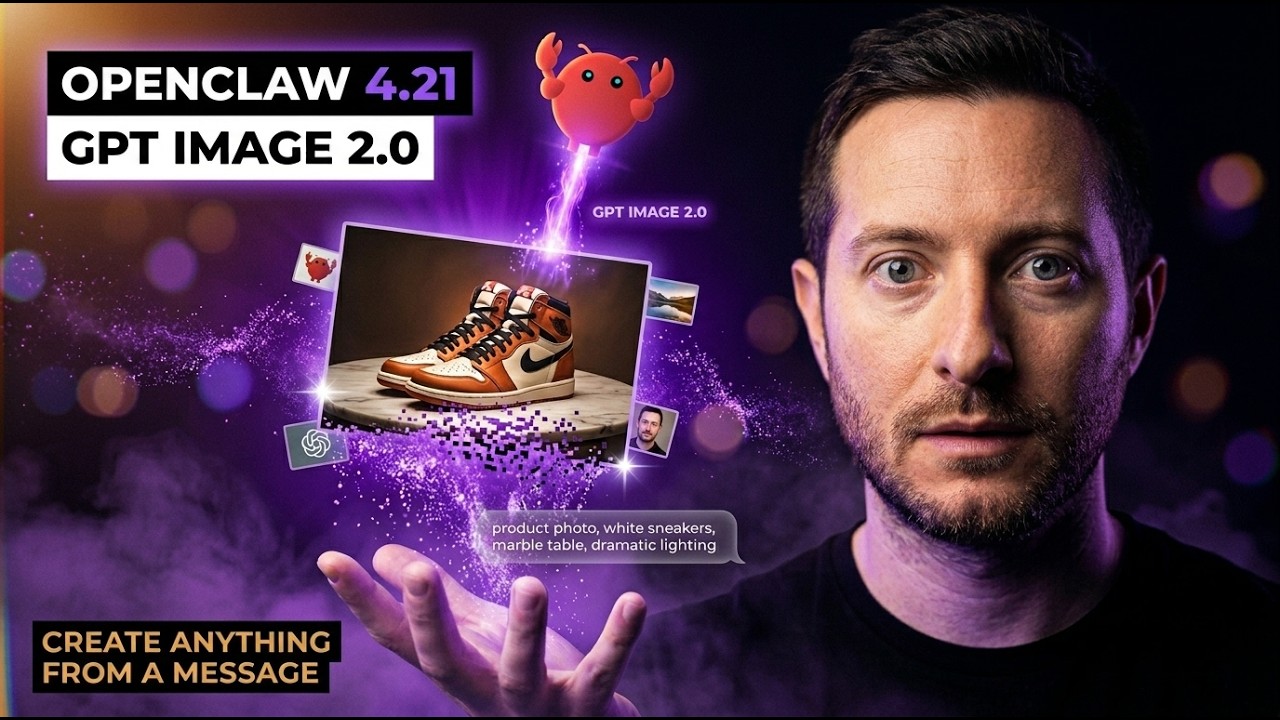
0:00In this video, I'm going to be talking about the newest open claw update 4.21 and yes, I know it's only been 12 hours since 4.2 dropped, but chat GPT just released images 2.0 and this directly correlates with this release. So, the headline change is something every single person building with AI agents really needs to know about. So, the default image generation provider in open claw just got shut switched out to open AI's GPT image model. So, the new 2K and 4K size hints baked right into the gateway. So, I think it's one of the strongest image models out. I've been using nano banana 2, nano banana pro, but this one blows it out of the water specifically with text details. I think
0:45this is pretty cool because the moment you update your open claw, basically every image your agents generate gets a quality bump. No configuration change, no new API key, your images just get better out of the box and I run my entire content machine through kai.ai and their API. I made the switch to GPT through the images 2 model today and I'm noticing a huge difference. No more backlog of API calls, it just works and it's beautiful. So, I'm going to explain and back up why this matters because I know a lot of you watching are not just messing around with AI agents anymore for fun, even though that's great to do to start, we're actually trying to make money and build businesses, right? You know, you're trying to build a real thing, a real product and you're trying to make money. You're running stores, you are flipping products, whatever
1:30you're doing, you're building landing pages, maybe you're shooting content and the quality of your visuals is everything. So, when I saw this release, the first thing I thought of last night, it was going to change the quality output for a lot of my systems. There's about five different things that I'm running right now and probably 10 things you're running right now. So, let me walk through it. First, I'm going to actually tell you about the release. You know, if you go to the GitHub open claw {slash} open claw and check the release notes, you're going to see version 4.21 sitting It's right at the top. It's a real release, real version, real change log and I I know it just happened so close to the 4.20 release, but go read it. Give it to your open claw agent. The headline change is the image gen provider and the other stuff in there is
2:15more like under the hood quality of life fixes, which I will touch on towards the end of the video, but the image gen change is one that affects normal builders the most. Real quick, before we keep going, if you're watching this and you want to actually build with some of these tools, not just watch videos about them, then you're going to want to check out our community down below, shipping school. We [music] have a full claw code course, a full open claw course and four live boot camps every single week where we actually help you get set up from scratch. Like actually set this thing up, not just watch a tutorial and figure it out by yourself. And we also provide one-on-one coaching, so you could book a call with me, we could share screens and I can help you get claw code or open claw running on your machine. That's it,
3:00no fluff. I built this community because watching YouTube's only gets you so far. We launched it just 3 days ago and we have over 55 members. You need people around you who are actually building, people who hold you accountable and coaches who can help you when you get stuck. I'll put the link in the description down below. Get in now before the price goes up. Why does GPT image 2 even matter? Open AI has been quietly leveling up their image model for the last few months and the latest version handles text rendering inside images way better. It's really good with UI design as well. It handles photorealistic product shots way better. It handles consistent characters across multiple generations completely differently and it accepts size hints up
3:46to 4K, which means if you are generating thumbnails or banner art or product shots that need to look sharp on a retina display or a 4K TV, you're not stuck with a fuzzy 1024 by 1024 anymore, which you shouldn't be generating images in that ratio anyways. And the way open claw handles this is you literally just upgrade your system. You run open claw update from your terminal or just tell your agent to update itself and basically the next time one of your agents calls the image generate tool, it goes through GPT image 2 by default. You did not have to read a document, you did not have to swap out a config, the default just got better. I'm going to walk through the three specific use cases that this changes for me personally and maybe one is going to apply for what you're building. The first one is the real estate listing photos. So, I have a product called the
4:32magic hand. You could go to magickand.io and check that out, which is just an AI photo editor for real estate agents. The whole pitch is you upload a photo from your phone of a room and the AI cleans it up. It brightens it up, it removes the clutter and it makes it look like a pro listing photo. The thing is, real estate photos get viewed on big monitors, big TVs, big tablets. People are zooming in and they want to see the wood grain on the floor. They want to see the texture of the granite. So, image quality is not an option here. It is the product. With the old default image model, which was really good still, I was doing a lot of post-processing to upscale it and was costing me about 14 to 18 cents per photo, which is still good on the margins aspect of it, but with the GPT image 2 model by default in the 4K size
5:19hint, the agent can now request a 4K image directly from the generation step and the output is way closer to the print quality. And that is a huge unlock for anyone doing SaaS. The second use case is my YouTube thumbnails. So, if you've been watching this channel for a while, you know I have an agent named U God that generates the thumbnails for every video that goes out. U God reads the title, understands the angle and produces three thumbnail thumbnail varieties for each video. Like there's one at a desk setup style, there's a close-up reaction style, there's a dramatic cinematic style. We actually have a mood board over 80 different thumbnails in different sub niches of AI that it pulls in that info for as well. But, the problem with the thumbnails is YouTube serves them at 1280 by 720 in
6:05most services, but on the homepage, they're 4K and it goes way bigger. And the generic AI thumbnails somewhat have a kind of soft fuzzy quality. I could boost it up, bumping it up even higher quality, but then it's going to cost me more money, right? So, with GPT image 2 in the 4K hint, I am getting thumbnails that hold their Christmas on the big screen. And the text rendering, which used to be the worst part of the AI thumbnails, is way more readable, even though nano banana was really good at that. Um, image 2 is just so much better. So, if you're running a content channel of of any kind, this is the kind of upgrade that makes your stuff look more professional overnight. People click on the thumbnails that look sharp. People scroll past the thumbnails that look blurry or out of place or misspelled
6:51words. The third use case, and this one is huge for the reseller crowd, is product photos for e-commerce. So, if you're flipping stuff on Whatnot, eBay, Mercari, Poshmark, anywhere the listing photo is what closes the sale, you know how much time you spend taking, editing and re-shooting product photos. So, I run a Whatnot business doing close to $200,000 a month in gross sales and photos are everything. Sharper photos sell, period. That's that's the main thing. So, with this upgrade, the AI agents generate a placeholder product images, lifestyle shots, on model shots, the listing hero images can now hit 4K out of the gate. We actually use it to generate thumbnails for our Whatnot shows, too. So, we sell a lot of Lululemon and now I can make these thumbnails look even better. So,
7:36basically you can take a phone photo of a piece of clothing on a hanger and have an agent transform it into a clean, well-lit 4K studio shot in seconds. This is huge for people who sell on Poshmark and eBay. Photos is like the biggest drag to this business. Not everyone has a professional photography setup. Now, you can just take a few photos and have it rendered in image 2 and have them look really good. The thing is, you know, you don't need to be running a huge business to benefit from this. You know, if you're listing five items a week on eBay, your photos are the difference between getting paid $80 and getting paid 200. Image quality does compound here. Those are the three use cases that are relevant to my scenario, real estate, thumbnails and product shots and this is just what I'm running. If you're doing a book covers, course
8:22graphics, social media posts and ad creatives or just like landing page hero images, presentation slides, basically anything visual, your stuff just got an upgrade as soon as you run the open claw update. Now, I'm going to hit you with the practical step-by-step because I know some of you are watching like, "This sounds great, but how do I actually get this?" So, you open your open claw and you just tell it to update itself. Pull the latest update. You restart your gateway and that's it. Your existing agents that already use image generate tool will route through the new model automatically. You don't need to change any of your prompts, you do not need to change any of your skill files, you don't need to refactor anything. It just works out of the box. You want to take advantage of the 4K size hints specifically. You do not need to pass
9:09the size parameter when you call the image tool. So, in your skill or prompt where you tell your agent what size image to generate, you can now just say 4K or 2K and it will respect that. The default behavior is still going to be the standard square unless you specify it 16 by 9 or 1 by 1, whatever. So, make sure you're actually asking for the higher resolution if you want it. If you're struggling to keep up with content, well, I'm about to save you about 40 days worth of work. [music] I built something called content machine. It's 10 AI agents that run on the open claw orchestration and they handle everything. Scripts, [music] thumbnails, X posts, blogs, outreach, clips, newsletters, all of it. So, I went from 1,000 subscribers to [music] 4,000
9:54subscribers on YouTube in 7 days using this exact system. Every single morning I wake up [music] and the content's already done. I spend maybe 15, 20 minutes reviewing and approving them and I move on with my day. [music] It works for any niche, fitness, finance, real estate, marketing, whatever you're building and it is 100% completely customizable to your [music] use case. So you get the mission control dashboard, all of the cron jobs, everything I've built over the last 40 days helping me gain more and more people to subscribe and join the community. So you plug in your own thing and it molds it to you, it learns how you talk and it writes [music] so it doesn't sound like AI slop. $97 one-time, it's not a subscription, I'll
10:39put the link down below and you'll thank me later. There are a few other things in this release worth knowing about even though they are more under the hood. The plugin doctor repairs bundled runtime dependencies, which fixes a bug where some package installs were broken on certain machines. Owner only commands now properly enforced, which is a security fix. Slack thread aliases get preserved when the runtime sends, which makes Slack integrations way more reliable. And there is a fix for browser act paths that reject invalid accessibility refs instantly instead of timing out. So if you have been seeing weird hangs in your browser automation, that one might be for you. But the headline, like I said, the thing I want you to walk away from this video knowing is the image generation and Open Claw
11:24just got way better. And you do not have to do anything to take advantage of it except tell your agent to update itself. Here's why this matters for the bigger picture. When Open Claw makes a default better, every single agent built on top of that Open Claw workflow gets better. Every skill that calls that image tool gets better, every workflow that touches the visuals get better. You did not have to ship anything, you did not have to refactor anything, you just get an inherited quality boost. That's the part of Open Claw that I think new builders miss. You know, you're not just installing a tool, you are plugging into a platform and ecosystem that gets better while you sleep. The team is shipping constantly, obviously, new providers, new tools, new fixes, new defaults. Every couple of days a release lands in you get to implement it in your
12:10stack and it gets better. So my recommendation, update it right now, test your image generation, look at the difference yourself and if you're running any kind of visual workflow, this is the kind of release that pays for itself just the first time you actually use it. If you're not running Open Claw yet, this is a great moment to start compared to just a few months ago. A lot easier to install and get going. It's free, it's open source, runs on your machine and the team behind it is shipping like there is no tomorrow. Features and updates get updated every single day. You can grab it from GitHub, go get it, run one install command and you're good to go. And if you want to learn actually build this type of stuff like AI agents, agentic workflows, just using Cloud Code to build your first app and you want to make money and make a
12:55business out of it, that is exactly what we cover inside of our community called Shipping School. We have 214 members and I launched the community exactly 30 days ago. I do nine live boot camp calls a week covering things like installing local LLMs to Open Claw to Cloud Code to beginners call to project sharing calls. So come join the community, I'll put the link to it down below and we're actually real people building real things, real launches, real income. There's people that have joined the community with no experience and now have a working app that's making money. So check it out. This is the update, go grab the latest 4.21 if you are interested in any kind of media assets, run your image gen and let me know in the comments what you build with it. I love seeing the use
13:40cases people come up with and we'll see in the next one. If you haven't subscribed to the channel already, please do. We release videos like this two to six times a day. Have a blessed day. Bye-bye.
Build this with us, live
Shipping Skool is a free community with 4 live build sessions a week. Bring your idea.
Join Shipping Skool — Free




