OpenClaw 4.26 Update: What's New (Release Notes Breakdown)
By Beau Johnson · · 17 min · 6.5K views
Chapters
- 0:00The 4.26 release in plain English
- 1:00The migrate command and Claude Code import
- 4:00Google Live voice in the browser and Meet
- 6:30Cerebras provider for fast cheap inference
- 8:30Matrix end to end encryption setup
- 10:00Compaction and the transcript size fix
- 11:00Local model and Ollama improvements
- 12:30Discord, Mattermost, Feishu, WhatsApp, Docker, macOS fixes
- 13:30What I would do next
About this video
Transcript
Read the full transcript
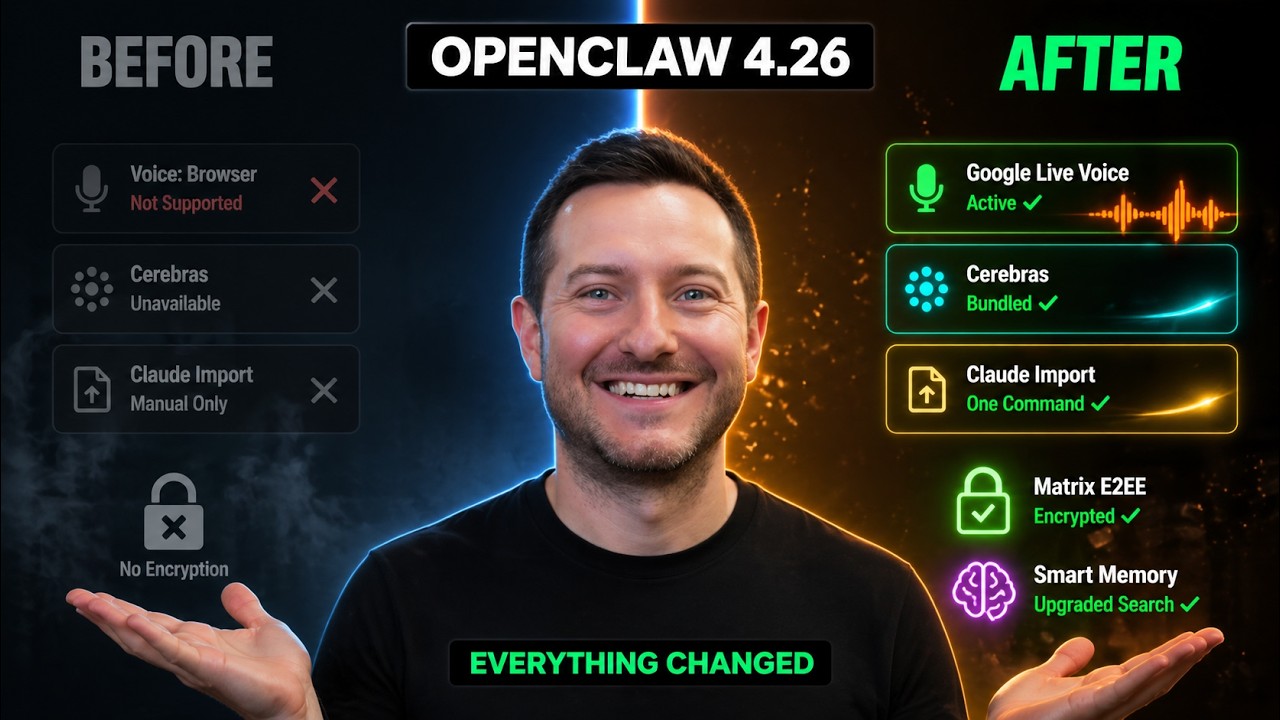
0:00OpenRCA 4.26 just dropped and yes, yesterday we just got a release of 4.25, but this one comes with some major upgrades I'm going to be talking about because it just dropped a few hours ago and I think it might be actually the most important release in the last few weeks and this is no joke. Not because of one giant flashy feature, but because of a stack of things that, you know, when you put them together, basically remove every excuse you had for not switching over to OpenRCA or upgrading your current setup in general. So, the first thing you need to know about this release is it ships a real migration tool. So, not just a guide and I don't mean just like a blog post, I mean a command that you will run. You type in OpenRCA migrate and then you point it at
0:47your existing Cloud Code setup or your Hermit setup and it pulls in your instructions, your MCP servers, your skills, your command prompts and even your provider configuration. So, it runs a dry run first so you can see what it's going to do and then it makes a backup and then it brings everything over. So, this is the thing that I've been wanting since I started building with AI agents. I do a lot of my actual building inside of Cloud Code. So, it's really nice to be able to pull a lot of that information into my OpenRCA setup if I want further automation. You know, I have a couple people inside of our community called Shipping School who have been holding off on OpenRCA because they already have Cloud Code and I get it. I was there, too. But if you wanted to start automating some of your agents
1:33and just start playing around with OpenRCA, now you have no excuse not to do that. You know, they didn't want to rebuild it from scratch, they didn't want to do any other thing but use Cloud Code. But they bundled the Cloud Importer tools in Cloud Code and Cloud Desktop instructions. So, now if you have a folder of full of Cloud Markdown files and a couple of MCP servers that are already wired up, this command that you run will bring them over to your Open Cloud setup in literal seconds. Also, too, this one's funny. We all know Hermes has an import your Open Cloud setup. Well, Open Cloud now has an import your Hermes setup. So, from news research, you know, it's the same idea, the configuration, the memory hints, the plugin hints, the providers, MCP servers, skills, credentials, all of it, right? And the way it is built is
2:20generally thoughtful. You know, there is a plan mode that just shows you what it would do. There is also a JSON output mode, so if you want to script around it, there is a pure migration backup. So, if anything goes sideways, you have a snapshot to roll back to. So, there is an onboarding detection, so it knows whether you are coming in fresh or upgrading on top of an existing Open Cloud setup, so it doesn't just rewrite your whole configuration. Real quick, before we keep going, if you're watching this and you want to actually build with some of these tools, then don't just watch videos about them. You're going to want to check out our community down below, Shipping School. We have a full Cloud Code course, a full Open Cloud course, and four live bootcamps every
3:05single week, where we actually help you get set up from scratch. Like, actually set this thing up, not just watch a tutorial and figure it out by yourself. And we also provide one-on-one coaching, so you could book a call with me, we could share screens, and I can help you get Cloud Code or Open Cloud running on your machine. That's it, no fluff. this community because watching YouTube's only gets you so far. We launched it just 3 days ago, and we have over 55 members. You need people around you who are actually building, people who hold you accountable, and coaches who can help you when you get stuck. I'll put the link in the description down below. Get in now before the price goes up. And there is also an archive only report mode for the stuff that it does not feel safe importing automatically. So, you
3:50can review it manually instead of having a tool blindly copy a credential into your configuration. So, if you've been on the fence about switching, now you have no excuse not to. This release is your sign. It removes a lot of friction from the process. Just run the migrate command and then you'll see what happens. The worst case, you delete it and then just go back. The dry run mode means you can preview every change before anything actually happens, which I think's pretty awesome because most CLI tools you just yellow into it and you find out what broke after. That's not good. The second big thing is voice. These voice updates have been coming in with 4.24, 4.25, and now 4.26. There is a huge uproar about the Google Meet idea where now your agents can join Google
4:36meetings and actually talk to the people in the meeting. I love that. In the 4.26 release, added Google live browser talk sessions with constrained ephemeral tokens and a gateway relay for back-end only real-time voice plugins. So, what that means in more plain English is you can now do a real-time voice with your agent inside of the browser using Google live. That's pretty awesome. You know, no phone setup, no extra hardware. Like, there's no third-party connection or tunnel. You don't have to dance around audio routing. You just pop open the control UE, hit talk, and then you are talking to your agent. They also fixed Google Meet, which is a quieter feature, but a really cool one. You could now
5:21basically have your Open CCA agent join a Google Meet call as a participant, and then they moved meetings to 24 kHz for PCM 16 audio for way better quality. They made it also when somebody interrupts the agent in a meeting, the agent stops talking instead of plowing through the message. So, you know, the way bad voice bots do, it's just really terrible. And they added real-time agent flag so you can have a specific named agent show up to the meeting instead of always sending the main one, which I think's pretty awesome. So, imagine you're running a sales call and you want a research agent just silently in the meeting taking notes and pulling up data when someone asked the question. That is the kind of thing this enables. The
6:07agent that joins is the agent you choose, not whatever the default is, and I think that's pretty cool. The third thing is they added Cerebras base as a bundler. You know, if you have not played around with Cerebras wet yet, you are missing out. You know, they run inference on their own custom chips, and the models come back so fast it almost feels broken. Like we're talking thousands of tokens per second on some of these. But with 4.26, Cerebras is bundled. There is an onboarding and static model catalog docs and all of it. You just turn it on and you have streaming fast option for tasks that do not read full Opus level reasoning, but it is speeding up the process. I've been using Opus 4.7 in my main setup now, and things are a little slow at times, but
6:54you know, I'm past that building stage. I've built out the whole content engine. But if you want a little speed in your setup, that would be the route to go. And this is huge for cost optimization as well. Not everyone has, you know, hundreds of dollars to be able to just play around with this thing. You know, I've been talking about model routing for a while now. The play is, you know, you put your important workflow on a GPT 5.5 Pro, or if or just GPT 5.5 with high reasoning, or Opus 4.7. You know, and you put your medium work on something like a GPT 5.5 or like a Sonnet 4.6. And then you put your high volume cheap work, like web scraping, on something fast and cheap. Cerebras now slots into that bottom tier. Perfect. So, if you have an agent that is making thousands of small calls a day, you are about have
7:40save a ton of money. The other thing that 4.26 did on the model side is that they moved a bunch of provider routing logic into plugin manifests. So, if you are a developer building a custom provider plugin, the model ID normalization, the endpoint host metadata, and the OpenAI compatible request family hints all live into your manifest now instead of getting baked into the core. That means new providers can ship without a core release and the routing table stop growing forever. It is a choir architectural change, but it does set up the next year of provider support to be way faster. The next release, and this is the one for the privacy people, they added Open Claw
8:27Matrix encryption setup. So, it's one command, it enables Matrix encryption, it bootstraps recovery, and it prints verification status. So, if you do not know what Matrix is, it is basically an open-source end-to-end encryption messaging tool. A lot of people use it for private chat, but with this command you can now run an Open Claw agent in a Matrix room and have full control over the keys. The recovery flow and the verification, it's amazing. This is the kind of feature most people are not going to notice at all, but if you are running an agent that handles sensitive stuff, it really does matter in the long run. We are at a point where agents are reading your email, they're executing code, they're ordering you coffee, holding your API keys, and you really do
9:14not want every part of that pipeline to be in plain text sitting on else someone else's server. The next thing, and the fifth one, is compaction. They added a new opt-in setting called agents default compaction, which is max active transcript bytes. What this even does is if your active transcript on disk gets too big, it triggers a normal local compaction before the agent run. So, the agent does not start a turn already over its memory budget. So, if you have ever had an agent start dragging on long sessions because the JSON file got too huge, this is the fix. It rotates the transcript future turns work off a smaller successor file instead of trying to byte split a giant history. I had my
9:59main session hit something like 700,000 tokens a couple weeks back and it caused so many rate eliminating errors. You know, stuff like this helps prevent that. The sixth thing, which is more for local model people, they did a bunch of work on a llama and local model handling. There is now a model specific retrieval query. It prefixes for nomic embed text, Qwen 3 embedding, and max by embed large. So, they fixed the LM Studio loopback trust, so LAN configs do not fail with missing authentication. They added memory query prefix for asymmetric embedding endpoints. They also classified terminated, reset, closed, timeout, and aborted local model failures with a process memory snapshot.
10:45So, you could finally approve that your LM Studio crashed because your machine ran out of RAM instead of just guessing. There's also a really nice fix for vLLM and Qwen thinking model. If you're struggling to keep up with content, well, I'm about to save you about 40 days worth of work. I built something called content machine. It's 10 AI agents that run on the OpenClaw orchestration and they handle everything. Scripts, thumbnails, X posts, blogs, outreach, clips, newsletters, all of it. So, I went from 1,000 subscribers to 4,000 subscribers on YouTube in 7 days using this exact system. Every single morning I wake up and the content's already done. I spend
11:30maybe 15-20 minutes reviewing and approving them, and I move on with my day. It works for any niche, fitness, finance, real estate, marketing, whatever you are building, and it is 100% completely customizable to your use case. So, you get the mission control dashboard, all of the cron jobs, everything I've built over the last 40 days helping me gain more and more people to subscribe and join the community. So, you plug in your own thing, and it molds it to you, it learns how you talk, and it writes, so it doesn't sound like AI slop. $97 one-time, it's not a subscription. I'll put the link down below, and you'll thank me later. They added plugin owned Quinn thinking controls, including dash scope style top-level enable thinking flags, and they preserve thinking for
12:16agent loops. So, if you are running Quinn look, and you want to use the thinking modes, you can now control them from your open claw without writing a custom adapter. Now, I want to highlight one more thing because it is small, but it is going to make a lot of people happy. For the Discord people, they fixed something called user and channel target syntax in the message tool. What this exactly means is when you tell your agent to send a Discord direct message by a numeric user ID, it will actually find the user instead of burning retries. They surfaced the user colon and channel colon target syntax in the shared message target schema and the Discord ambiguity errors. Tiny fix, but there's a huge quality uplift there. There is also a Mattermost fix where
13:01direct messaging replies stay top level instead of getting wrapped in a thread. There is also a fishu fix that sends interactive replies as native cards with clickable buttons. There is a WhatsApp fix that honors HTTPS proxy environment variables for QR login. Another Docker fix that sets up CA certificates in the slim runtime image, so HTTPS calls do not blow up the TLS setup. There is a macOS fix that detects installed but unloaded launch agent split brain states during status doctor and restart, and there's a ton of stuff more we could get into, but those are the main things. So, if you zoom out, the pattern in this release is really clear. They are not chasing one big feature. They are standing They are
13:46sanding the rough edges everywhere. There is something like 150 fixes in this change log, compaction, local models, Discord, Mattermost feature issue, what's Bonjour Docker, Windows path normalization, macOS launch agent split brain detection, bedrock blank turn handling, entropic prefill stripping, and Google Gemini prefill stripping. The list goes on, but those are the main things, and that is what mature software looks like. The headline feature gets most of the marketing, but the long-tail fixes is what makes the product meal feel more reliable and more solid. And Open Claws hitting that mature stage right now. Three updates in 3 days. The 4.26 release was driven by something like a 50 contributors. You know, we got Peter Steinberg is putting these out almost every day, and it's
14:32crazy. You know, if you have been on an older version, here's what I would do. I would run Open Claws update or tell your agent to update itself. Wait for it to finish, and then run Open Claws doctor two to make sure your configuration is clean. If you're running and coming from Cloud Code or Hermes, run Open Claws migrate first and bring everything over. Start automating your first task. If you are not running Open Claws yet, this is probably the cleanest moment to start. You can install it, run the Cloud importer to pull your existing setup, get Cerebrus working on cheap inference, and then set up Matrix encryption if you care about privacy. And pop open Google Live in your browser to talk to your agent. And all in maybe 20 to 30 minutes you could get that work. You know, I'm going to be testing the migrate command on my own setup later today cuz I do have a lot of stuff being built out in
15:18Cloud Code, Easy Flip, Magic Hands, Snaptastic. I could pull all those projects over and now start working on the marketing. You You know, I'll keep you in touch with uh how I'm going to use Hermes specifically as well to do some of my marketing. I might just release a walk-through video on how to set up Hermes and how it's going to handle my marketing for Magic Hand. I'd love to be able to show you guys the process. You know, if you want to see that, just leave a comment down below and I'll film the video. If you are stuck on any part of Open Claw setup, this stuff really does have a learning curve. It's not as simple as just installing the command and I'm on Open Claw. Done 40 one-on-one calls in the last 30 days and um maybe 30 of those were setting up Open Claw and every single person seemed to have some type of issue of getting Open Claw going. So, it's not as easy.
16:03So, you do need help, right? You should come hang out with us in the community. I launched it about 34 days ago. We have over 200 members and we do nine live coaching calls a week. But, the thing that I love most and it's booking up fast is that we have unlimited one-on-one calls. So, if you join the group and you don't want to be in a group-like setting, we have one-on-one calls available for you at no extra cost. That's included in your membership and they're unlimited. So, you could join the group, get nine live boot camp calls a week, and also get one-on-one support. These are real people building real agents and real things in a community that helps each other figure it out. So, I'll put the link to it down below. Open Claw 4.26 migration tool that imports your cloud code setup, I mean, that's sweet. The Google live voice in the browser, that's awesome.
16:49And Cerebras as a bundled fast inference provider, I mean, come on. One command matrix, end-to-end encryption, smarter compaction levels so your agent doesn't choke on long sessions. I love the better local model routing and Llama support and a long list of fixes across every channel of the platform. So, if you're building AI agents, you shouldn't be sleeping on this update. Download it and get it going. If you haven't subscribed to the channel already, please do cuz we release videos just like this every single day. We'll see you in the next one. Be blessed.
Build this with us, live
Shipping Skool is a free community with 4 live build sessions a week. Bring your idea.
Join Shipping Skool — Free




