OpenClaw 4.5 Update: What's New (Release Notes Breakdown)
By Beau Johnson · · 12 min · 30.1K views
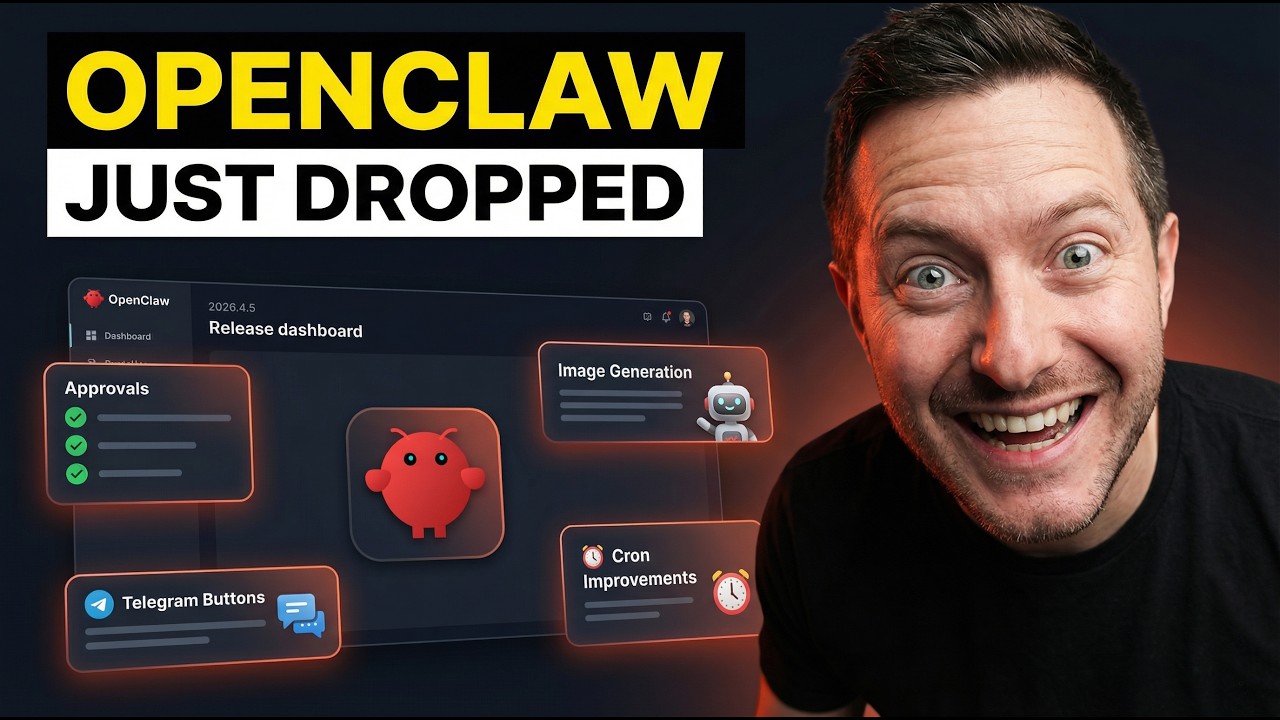
Chapters
- 0:00Intro
- 0:45Built-in Video Generation (Runway, xAI, Alibaba Wan)
- 2:00Built-in Music Generation (Google Lyria, MiniMax)
- 2:45ComfyUI Integration (local + cloud workflows)
- 4:00Memory Dreaming (the biggest feature)
- 7:00Prompt Caching Improvements (save money at scale)
- 8:15New Providers (Qwen, Fireworks, Amazon Bedrock, StepFun)
- 9:3012 New Languages in Control UI
- 10:00Claude CLI Removed from Onboarding
- 11:00Context Visibility Controls (privacy for group chats)
- 11:45ACPX Runtime Embedded
- 12:15Wrap up + CTA
About this video
Transcript
Read the full transcript
0:00This is one of the craziest open claw releases to date and in this video we're going to be going over and breaking down every single feature because this one is massive. And I'm not going to lie to you, you know, this is one of the biggest updates I've seen after several updates this week. Video generation built right in, music generation automatic, agents that dream and promote their own memories, prompt caching that actually saves you money, plus a bunch of new providers, a multilingual control UE and some meaningful changes to how open claw handles the claw CLI. I'm going to jump into these and break down each one step by step because if you're building with AI and you're using open claw, you're not going to want to miss any of these features. The first thing and this is the one that I actually
0:45stopped, pulled the car over to actually read what was going on. When I read that change log, open claw now has built in a integrated already video generation. So this tool is directly inside the platform. You don't need a separate API wrapper or a custom plugin. There's a new tool called video generate and it connects to three providers right out of the box. So X's Grok image to video, Alibaba's one model and the Runway AI model. So if you think about that what means for a content creator running AI agents, this gets me fired up. My whole open claw setup produces content like a crazy machine 24/7. So I'm super excited to utilize these tools. So basically
1:30what it means is your agent can now generate video right inside the platform, not just schedule it, not just write the script and not just pull frames out, it can generate the actual video. That's a kind of different automation than anything we've had before. And right alongside that, there is music generation inside too. Google Lyra and Minimax are now both bundled in. There's an async task tracking built in so you can fire off a music generation job and your agent can follow it up automatically when it finishes. You're not sitting there polling for results. The system handles it. So I've been building toward a fully automated content pipeline for over 50 days now and these two additions push that further than I expected to see it this fast coming up. Right now I use the kai.ai API to produce a lot of my
2:17content, thumbnails. Real quick before we keep going, if you're watching this and you want to actually build with some of these tools, not just watch videos about them, you're going to want to check out our community down below, Shipping School. We have a full claw code course, a full open claw course, and four live bootcamps every single week where we actually help you get set up from scratch. Like actually set this thing up, not just watch a tutorial and figure it out by yourself. And we also provide one-on-one coaching so you could book a call with me, we could share screens and I can help you get claw code or open claw running on your machine. That's it, no fluff. I built this community because watching YouTube's only gets you so far. We launched it just 3 days ago and we have over 55
3:03members. You need people around you who are actually building, people who hold you accountable and coaches who can help you when you get stuck. I'll put the link in the description down below. Get in now before the price goes up. In anything media related, so this is going to be a next step in that generation where I don't have to depend on that API anymore. I'm going to talk about the Comfy UI because this one gets overlooked. This one's big for anyone running local AI workflows. Open claw now has bundled Comfy UI workflow media plugin. You can now run local Comfy UI workflows or Comfy cloud workflows. And the part that really matters is this one right here. It shares the same image generate, video generate, and music generate tools the rest of the platform uses. So you can inject prompts, upload
3:50reference images, run live tests, all inside open claw. No more bouncing between different interfaces. So if you're using stable diffusion and any Comfy UI workflow for your content, this makes your agent setup much cleaner. The memory dreaming is the next thing. This is the feature I want to spend the most time on because I think it's the most inter- interesting part of this whole release. The problem with AI agents that we already know, you already know what I'm going to say. The problem with AI agents, finish the sentence, is memory. How many times have you talked to your AI agent and it seems like it has a case of dementia. Well, this is an interesting upgrade right here. Memory in general is just hard to get it configured out of the box. You know, you give them memory files, you write context down, but promoting the right
4:35thing is short-term to long-term has always been a manual job. You know, you have to go in and read through the logs, decide what matters, update the long-term file, and it doesn't happen automatically unless you download other plugins like lossless claw or QMD or things like super memory or database like neon or pushing things to GitHub in the heartbeat, things like that. 4.5 introduces what they're calling memory dreaming. It's still marked as experimental, but it works and the concept is pretty wild here. They are three phases to this, light dreaming, deep dreaming, and REM sleep. Just like actual sleep cycles. Your agent literally dreams its way into better memory. Like dreaming is quick, it surfaces recent activity and decides what's worth keeping. Small pass, low
5:20cost. Deep treating goes further, it analyzes patterns across your memory files and looks for connection. And the REM sleep cycle is the full cycle. It makes active decisions about what gets promoted to long-term memory, what gets archived, and what gets written into a file called dreams markdown. You kick it off with the slash command. There's a dreams UE to inspect what your agent promoted and why. And there are configurable aging controls so you can set how aggressively it promotes those memories over time. I've been manning my agent's memory manually since day one and I finally got it to a point where it actually works, but the thing is it took a long time to get it going. Reading logs, updating memory markdown, deciding what matters, having the agent handle its own memory hygiene is genuinely new,
6:05but that's not something we've had before and in any other update. So out of the box open claw install, the memory has been upgraded. I'm going to talk about the prompt caching because this one's going to actually save you a lot of money and it's going to actually matter if you have like a heavy pipeline. You know, it's going to affect those users more than anything in this update. Prompt caching has been in open claw for a while, but 4.5 makes it actually work better across the board. Better cache reuse across transport fallbacks, deterministic MCP tool ordering so the cache doesn't break between runs. And if you run open claw status with the verbose flag, you now get a full cache diagnostics right there in the terminal. Why does this even matter? If you're running a big pipeline, caching the right prompts cuts your API costs, plain and simple. Not
6:50theoretical savings on paper, but actual dollars on your API bill. For anyone running daily cron job agents at scale, that can compound pretty quickly. New providers are the next thing. This update brings in a lot of. Kwen is now supported, Fireworks AI, Step Fun, Minimax, TTS, Minimax shirt, and also a llama web search. Amazon Bedrock as well through something called Bedrock mantle which handles auto discovery and off automatic. Bedrock mantle also adds embedding models like Titan, Cohere, Nova, 12 Labs. If you're building anything that needs vector search or semantic memory and you're in the AWS world, that makes the connection pretty straightforward. GPT 5.4 mini also got a forward compatibility entry added so if
7:35you're on the open AI side, that is now in the model list, too. 12 new languages in the control UE, Chinese in simplified and traditional, Portuguese, German, Spanish, Korean, French, Turkish, Indonesian, Polish, and Ukrainian. Open claw is going international and that's a huge deal. The builder community for tools like this is global anyways and that makes it more accessible to everyone. I want to flag a change that matters for anyone who sets up open claw the old way. The claw CLI has been removed from the onboarding flow for new users. If you're struggling to keep up with content, well I'm about to save you about 40 days worth of work. [music] I built something called content machine. It's 10 AI agents that run on the open claw orchestration and they handle everything. Scripts, thumbnails, [music]
8:21X posts, blogs, outreach, clips, newsletters, all of it. So I went from 1,000 subscribers to 4,000 subscribers on YouTube in 7 days using this exact system. Every single morning I wake up [music] and the content's already done. I spend maybe 15, 20 minutes reviewing and approving them and I move on with my day. It works for any niche, fitness, finance, real estate, marketing, whatever you are building and it is 100% completely customizable to your [music] use case. So you get the mission control dashboard, all of the cron jobs, everything I've built over the last 40 days helping me gain more and more people to subscribe and join the community. So you plug in your own thing and it molds it to you, it learns how
9:07you talk and it writes so it doesn't sound like AI slop. $97 one time, it's not a subscription. I'll put the link down below and you'll thank me later. If you've used the legacy stona setup token method to connect your claw account, that option is gone for new installs. Existing profiles still work, but if you're setting up fresh, that path is not there anymore. The migration tool is open claw doctor with the fix flag. If you've got stale state from the old flow, that command cleans it up. This fits a pattern we've been watching. Anthropic keeps tightening how third-party tools can access claw through subscriptions, the metering changes, the OAuth enforcement. This is another step in that direction. Worth keeping an eye on if your pipeline depends on claw. Context visibility
9:53controls, this is a privacy feature that I think deserves more attention. You can now set per channel contacts visibility settings, filter quote contacts, thread contacts, and history contacts by sender allow list. In group chats, you can control exactly what contacts your agency sees and from who. And if you're running an agent in any kind of shared channel, this matters most. You want to know the agent is not pulling in contacts from people who should not have access. This gives you that control. And ACPX runtime is now embedded directly inside the ACPX plugin. No more external hop to a separate ACP CLI. Better session binding, better reuse. If you're building on ACP, this simplifies your setup significant. So, I'm going to tell
10:38you the big picture. This is a release that is not ordinary. It's not an incremental release. It's a huge one. Built-in video generation with Runway and XAI, built-in music generation with Google Lyra and ComfyUI local in the cloud workflow, memory treating with light, deep, and rem phases, better prompt caching that saves real money, new providers from Amazon, Quinn, and Fireworks, 12 new languages, privacy controls for group chats, and the cloud CLI officially out of the new user onboarding. This is the direction that the platform is moving. More media capabilities built right in, more provider options, agent that manage your own memory, and a cost structure that rewards heavy users. If you're just getting started with Open Cloud or you want to understand how to build a real
11:24pipeline on top of this, I want you to check out the community. I have a link down below. It's called Shipping School. It's where I teach and two other teachers teach exactly how to set up the system I run my business on and how they manage their businesses. We also have some courses included. We do now nine coaching calls every single week, and it's a community of real builders. I launched the community 21 days ago, and we have 203 members that have joined. And we really focus on community first, helping you where you are at in your AI journey, and helping you take the next step forward. I'll put the link down below, like I said. And if you haven't subscribed to the channel, what are you waiting for? I release videos just like this about four to six times every single day. Make sure you subscribe, hit the notification bell, and leave a comment down below. What are your
12:09thoughts? What do you think about this up? I want to know. We'll see in the next one. Have a blessed night.
Build this with us, live
Shipping Skool is a free community with 4 live build sessions a week. Bring your idea.
Join Shipping Skool — Free




