Opus 4.8 Automated My Marketing in 23 Min
By Beau Johnson · · 20 min · 489 views
About this video
Transcript
Read the full transcript
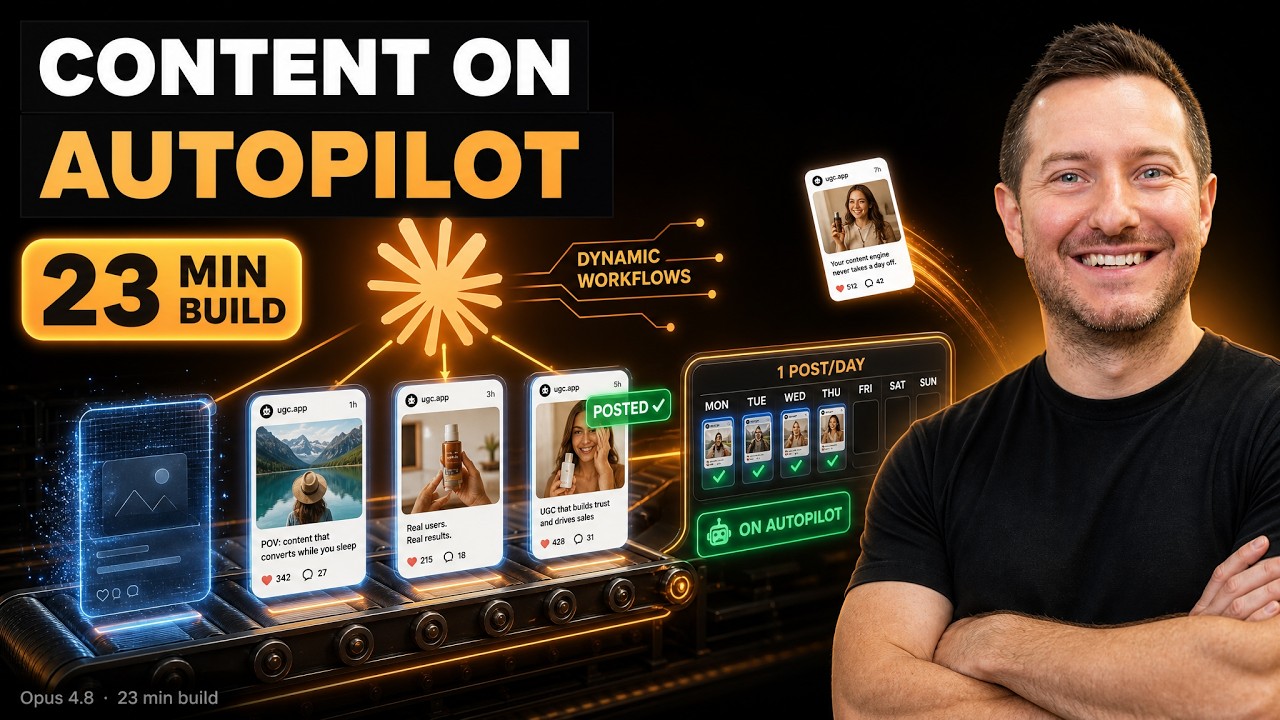
0:00In this video, I'm going to be automating my entire marketing pipeline using Cloud Code to market my app called the Magic Hand. And my app, Magic Hand, is something that I built last year. It allows a real estate agents to drag and drop their photos and then automatically get them edited for ready for the MLS. This app has done $700 in revenue. You can see here. And the main thing is marketing is tough. The app is built. It works. It's a great app, but getting users is difficult, especially since I'm not in the real estate niche. So, in today's video, we're going to use a combination of Seed Dance to be able to create these videos. They're going to be 9x6 short form videos that are going to get posted automatically on five accounts using the PostBridge API. We're
0:45going to be posting to Tik Tok, Instagram, Facebook, and YouTube, and as well as LinkedIn. So, those are the five channels that we're going to be running on. And I've broken down the costs and everything that we're going to be paying for. So $29 for PostBridge and then $74 for Seed Dance to be able to create one video a day that's 15 seconds long. I think that's worth it because if I could just get one customer, it basically pays for itself. So you can see here we're going to go over this plan. We're going to break it all down. If you want to see how I do this step by step, you're going to want to watch to the whole video. Let's get right into it. Okay, breaking this down. This can be applied to any product that you're building, which is why I'm making this video. You know, this is just an example for my app that
1:31I'm trying to market and have it be automated. So, this is something that you can take your app and follow it step by step. So, I named it the Magikan UGC factory. It's going to be a basically like AI UGC. So, automated daily UGC video factory for the Magikan. It's just real estate AI photo editing app that each run produces a 15-second vertical video talking head testimonial where the realer describes a listing photo problem and how the app fixed it paired with a real before and after photo. The end goal is to drop a draft into the post bridge each day and then I approve it. So all of this is going to be basically hosted in my openclaw mission control and I'm going to auto approve it. I probably down the road will have it auto
2:17post for me, but for now I want to be the human in the loop just to make sure everything's turning out. So here is the phases that we've already built. So pick today's prompt. So there's a 15 prompt bank that cycles through each day. It picks a random prompt and then it generates it in 9x6 720p uh with audio and then after that the before and after demo. So basically it's going to end up in PostBridge and ready for me to go. It never auto posts. If you want to build out AI workflows like this in codeex, cloud code or cursor, whatever your IDE is of choice, that's what we teach in the community. So, this is a 24-week syllabus on teaching exactly that. What is AI mean? Is AI actually intelligent? How to use AI? How to build out these
3:02workflows? Like I said, we are in a 24-week sprint right now where we are building up the course library. We do four live calls all based on a specific tutorial and course. So if you want to build your first AI agent workflow or you want to learn what a database is and how authentication work, what does backend infrastructure look like? You want to work with superbase, you want to work with convex, you want to work with Versell, how does it work, what is an MCP, how does OOTH work, what is GitHub. So just learning the basics of like openclaw, Hermes, claude code, codeex. We have courses inside the community teaching AI automation, agentic workflows. I'll put the link to the community down below. We have over 150 builders building in there every day. So we generated that um you know everything
3:48is set for as far as the foundation of this project. We already have it on GitHub. So any changes that we make, we can you know be able to push to GitHub to be able to have that as a backup. So before and after. That's the next step is make the before and after listing photo for the prompt. So what I want to do is actually use GPT2 just to be able to take a before and after photo and have it generate in 9x6 and have it overlaid. So that's the next step we need to take. I'm using Kai.ai to be able to use this. Kai.ai is just basically a marketplace for all these imagetovideo models. So that's my ne first prompt to kick this off because that is the next step. I want to use
4:34kai.ai their API using GPT images 2 to generate the before and after. This is going to be a 9x16 photo with the before photo on top and the after photo on the bottom that is going to be overlaid the during the video as the person is talking. But we need to make sure that the prompt that we send off for this is relevant to what the realer is talking about. So if they're talking about a bathroom, we're going to have a before and after photo of a bathroom. If they're talking about a living room, we're going to have a before and after of the living room. So we're going to need to come up with either prompts or going to need to be able to pull that transcript from that prompt to send to GPT Images, too. And then we're going to need to overlay that
5:19photo after the video is generated, whether it's an FFmpeg or we do that with Remotion. Here's the API documents for GPT images 2. Okay, so we're just going to go to the API market here on Kai and then we're going to go search for GPT images 2, which is right here. And then they have a little section here where you could just access the API. And I just give those documents to Claude. We're going to paste in the documentation. And then we're going to go ahead and um put it on ultra code as well because I want the best output as possible. And then we are going to send that off. Going to go to effort. Okay. So it just came back. And by the way, I'm on extra high reasoning level so it actually can think through and really
6:04come up with a structured plan before it just starts spinning off coding agents and doing random things. This is really important when you're building out features within your project. So it came back and said, "How should GPT image 2 produce the before and after? It's text to image only. No source listing photo to edit." So one split panel image recommended a single API call with a 9x6 image with the before on on top and the after on the bottom of the same room. Yes, exactly. Perfect. And then what engine should overlay the before and after photo onto the talking head video? I think I think Remotion should do it because it's just going to look better. We'll try with Remotion first and if it doesn't work well, we'll switch to
6:50FFmpeg. Remotion is just going to add a little bit more I mean overlay. It's going to look better. And then how should the before and after photo appear over the photo or video picture and picture card photo shown as a smaller rounded card? Um, no. Timed full screen takeover. I think a timed full screen takeover. Submit answers. I think it's important with this new feature using Opus 4.8 when you're doing something that's pretty intensive like this. You know, using high is great for like quick bug fixes or refactoring something in your codebase, but for something new that we're building out, we want the best intelligence possible. So, we're going to activate Ultra Code. And yes, it's going to take longer, but at least it's going to think through the problems, create a workflow for us, and
7:36give us the end result in a much better polished version rather than just going back debugging. Oh, this didn't work, or this workflow is timing out or this API call is not working. Let's just give it the best possible, you know, potential to be able to build this out rather than going back and forth so much. And when I do this, so I'm changing the effort level in the middle of this build. It says this conversation is cached for the current effort level. Switching to extra high means the full history gets reread on your next message. So I'm going to say yes, switch to extra high and we're going to let it cook. Okay. So after I hit continue, it says ultra code is on and I'll orchestrate this properly. Before writing the remote phase, I have real uncertainty about two external API
8:21contracts. The exact kai.ai AI response shape for image task and also the precise reotion 4.0 programmatic render API. Getting these wrong is the difference between a working pipeline and silent failure. See, that's something we wouldn't have had by staying in high reasoning. So, it's going to fan out a research and adversarial review of the workflow to nail down the exact facts and audit the phase 2 code I just wrote and then build phase out three from verified grounded research. So, this is why we switched. And I know Dynamic Workflows is super token hungry and you're gonna spend a lot of tokens, but also at the same
9:07time, if you're on the $200 a month max plan, you shouldn't be worried about this, especially if you want something working in the best possible position, right? It says dynamic workflows for maximum thoroughess. So you can go and hit forward slashworkflow and it will show you what workflow is exactly working on right now and it will show you how much tokens it's spending in that workflow. So something to be aware about maybe you're just on the $20 a month plan. Um you will spend a ton of tokens much faster like you'll burn through them quicker. But in my point of view, I just think of my time is so valuable at this point that I don't want to be having to go back to fix things that, you know, we built out the
9:52workflow, but Remotion's not working. You know, if this is going to save me more time, I'd rather spend more money up front than go back and, you know, be budgeting and, you know, saving money and having to go back and fix errors later. I hope that makes sense. That's just like my point of view and my philosophy when I try to build. I just want it to be the best output possible, so we're not wasting time. Yes, it's going to take longer, too, but I don't care. So, I want to say here, it's been working for 7 minutes and 55 seconds. It has spent 29,000 tokens on this phase, and I am impressed just seeing and reading through the thoroughess of each build out. It is building it out. It is testing it. It is verifying it's working. And I just love that. I mean,
10:38it is just a beautiful thing to see. And like I said, yes, it's going to cost more on token consumption, but I just love seeing the power of this new dynamic workflows feature. It just gives me confidence that I'm not going to have to go back and fix things later. So, you can see it's confirmed. The still from the mid reveal shows the before and after image filling the full 9x6 frame on top of the silently playing talking head video, which is amazing. It's moving on to phase three, which is the verified end to end, and it's going to clean up the test artifacts and then update our readme file. I love this and I can't wait to show it in full force. Like I said, this is something that you can apply to your app. This is why I'm making the video to be able to just
11:23share with you what kind of my pain points are when I'm building. You know, I built the magic hand about I think maybe end of September last year, and it's amazing. It's just so hard to get users when I'm not in the industry. You know, I'm not cold calling real estate agents. I'm doing I just started the email outreach about three weeks ago. And I think being able to generate content is going to be the next step. Like I said, um I'm going to also use many chat for the auto DM and engagement feature there on Instagram and Tik Tok. So if someone does like it or leave a comment, we can be like, you know, taking that speed to lead type of principle of like, hey, here's our app. Here's 10 free credits. Give it a try. Let me know your feedback. So, I'm going to be documenting this journey. It's going to be exciting. And yeah, it's
12:09still going. We're about 9 minutes in. 34,000 tokens spent. Okay, so now it's moving on to the next phase. And it had prompted me, run a dynamic workflow. Adversarily review the phase 3 render pipeline plus reotion composition. Verify each finding. So, this dynamic workflow will spin up multiple sub aents across following phases. And it just says dynamic workflows can use a lot of tokens quickly by running many sub aents in parallel. So just to confirm, yes, I do want it to run, but it also prompts you letting you know. Also, another option to just for beginners out there that are like, man, I have to approve every single little change here. Dynamic Workflows has a feature where it says, you know, you got yes. So instead of hitting yes every single 10 seconds, you
12:55can switch to auto mode. So, and I feel confident that it's going to do a great job. So, we're going to switch to auto mode and we're going to um we're going to just let it cook. Okay, so that was a 35 minute process, but again, I do believe it's worth it. It says it is done. Phases two and three are built wired into the pipeline and verified end to end with a real remotion render. So, very cool. What is built specifically? Phase 2 is the GBT2 before and after image. So it builds a prompt from each entry's existing before and after edit so the image always matches what the realer is talking about. So bathroom bedroom example. No transcript parsing is needed. One 9 by6 splits uh panel
13:43image. So the before photo will be on the top the after photo will be on the bottom. It's the same room and it's generated in a single API call. Also phase three is the remotion. So like the final part where it's going to stitch it all together and then it's verified real render in 1080 by 1920 30 frame rates per second with the audio preserved. Very cool. And then two things for me. Remotion licensing needs a paid company license above a team size revenue threshold. Since the magic hand is the product you're selling, this applies. So it's flagged in the readme details. So we'll go check that out. And to run live, we'll need to put in our API key and get this thing going. Okay. So it ran for another 19 minutes and it built out phase 4 which is the postbridge
14:28publish. Basically this is going to allow us to put it inside of postbridge as a draft and then I can review it from there. My initial idea was to then go ahead and actually add this part of my open claw. This is my open claw mission control. And you could see I here have pretty much everything that is somewhat automated for the most part. And I added this magic hand page to be able to just, you know, rather than have to go into postbridge every single time, which I don't mind. I just think that I'm working in this open claw mission control more. So I'll be able to just go inside of my magic page and then approve anything that was generated for the day. Um, this is where it generates the blogs, the newsletter, also gives me trends. Also, I can keep track of my
15:14agents in here. Also, my ex posts, it gives me just an analysis on what is trending and what is performing well. Also, for podcast outreach and then as well as people who want to be on the podcast. So, I'm just adding this into my open call down the road. But for now, I want to build out the entire workflow just to get it to work, just to show you the potential here of what we're working on. So, here's the end toend workflow. You have three phases. The generate phase. This is going to generate the actual video with Seed Dance uh 2.0 via the Kai.ai API. And like I said, it's like $248 per generation. So, it's probably going to take a few generations to dial it in, but $74 a month to be able to generate a video every single
15:59day that goes across five platforms. I'll take that. That's a win because I think we're going to get at least one customer. So in the before and after photo I think this is like six cents 4 cents um using GPT2 um with the same API key and then the render which is remotion and then the publish to um postbridge. So all that is set I just got to plug in my API keys and then we can actually test the workflow end to end. Okay, you can see here I've connected the magic hand social accounts inside my PostBridge account to Facebook, Instagram and Tik Tok. That's where we're going to start. I need to connect it to my YouTube and LinkedIn. I'll do that down the road. Again, we're just trying to get this thing going and to see if it actually works. Okay, I ran a few dry runs just to test the pipeline with the images and then the drafting to
16:45PostBridge. We are now initiating the full workflow from end to end. And if we can automate this process, oh my, I'm going to make a follow-up video because this is going to allow us just to get more views, more impressions on our app, and to get more business coming our way. So, like I said, you need to implement something similar for your app. At least have it on autopilot. I mean, what's a $100 a month if you can get one or two extra customers? And I'm hoping for a lot more than that. I'm just saying. So, everything's been wired up and proven. The last step is the live full run and it's the one that actually costs money. So, um it's going to call seance uh through the Kai API. It's going to add the overlay with the remotion and I can't wait. So, let's see how this all works. Um, so ready to run the full
17:30pipeline. And let's see, number 15. Uh, oh, it's asking like what prompt to do. So, I'll just do um because it's going to be a scheduled daily crown job. I'm just going to go with what they suggest, what they what it suggests, and uh go from there. Oh my god, it worked, guys. On the first time, it worked. On the first run, it one shot at it. I I actually can't believe it. Look how good this looks. I'm going to pull it up in full screen just so you could check this out. This is pretty remarkable. Let's go. Tried to shoot the backyard and kids toys were spattered across the entire lawn. I told the magic hand to clear the toys and two seconds later, the yard looked magazine ready. $2 listed same
18:17day and we had offers by the weekend. >> Let's go. My goodness. Isn't that amazing? like just the power of being able to do this and set this up on autopilot. I think I will have it add captions so it's just a little bit snappier. But the quality is really good. It did the overlay. Amazing. I'm pretty impressed. This is awesome. This is awesome. Okay. And it does confirm it. It says the full pipeline works end to end. It's amazing. You saw the finished video. The draft is held in postbridge. I can approve it. things to uh the next thing is to commit the work, improve the captions, and then set up the tyrron job. Oh my goodness. Let's do it. Yes, let's do it step by
19:02step. That video turned out fantastic. Very well done. So, let's commit the work. Let's also improve the captions, however we can do that. And then also um set up the daily cron job so it runs every morning and then I can uh auto approve it in postbridge. Great job. So, in just about 30 minutes, we were able to take go from zero to one, right? Marketing our app and having it happen on autopilot. You saw the whole breakdown. If you have an app and you're not doing this and you can't afford $100 a month to market your app on autopilot, I don't know what to do. Like, this is really an amazing time to be alive and you you should be considering it because with Seed Dance, it's a really good model. And you know, you just got to be
19:47creative with the type of content you make. We're just going with this POV style because it just, you know, it's the first try. We're just trying it out. I can also see what other, you know, viral formats are working inside the real estate niche. But we're going to try this out, test it out. I'll also report back just to see how it's doing. And yeah, I mean, if you guys got value out of the video, make sure you hit the like button and subscribe because more videos just like this are coming out into the channel showing what I'm building, how I'm building it. So, we'll see you in the next one. I hope you have a blessed weekend.
Build this with us, live
Shipping Skool is a free community with 4 live build sessions a week. Bring your idea.
Join Shipping Skool — Free


