Hallmark Claude Code Skill Tutorial: Landing Pages Without AI Slop
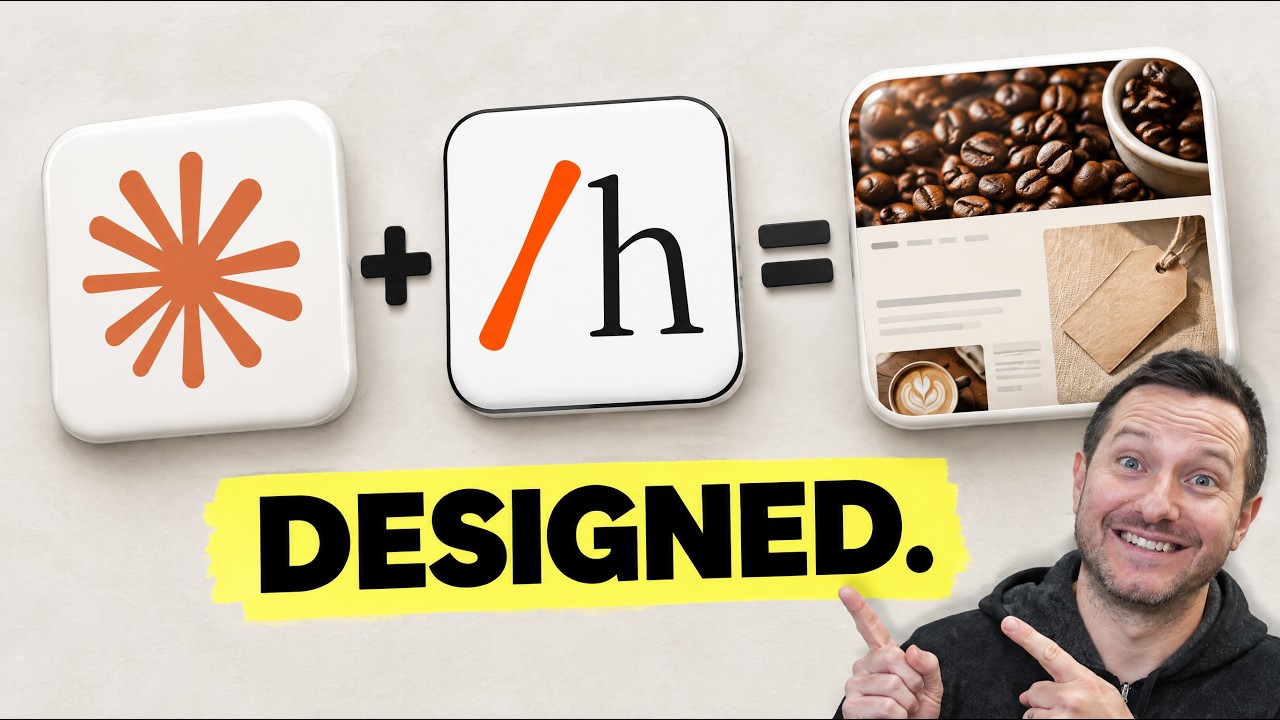
Prefer to watch? Watch on YouTube · Subscribe for new builds · Read the transcript
In this video I walk through Hallmark, a free, open source design skill from Together AI that makes the pages Claude Code builds stop looking AI-made. I install it step by step, build the same coffee roaster landing page twice from one prompt, then audit and redesign the plain version. It's for anyone who builds landing pages for their own business or for clients with Claude Code.
What I cover in this video
- 0:46 What Hallmark is and who made it
- 1:32 The Floor: 16 rules every build has to pass
- 4:35 Getting Hallmark at a pinned commit and installing it
- 5:20 Writing a brief with only real facts
- 7:37 The
/hallmarkbuild from the same prompt - 9:11 The check loop in a real browser
- 12:16 Auditing the plain page, then redesigning it
- 16:04 The catch: cost, skipped steps, photos and themes
What Hallmark is and how it works
Hallmark is a skill, which means a folder of instructions and a few small scripts. It runs inside your coding agent and uses your agent's model. It's MIT licensed, has over 54,000 stars, and the readme says it works in Claude Code, Codex, Cursor and OpenCode.
It starts with the Floor. That's 16 rules every build has to pass, and none of them can be waived. It reads like a list of everything AI pages always do: one italic word inside a normal headline, a tiny label in spaced out capitals above every heading, little dots between words, a purple to blue gradient, cards inside of cards, and a made-up number or testimonial. A lot of those rules get checked by a script, so the agent isn't grading its own work on opinion.
For the look, Hallmark has 50 themes and deals three per build. The agent picks one. Separately it draws the page shape from 21 layouts, plus the hero, navigation and footer. Then it asks what a visitor comes to the page to do and builds around that one job.
When the page is done, a linter called sloplint opens it in a real Chrome browser at eight widths, from a small phone up to a big monitor. After that, a second agent that never saw the conversation looks at the screenshots. Hallmark also never invents a fact. A missing quote stays an empty, labelled spot, and a form that says thank you with nothing behind it fails the check.
Install it and write your brief
You need Claude Code, Node 18 or newer, and git. Chrome is optional, but it's how the browser checks work. You don't need an API key.
The repo has no releases or version tags, so I pinned the exact commit I read and tested, which is version 2.0.0:
node --version
git --version

git clone https://github.com/Nutlope/hallmark.git ~/hallmark
git -C ~/hallmark switch --detach 04977e1

node ~/hallmark/skills/hallmark/scripts/install.mjs --claude

npm install -g puppeteer-core@25.17.0
I read the installer before I ran it. It only copies files and makes no network calls. The --claude flag matters, because without it Hallmark installs into every coding tool it finds on your machine. Restart Claude Code afterward so the skill loads.
Then write brief.md. Mine was for Low Tide Coffee, a made-up roaster in Santa Cruz, and it held only facts: who runs it, the roast days, the $18 subscription, three coffees with tasting notes, the cafe, and one goal. I left out reviews, customer numbers and photos because I didn't have any. If you're building for a client, ask what they sell and what it costs, who buys it, the one thing a visitor should do, and whether they have real photos, reviews or numbers. Whatever they don't send stays off the page.
Same prompt, two builds
First I ran plain Claude Code as the control. It took 1 minute 43 seconds and stuck to the facts in the brief. The page was clean, but it had the spaced out capital label, the half italic headline, the 01, 02, 03 steps and three equal cards. Then I ran the same prompt with one word in front:
/hallmark Build a landing page for Low Tide Coffee. Everything you need is in brief.md. One index.html with the CSS inside.Hallmark dealt three themes and picked Atelier. The layout it drew was built for a newsletter, so Claude said so and swapped in the sections a coffee subscription needs. It pulled three credited photos from Wikimedia Commons as stand-ins.
The first linter run said zero fails, but it had only read the code. In a real browser it found two: the main button sat below the fold at 1280 by 800, and the hero had three blocks of text before the button. After two more rounds of fixes it came back with zero fails and zero warnings. Total time was 7 minutes 57 seconds.
The finished page puts an $18 price tag on the hero photo, hangs the three coffees as tasting strips, and has an order card where the price line updates as you choose. Hit subscribe and it tells you the form is not connected yet. The cafe address wasn't in my brief, so it left a dashed box that says "street address to come". At the top of the CSS is the stamp, a record of every decision it made, plus its own score and its weakest spot.
Audit and redesign an old page, and the catch
For a page you already have, the order is: commit to git, audit, read the report, then redesign. If you don't like the result, git checkout puts the old page back.
/hallmark audit index.html
/hallmark redesign index.html
The audit only reports. On my plain page it found 42 Floor fails, 33 Reflex findings and 6 warnings, and it caught a real bug where the bag count never gets sent with the form. It offered three depths (polish, restyle or full) and recommended full.
Before the redesign changed anything, it recorded the page's wiring: six links, four form fields and nine script hooks. All of them were kept, and the fails and Reflex findings went to zero. It took 9 minutes 11 seconds. It also rewrote some of my copy and listed each change at the top of the CSS.
What it costs you
- My plain build wrote about 13,000 output tokens. The Hallmark build wrote about 47,000, roughly 3.5 times as much, and read around 30 times more context.
- It doesn't always do every step. My first build skipped the second agent review, so read the summary at the end.
- Both Hallmark pages picked the same stand-in photo. Swap in your own before you launch.
- You don't choose the theme. It's dealt, so run it again or name the theme you want.
- Zero fails is Hallmark grading Hallmark with its own linter, and the repo has open issues about false flags. I ran this on a Mac, and Windows isn't officially covered.
Key takeaways
- Pin the commit you trust and install with
--claudeso it only goes into Claude Code. - The brief is the most important file. Put in real facts only and leave the rest off the page.
- Add the browser checks. The code-only linter run missed two fails that a real browser caught.
- On existing pages, commit first, audit second, redesign third.
- For a page you'll put your name on, I think about eight minutes and the extra tokens are worth it. For a quick mockup, maybe not.
FAQ
Is Hallmark free to use with Claude Code?
Yes, the skill is free, open source and MIT licensed, and it needs no API key. Your Claude usage still costs, though. In my test the Hallmark build wrote about 3.5 times the output tokens of the plain build.
How do I install Hallmark in Claude Code?
Clone the repo, switch to the commit you trust (I used 04977e1, version 2.0.0), and run the installer script with the --claude flag. Add puppeteer-core for the browser checks, then restart Claude Code so the skill loads.
Will a Hallmark redesign break my existing page?
Before it changes anything it records the page's links, form fields and script hooks, then checks them at the end. In my test it kept 6 of 6 links, 4 of 4 fields and 9 of 9 script hooks. Commit to git first so git checkout can put the old page back.
Does Hallmark make up reviews or stats for the page?
No. It never invents a review, a number or a logo, and a missing fact stays an empty, labelled spot. If you have no photos it uses credited Wikimedia Commons stand-ins that you should swap for your own before you launch.
Chapters
- 0:00Same prompt, two pages
- 0:36What Hallmark is
- 1:31How it works: the Floor
- 2:28How it builds a page: themes, layout, browser checks
- 4:10Module 1: Setup (Step 1: what you need)
- 4:33Step 2: Get it at a version you trust
- 4:52Step 3: Install it
- 5:30Module 2: First run (Step 4: write a brief)
- 6:38Step 5: Run the plain version first
- 7:44Module 3: The build (Step 6: /hallmark, same prompt)
- 9:12Step 7: The check loop
- 10:07Step 8: The result
- 11:24The stamp
- 12:12Module 4: Make it yours (Step 9: audit your old page)
- 13:26Step 10: The redesign
- 15:16The redesigned page
- 16:18Module 5: The catch
- 17:56Who it's for
- 18:11Recap and the agent kit
Transcript
Read the full transcript
0:00This coffee landing page was built by Claude Code with a free skill called Hallmark. This one came from the exact same prompt without it. And Hallmark's checker found 42 floor failures in it. And then Hallmark redesigned the plain one in 9 minutes and kept every link and form field working. But the plane page isn't broken. It's just the page you've already seen a thousand times. By the end, you'll have one for your own business. In this video, setup, a plain first run, the full build, making it yours, and the catch. I ran every command myself. Let's jump right into it. So, by the end of this video, you'll have a landing page for your own business or for a client that looks like somebody actually designed it. You'll build it from a one-page brief, and
0:46you'll know how to take an old page and fix it without breaking it. And if you'd rather not type any of it, the agent kit I tested is down below. So your claude code can do the setup and the first build with you. So what is Hallmark exactly? It's a free open- source design skill from Together AI made by Hassan Elmagari who goes by Nutlope on GitHub. He launched it on X back in May and version 2.0 is what we're using today. It has over 54,000 stars. It's MIT licensed and the readme says it works in Cloud Code, Codeex, Cursor, and Open Code. A skill is just a folder of instructions and a few small scripts. It runs inside your coding agent and uses your agents model. It's not an app and it's not a new model. So, how does it
1:32actually work? It starts with what they call the floor. That's 16 rules every build has to pass and none of them can be waved. It's basically a list of everything AI pages always do. One itallic word inside a normal headline, a tiny label in spaced out capitals above every heading, little dots between words, a purple to blue gradient, cards inside of cards, and the big one, a madeup number or a madeup testimonial. If the agent writes any of that, the build fails its own check. And a lot of those rules get checked by a script, not by the agent's opinion of its own work. Before we go any further, real quick. Want to make videos like this one with Claude Code? That's what I teach step by step inside Shipping School Premium. New
2:17lessons every single day, live calls every week, a full course library, and over 500 hours of replays. 263 builders are already in. Join free link below. So, once it knows the rules, it needs a look. Hallmark has 50 themes, and every build gets dealt three of them, like cards. Themes whose keywords match your prompt rank higher. The last three you used are locked out. And a seed made from your prompt, your project, and the date breaks the ties. The agent looks at the three, picks one, and that's your paper, your ink, and your fonts. But a theme doesn't tell it what to build. That's a separate draw. It picks the pages shape from 21 layouts, plus the hero, the navigation, and the footer. And it steers away from what your last builds used. Then it asks one plain
3:03question. What does a visitor come here to do? Subscribe, book, buy, sign up. The page gets built around that one job instead of the same hero, three steps, and an email box at the bottom. Then it builds the top of the page first, just the navigation and the hero, and checks that before anything else exists. And when the page is done, it runs a llinter called sloplint, which opens your page in a real Chrome browser at eight widths from a small phone up to a big monitor. It flags what only a browser can see, like a button that sits below the fold on a laptop or text you can't read against the background. Then a second agent that never saw the conversation looks at the screenshots and says, "Ship it or fix it." It never invents a fact. No fake reviews, no fake customers, no
3:50fake logos. If your page doesn't have a real quote, the spot stays empty with a label. If you don't have photos, it borrows openly licensed ones from Wikipdia Commons and credits them in the footer so you can swap in your own later. And a form that says thank you with nothing behind it fails the check, too. So, that's the theory. Now, let's install it. Okay. Module one, setup. Three steps and you only do them once. Step one, check what you need. Claude code, node 18 or newer, and git. Chrome is optional, but you want it because that's how the browser checks work. No API key. There's an optional together AI key that turns on image mockups, and those are built to your Together account. You don't need it for anything in this video. Step two, get Hallmark at
4:35a version you trust. Clone the repo. It's about 230 megabytes. There are no releases and no version tags, so I switched to the exact commit I tested, 04977E1. That's still the newest commit on Maine today, and the package says version 2.0. Step three, install it. Node, the installer script--claude. I read that installer before I ran it. It only copies files and makes no network calls. And the flag matters because without it, it installs into every coding tool it finds on your machine. You'll see 50 themes indexed and it lands in your clogged skills folder. Then one more line for the browser checks. npm install-g puppeteer core. That's a small library that drives the Chrome you already have. then
5:20restart Claude Code because skills load when it starts and that's the whole install. But before we use Hallmark, I want you to see what Claude Code does without it. Module two, the first run. Step four, write a brief. This is the most important file in the whole video, and you don't need any design skills to write it. Low Tide Coffee is a madeup roaster in Santa Cruz, so I wrote down only facts. Two people, Maya Roasts and Theo, packs and ships. They roast on Tuesday and Friday, and every bag ships within two days. A subscription, 12 oouncez bags, $18 a bag with shipping included, every two or four weeks, skip or cancel any time. Three coffees with their tasting notes. A cafe in Sebrite, open 7 to2, and one goal, get people to
6:06start a subscription. There's no reviews, no customer numbers, and no photos because I don't have any. And if you're doing this for a client, this is the list I'd send them before you build anything. What do you sell and what does it cost? Who buys it? What's the one thing you want a visitor to do? And do you have real photos, real reviews with real names, or real numbers you can back up? Whatever they send back goes in the brief, word for word. Whatever they don't send stays off the page. That one habit fixes a lot of what makes AI pages feel fake. Step five, run the plain version first. This is your control. Plain claw code, no design skill loaded at all. Build a landing page for low tide coffee. Everything you need is in brief.md oneindex.html
6:52with the CSS inside. It took 1 minute and 43 seconds. And to be fair to it, Claude did a good job with the facts. It said, "I only used facts from the brief. There's no reviews or photos because those would have been made up." It also said it hadn't opened the page in a browser yet, and that the subscribe button doesn't do anything. So, here's the page. And honestly, it's clean. cream background, a terracotta button, a nice serif, but then you look at the details. There's a little label in spaced out capitals above the headline with a dot in the middle. Half the headline is in italic and a different color. Then a how it works section with 01, 02, 03. Then three equal cards with a color block on top. You've seen this exact page on a 100 AI startups. It
7:37works, but nobody would ever remember it. So now we give Claude code the exact same prompt with one word in front of it. Module three, the build step six/h hallmark and the same prompt word for word. Now normally Hallmark asks you four things first. Your material, your audience, the one action you want, and your tone. It didn't ask here because the brief already answered the first three. It just told me it picked a quiet editorial tone since I never named one. So if you want to say in the tone, put one line about it in your brief. The first thing it does is deal the themes. Attelier, which is lime wash paper and a light serif. Vellum, which is parchment with black letter headings, and that one is tagged for coffee. And almanac, a
8:24slate gray one with a magenta accent. It opened the picture for all three, and it picked aellier. Then it drew the layout. The draw dealt a layout built for a newsletter. So Claude said so and swapped in the sections a coffee subscription actually needs. The coffees, the roasters, an order card, and the cafe. Then the photos. I didn't give it any. So it searched Hallmark's photo library for things like a coffee roaster cooling tray and a cafe counter. And it picked three real photos from Wikipdia Commons. It wrote down the credits, so they go in the footer. And about 3 minutes in, it said this shape is set. A cotton price card sits over a roasting photo. Then the three coffees as tasting strips, Maya and Theo, the subscription card, and the cafe. Then it
9:11wrote the page. Step seven, the check loop. The first run of the llinter came back with zero fails, but it only read the code because it couldn't find the browser library in my sandbox. So Claude installed it in its own scratch folder, not in my project, and ran it again in a real browser. Two fails. The main button was below the fold on a laptop size screen 1280 by 800. And the hero had three blocks of text before the button when the rule is a headline, one sentence, and the action. Plain Claude code never checked either of those because it never opened the page. It fixed the button first and ran it again. The text one was still there, plus one new flag. 169 pixels of empty space under the hero. It fixed both and the next run came back clean. Zero fails,
9:58zero warnings. Then it looked at its own laptop and phone screenshots before it called it done. 7 minutes and 57 seconds start to finish. Step eight, the result. So, this is the same coffee roaster from the same brief. A photo of beans cooling in the roaster's tray across the top and the headline on a paper card. Roasted Tuesdays and Fridays. And then the thing it calls the signature, an $18 price tag pinned right onto the photo. So, the price is the first thing you see, which for a subscription is exactly right. Then the coffees hang from a rail like little tasting strips. Each one stained its own color. Kelp green, sealass blue, and brown sugar. Click one and it drops down, shows its tasting notes, and the background tints to match. Those colors
10:44match the three coffees in my brief, and I never asked for that. Then Maya and Theo with a little table of who does what on roast days. Then the order card. You pick a coffee every two or four weeks, shipping or pickup at the cafe, and the price line updates as you go. And watch what happens when I hit subscribe. Nothing was sent. This form is not connected yet. It won't pretend. Same thing with the cafe address. It wasn't in the brief, so it left a dashed box that says street address to come. And at the bottom, the photo credits and a note that the business is made up. Everything on this page came from my brief. No reviews, no numbers, no logos it in invented. Now, this is the part I'd screenshot. Open the pages code, and the very first lines of the CSS are what
11:29Hallmark calls the stamp. It writes down every decision it made, the shape, the theme, which of the three cards it took, the job it built the page around, and the seed for the draw. Then, it scores its own work before it ships, and it names its weakest spot. On this one, it wrote, "A roster page is easy to swap." So, it leaned on the tasting strips to make it only low tides. It also writes the build into a log file in the project, so your next page gets steered away from this exact layout. So, 6 months from now, when you or another agent opens this file, you can see why it looks the way it does. Now, that was a brand new page, but most of you already have a page that looks like the first one. So, what do you do with that? Module four, make it yours. Step nine,
12:16audit your old page. I went back to the plain page and typed /hallmark auditindex.html. An audit only reports. It doesn't touch a single file. About a minute and a half later, here's what it found. 42 floor fails, 33 reflex findings, and six warnings. The floor ones are the rules that can't be waved. the six little capital labels, arrows glued onto the button text, the italic phrase in the headline, white text on that coral button below the readable contrast line. A reflex is a habit a model falls into. You can keep one, but you have to write down a real reason. And it named the one I'd have missed, the cream paper, that sif and the terracotta together. It called that the single most recognizable
13:01generated look. And it wasn't all bad news. It said the build your box form and the roast week calendar were the strongest parts and that the copy stuck to the brief with nothing invented. It also caught a real bug. The number of bags you pick never actually get sent with the form. Then it gave me three depths: polish, restyle, or full. And it recommended full because the two good parts were stuck inside a template section order. Step 10, the redesign/h hallmark redesign index.html HTML full depth and keep the build your box order card working. Before it changed anything, it recorded the pages wiring. Six links, four form fields, and nine script hooks. That's the list it checks against at the end. Then it dealt three themes again, and this time it picked
13:47newsprint. Pale newsprint paper, warm black ink, a slab serif, and the photos in black and white. When it finished writing, the check said this. kept links six of six fields four of four script hooks 9 of nine before 42 fails and 33 reflex now zero and zero then the browser check found one more the choice buttons in the order card didn't show a focus ring when you tab through them with a keyboard fixed and on the phone everything stacked in reading order with the order form in a single column and then the fresh eyes a second agent that never saw the conversation looked at the screenshots and Claude took its notes. It moved every 2 or 4 weeks. Skip or cancel any time. Back up next to the
14:32main button because the review said the old page did that better, which is a fair note. 9 minutes and 11 seconds. It also rewrote some of my copy and it told me exactly where and why. The headline fresh coffee on the Tide schedule became roasted Tuesday and Friday in Santa Cruz because of the italic phrase rule. Three coffees, each one tastes like somewhere became three coffees no more. And the how it works steps and the row of four promises are gone because every fact in them was already on the page somewhere else. The plain page said $18 a bag in five different places. Now each fact shows up once. Every one of those changes is written at the top of the CSS, so nothing gets changed behind your back. So here it is. Big black and white
15:19photo of beans cooling after a roast. Roasted Tuesday and Friday in Santa Cruz. A coffee subscription, $18 a 12 oz bag. Shipping included. And the order card still works. Sealass, three bags, that's $54 every 4 weeks. Pick up at the cafe. Before the subscribe button did nothing at all. Now it tells you straight that checkout isn't connected yet. So, if you're actually going to use this on a real site, the part that matters is the order. Commit your page to get first. Run the audit, read it, and then run the redesign. If you don't love it, get checkout puts the old page right back. And then four things are still on you. Your own photos. Hallmark tells you which slot is which, and it's one line to swap each one in. Your
16:04checkout link, because it will never fake that for you. Your real facts. If you have a real review from a real customer, give it the quote and the name and then it can use it. And that bag count bug from the audit. It's still there, so fix it when you hook up checkout. Module five, the catch. First, it costs more. The skill is free, but your claw usage isn't. My plane build wrote about 13,000 tokens. The hallmark build wrote about 47,000, so roughly 3 and 1/2 times as much. and it read around 30 times more context because it loads its rule files and theme notes as it goes. Under 2 minutes versus about eight for a page you're going to put your name on, I think that's worth it. For a quick mockup, maybe not. Second, it doesn't always do every step. In my
16:51first build, Claude said it skipped the second opinion review and checked the screenshots itself. The redesign did run the review. So, read the summary at the end. It tells you what it skipped. Third, the photos. Both of my Hallmark pages picked the exact same photo of beans in a cooling tray because they pull from one shared library. They're credited stand-ins of somebody else's coffee. Swap them for your own before you launch. Fourth, you don't choose the theme. It's dealt. A new folder or a new day can give you a different hand. So, your low tide might not look like mine. If you hate what you got, run it again or tell it which theme you want. And then the fine print. The zero fails is Hallmark grading Hallmark with its own llinter. It's strict, but it's not a design award, and the repo has open
17:37issues about false flags. Their own website runs the same test we just did, Opus 5.5 alone versus Hallmark, and their numbers come from that same llinter. It's from Together AI, not Anthropic. And I ran this on a Mac. Windows isn't officially covered either way, and there's an open fix for Windows paths in the edit hook. So, who is this for? If you build landing pages for yourself or for clients with claude code, install it today. Every page you run through /hallmark has to pass the floor. If you only build internal tools nobody outside your team will see, you can skip it. So that's the whole course. Pin the version, install it with-claude, add the browser checks, write a brief with only real facts, let it deal a theme and check itself in a real
18:22browser, and run audit before redesign on the pages you already have. The agent kit is down below. Give it to your cloud code and it installs Hallmark and builds your first landing page from your brief. I tested it in a fresh folder before putting it up. And if you want more tutorials like this where we install a repo for real and build something with it, there's a whole course of them inside Shipping School Premium, including a shorter Hallmark lesson. So, which page would you actually put your business on? The first one or the second one? Tell me down below. And if the second page is the one you'd pick, a like on this video tells YouTube to show it to the next person building one. Have a blessed day.
Ready to start building with AI?
Join the Shipping Skool community free. Paid members get live bootcamp calls every week and weekly-updated courses.
Join Shipping SkoolKeep reading
How to Build an App with Google AI Studio in 22 Minutes (No Coding)
I used Idea Browser to pick a validated idea and Google AI Studio to build Before You List, an app that scans real estate listing photos for AI edits and writes the required state disclosure. It took about 22 minutes and no coding.
Google AI Studio Tutorial: Build a Car Restoration App (No Code)
I build Restore It Right, a car restoration app, in about 20 minutes with an idea from Idea Browser and Google AI Studio. I use three prompts (landing page, feature spec, PRD), a Google Omni hero video, and Firebase with Google Auth, and Gemini turns a photo of the car into a restoration roadmap.
How to Build an AI Humanizer App with Google AI Studio (No Coding)
I build Stop The Slop, an app that turns AI drafts into your own writing voice. I validate the idea with Idea Browser, then build it in Google AI Studio with Gemini 3.5 Flash. The whole process is a PRD prompt, a redesign using the Awesome Design repo, and a simple three-box hero section.