Free guide
How the Codex Sandbox Works (and How to Set Its Permissions)
Codex never runs a command straight on your computer. It hands every one to your operating system's own sandbox. Here's how that works, step by step, and how to set the walls yourself.
The short version
- Every command Codex runs goes through the OS's own sandbox, not a VM or a container. Anything the command starts inherits the same limits.
- Default (workspace-write / the :workspace profile): write in the project, read broadly, network off, .git and .codex read-only.
- To go past the walls, Codex asks with a justification. By default the prompt comes to you; you can hand eligible requests to auto-review. Change it with /permissions or config.toml.
How it actually works
The command never runs straight
When the model wants to run a shell command, the Codex harness doesn't just start it. OpenAI's post shows the plain process launch swapped for one that starts the command inside a sandbox, with a permission profile and, if needed, a network proxy. Codex uses each platform's own sandboxing so it can keep working in your real environment. A Docker container, for example, couldn't run the native Mac tools you need for an iOS build.
The system builds the walls
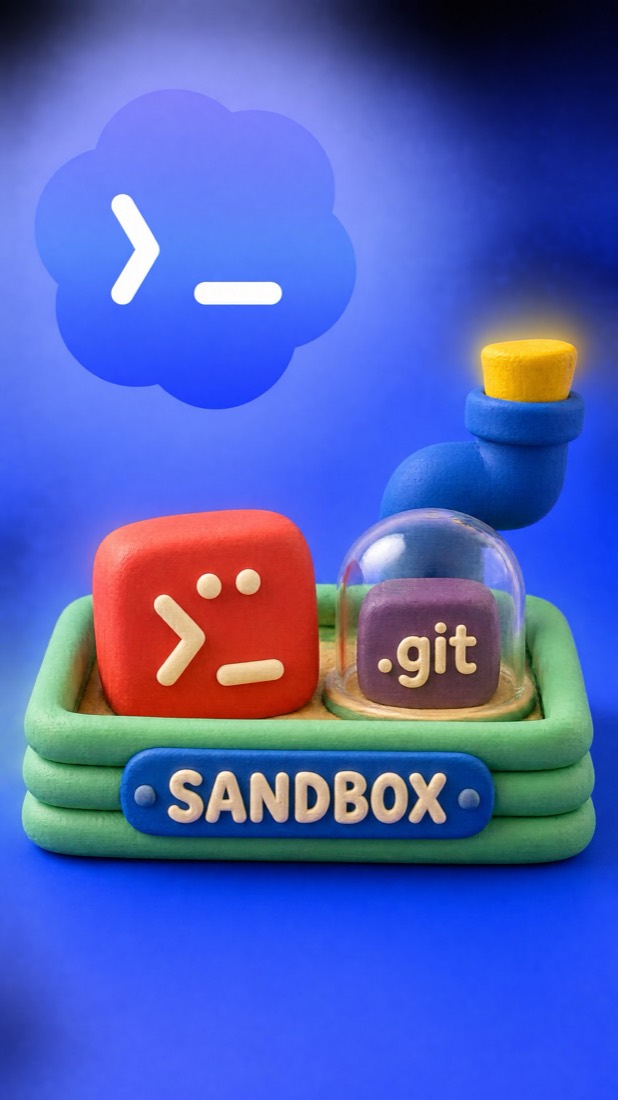
On macOS Codex uses Seatbelt, Apple's kernel-enforced sandbox, through /usr/bin/sandbox-exec. On Linux it uses bubblewrap to build a filesystem view that matches your rules, then seccomp-bpf for extra limits. On Windows it uses a native Windows sandbox, which OpenAI says it is moving to Microsoft's MXC library. In the video, the mint clay tray is that sandbox.
What the default walls allow
The default workspace mode lets commands edit files inside the workspace and read broadly (subject to your own OS permissions), and it turns network access off. Inside the workspace, .git and .codex stay read-only, so a command can't rewrite .codex/config.toml or drop a Git hook into .git/hooks. The docs add .agents and .aws to that read-only list.
Children inherit the walls, and going further means asking
Every process a command starts inherits its parent's sandbox, even ones that outlive the original command. A write outside the walls fails at the OS level, for example with 'Operation not permitted' on macOS. To run something outside, the model sends require_escalated with a justification, and the harness decides based on your settings: it can prompt you directly or route the request to auto-review.
How to set it up
1.See which mode you're in
In the Codex CLI, type /permissions to open the permissions picker. In the ChatGPT desktop app or the IDE extension, use the permissions control under the composer. Depending on your setup it lists Ask for approval, Approve for me, Full access, and any named profiles.
2.On Linux or WSL2, install bubblewrap first
macOS works out of the box with Seatbelt. On Linux and WSL2, install bubblewrap with your package manager so Codex can use it (sudo dnf install bubblewrap on Fedora). On Windows in PowerShell, Codex uses the native Windows sandbox.
sudo apt install bubblewrap3.Pick the low-risk default in config.toml
The docs call workspace-write plus on-request the lower-risk local preset: Codex works inside the sandbox and asks when it needs to cross it. Full access means danger-full-access plus never, so only use that on purpose. The matching CLI flags are --sandbox workspace-write --ask-for-approval on-request.
sandbox_mode = "workspace-write" approval_policy = "on-request" approvals_reviewer = "user"4.Or build your own permission profile (beta)
Permission profiles let you name a policy and reuse it. Extend the built-in :workspace profile so its protections carry over, then add only what differs. This one, from the Codex docs, blocks .env files and allows the network for one domain. Profiles don't mix with sandbox_mode: use one system or the other.
default_permissions = "project-edit" [features] network_proxy = true [permissions.project-edit] description = "Project editing with OpenAI API access." extends = ":workspace" [permissions.project-edit.filesystem.":workspace_roots"] "**/*.env" = "deny" [permissions.project-edit.network] enabled = true [permissions.project-edit.network.domains] "api.openai.com" = "allow"5.Test the walls yourself with codex sandbox
The CLI can run any command under a profile from your config. Try writing to a path your profile makes read-only and watch the OS refuse it. On macOS OpenAI's example prints bash: .vscode/settings.json: Operation not permitted.
codex sandbox --permission-profile project-edit -- bash -c 'echo test > .codex/test.txt'6.Decide who approves
Approval prompts come to you by default (approvals_reviewer = "user"). Set approvals_reviewer = "auto_review" to send eligible requests to a reviewer agent instead. When a prompt offers approve once or for the session, the docs say to pick the narrowest scope that lets the task continue.
The fine print
- Permission profiles are marked beta in the Codex docs and may change.
- Profiles and the older sandbox_mode settings don't combine. If sandbox_mode is set anywhere, or you pass --sandbox, Codex uses the older settings instead of default_permissions.
- Broad reads are allowed by default, so sensitive files elsewhere on the machine (like config files with API keys) can still be read. The network being off is what stops them from being uploaded.
- Profile domain rules only apply when the network proxy is on (features.network_proxy = true). Without it, network.enabled = true means direct access.
- Auto-review is not a deterministic security guarantee. Writable folders like node_modules are still writable, so a command could change a local package there.
- ChatGPT Work on the web runs code in a managed cloud environment with its own network setting; this guide is about local Codex (CLI, desktop app, IDE extension).
FAQ
Does Codex run commands in Docker or a VM?
No. OpenAI says Codex uses each platform's own sandboxing so commands run in your existing environment: Seatbelt on macOS, bubblewrap and seccomp on Linux, and a native sandbox on Windows. A container would break things like native Mac build tools.
What can Codex do by default?
In the default workspace mode it can edit files in your project, read broadly and run routine local commands. Network access is off, and .git and .codex inside the workspace stay read-only. Anything else needs your approval.
Why can't Codex edit my .git folder?
The built-in :workspace profile keeps .git and .codex read-only so a command can't rewrite Codex's own config or add Git hooks under .git/hooks without asking first.
How do I give Codex network access?
Approve it when Codex asks, or add a profile with network.enabled = true. To limit it to certain domains, turn on features.network_proxy and list the domains under [permissions.<name>.network.domains].
What does 'Operation not permitted' mean in Codex?
It usually means the sandbox blocked a command from touching something outside its permissions, like writing to a read-only folder. Codex can then ask to run it with more access, and you decide.
Sources
- OpenAI: Inside the Codex sandbox (Nov 18, 2026)
- Codex docs: Sandbox
- Codex docs: Permissions
- Codex docs: Auto-review
2026-11-22 23:45 PT against OpenAI's Inside the Codex sandbox post and the Codex Sandbox, Permissions and Auto-review docs.
Want help building with tools like this?
Join the Shipping Skool community free. Paid members get live bootcamp calls every week and weekly-updated courses.
Join Shipping SkoolMore free guides
GIFs in Gemini: Make Your Own Looping GIF From One Sentence
Gemini can now make short looping GIFs from a sentence, your photos or a video. Where to find it, how to get a loop that doesn't jump, and who can use it.
ffmpeg-skill: Give Claude Code a Video Editor That Measures Its Work
A free, open-source skill that gives your coding agent 42 small FFmpeg tools and a rule to measure every file before and after it edits. What it does, how it works, how to set it up, and the fine print.
Grok Bot + QuickBooks: Ask Who Owes You, Approve the Invoices
Grok Bot now connects to Intuit QuickBooks in the US. Ask about cash flow or who still owes you, let it draft the invoices for you to approve, and set one rule so sends stop for your OK.