Build Your AI App In Minutes With Google AI Studio
By Beau Johnson · · 26 min · 277 views
Chapters
- 0:00Idea to App in Under an Hour
- 0:42Finding the Audiobook Idea in Idea Browser
- 4:22Why This Idea: The Audiobook Market
- 5:54First Landing Page + Awesome Design
- 10:09Three Landing Page Variations
- 15:23Building Echo Sync in React
- 16:58Wiring Up the Buttons
- 17:47Manuscript Upload Flow
- 18:28Audio Synthesis and Editor
- 22:05Firebase Auth, Database, Free Trial
- 24:45Fixing the Sign-In Bug
- 25:09Final Motion Pass and Wrap
About this video
Transcript
Read the full transcript
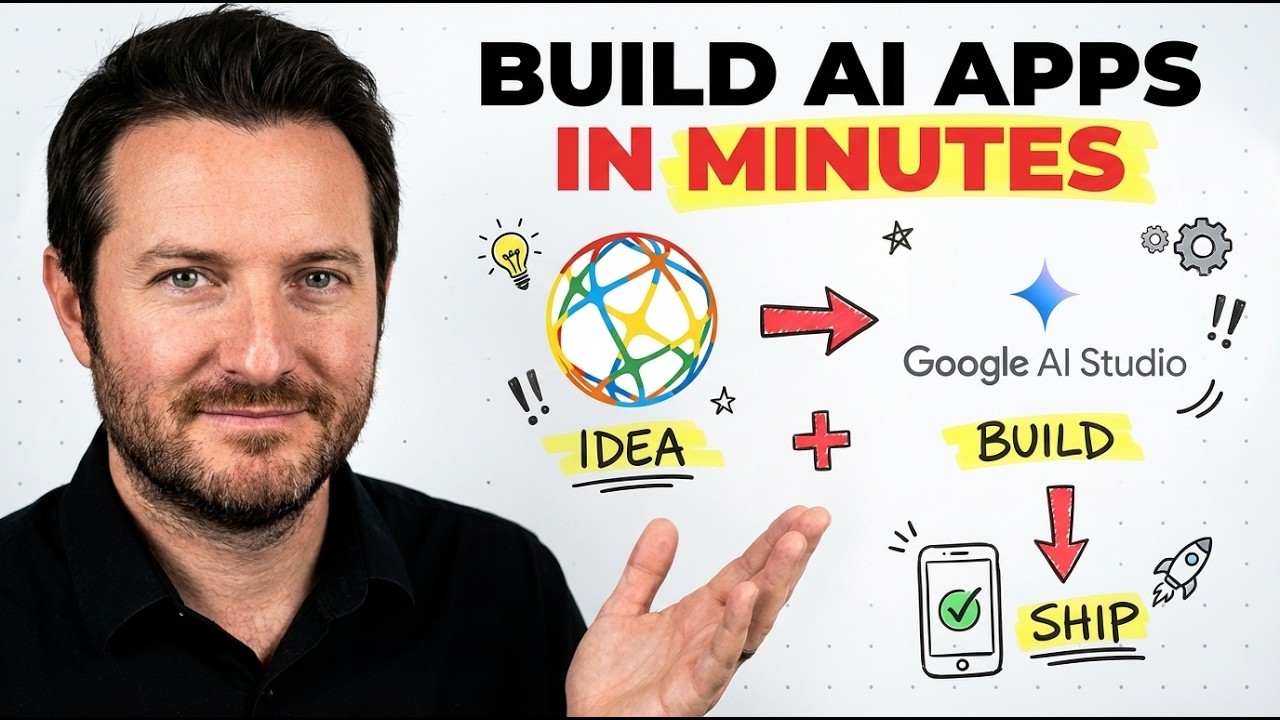
0:00In this video, we're going to be using some tools to go from idea to finished working app in under 1 hour. The tools we're going to be using is Idea Browser, where we're going to actually pick our idea, get a few prompts, and plug them into Google AI Studio. That is where we're going to do a lot of the building. We're going to iterate on the landing page to get it right, maybe launch a few different variations of that landing page. And if you are new to building apps, this is going to be the video for you because we're going to be walking through the process from setting up the PRD to the landing page, to the back-end, database, and authentication. So, let's get right into it. Okay, this is ideabrowser.com, and they have over 1,000 ideas in their database. And what I like to do is go to their database, and then sort by most popular, so we can
0:45get a good idea of what are the most in-demand app ideas. So, we're going to go to most popular. Okay, the idea that I found is an app that turns any book into an audiobook. With the popularity of podcasts on the rise, this can be a useful tool for a lot of people that don't have a time to sit down and actually read some of their favorite books, and they can do it themselves by using this website to basically transcribe the entire book into audio format. So, I like this. So, what I like about Idea Browser, once you find an idea, it goes into a detailed breakdown of who it's for, go-to-market strategy, what are the keywords that are in demand around this idea. So, you can see voice over AI, AI voice over. A lot of this is
1:30on the rise just in the last few years. It talks about the business fit, execution difficulty, go-to-market strategy, and see if the idea is even right for you. So, it comes with a lot of tools, but the main ones we're going to be focusing on is this build kit here. So, you see where it says build this idea right here? That allows you to import your project into Google AI Studio. So, when you click build this site or build this idea, um you have a lot you have a lot of prompts. So, add creatives, brand packaging, landing page. There's eight prompts based on marketing, product, like feature specs, product requirements document. We're going to be focusing on four that are key here: brand packaging, landing page, product requirements document, and the feature specs. Those prompts are going to allow Google AI Studio to get a good
2:17idea and context on what the project is about. But, you can explore these other prompts as well. You know, if you don't know how to market this app, there is built-in plug-and-play prompts to help you develop a marketing strategy. So, like I said, this is going from zero to one as fast as possible. So, the first thing we're going to start with is building out this landing page. Going back to the idea itself, let's read a little bit. I think it's going to help you understand as you're building and iterating is figuring out if this is going to be the right thing for you. So, you know, basically, it's just talking about how people can save more time. And whenever I'm building an app or I'm looking at an idea, I think one big draw to an idea is how it saves the end user
3:02time because time is a scarce resource. And instead of sitting down and actually reading through some of your favorite books, you could then use this product here to be able to upload that book and transcribe it and turn it into an audio format. I like that. It saves time. It's something we can probably sell for $9 to $20 a month on a subscription. So, I do like that for my point of view. So, you need to make sure what is the end user getting? Like, what is the hero feature of this product? Don't pick an idea and say, "Oh, there's 12 features around this." because there's going to be no direction. You're going to be building out all these features, and then when someone asks you, "What does your app do?" you're like, "Well, it does 12 different things." And I think that's really hard, especially if you're beginner, non-technical, and you're trying to build your first app out. You
3:48really need to get clear on what is the hero feature, what is the MVP that you could ship within this hour to get the product working. And I think this can be a pretty easy build. So, that's kind of my idea and thoughts behind this one. And I just want you to not, you know, get off on the wrong foot, basically. I want you to be able to pick your idea and really clearly know who your avatar is and how are they Why are they going to buy your product? Why are they going to pay for your product? What does it do for them? So, that's why we're picking this one. I like it. Seems like it can be a pretty easy build. And like, why [clears throat] now? It says the audiobook market is booming, projected to reach 35 billion by 2030, driven by consumer demand for offline subscription-free solutions and advancements in AI voice technology.
4:34Proof signals, the offline audio maker traps or taps into a strong demand for offline subscription-free solutions in a booming audio market. So, very cool. The execution plan is launch an MVP offering offline AI voice conversion for indie authors, tackling cost TTS service without internet needs, integrate with Reddit and YouTube to boost visibility, then enhance voice quality and add different languages. Very cool. So, awesome. Goes into some more detail here. We're We're really just focused on building the app out, but I wanted to get into that and just kind of tell you my thoughts of why I'm using this. And I really have been liking Google AI Studio, the build section, because it's just so easy to use. We're going to be using Gemini 3.1 Pro Preview, which is
5:19one of their frontier models to build this out. And when I'm talking about building it out, I'm talking about it's going to build the landing page. It's going to create different styles of landing pages. It's going to hook up the authentication, so people can sign in. And then it's going to hook up the back-end, which is like the database and the dashboard and how these features work with each other. So, I've been really liking it. It's also very fast. And we're going to explore uh building out our landing page um with Google products. So, here we go. First thing we're going to fire off here. The first thing we're firing off is the landing page. And there's amazing GitHub repo right now called It's by Vault Agent. It's called Awesome Design. And it's a collection of markdown files that basically copy the similar aesthetics from popular websites. So, what I really like about this is going to create
6:04different types of styles for our landing page, and we get to just pick the best ones that we like. So, um it's simple. We just download it. We can copy it. Simple. And then give it to Google and then say, "I want you to implement these design principles for our landing page." And then we're going to go and make sure it's on Thinking with Pro 3.1. And we're going to go to the landing page prompt within Idea Browser. And that is well. Let it. The cool thing about these Google products and AI Studio as well is that you could follow along as it's building. And it's just so easy to use. Like, if you've never built an an app before, this should give you some confidence of, "Wow, I can build an app every day, essentially." So, I dropped in that prompt with that GitHub link, and it just says, "I'm on it. This
6:49is a fantastic business idea, solving the high cost and privacy concerns of audiobook creation." I've reviewed the blueprint and the awesome design principles. So, it's going to start taking those principles from that markdown file on this GitHub repository, and it's going to start building our idea around. So, very cool. So, we're going to let that do its thing. Okay, so just after a few minutes, we're talking like 3 to 4 minutes, it has our at least rough draft, our rough draft. We'll just call it that. So, it got it going. It took the idea from nothing and made it visual. But, we're not stopping. So, I completed the landing page for Echo Sync. That is our product name. Following the blueprint and design principles to the letter. Oh, very good. Key design choices, author first aesthetics, trust and security, high conversion layout, and it's mobile
7:35optimized, even though I have it in web view right now. You can now review the landing page on the canvas. If you'd like to adjust the copy, swap out images, or try different color scheme, let me know. What I like to do also is in Idea Browser, there is a branch. This brand package comes with the brand identity, logos, and colors. So, the basically, the first part of the prompt is create a comprehensive brand identity package for this business idea. This is going to be good and huge because people spend so much time figuring this out. Just copy the prompt and let it do its work. And then you can tweak things as you go. So, we're going to go back. We're going to paste that in, and we're going to have it adjust some of the color schemes, some of the logos, and the styles. Because what we have here, it's okay, but we want it much better than this. So, let's take a look at like what it has going on while it's doing
8:21its thing. You can see it's thinking. Okay. So, pretty ordinary. The main key here is now that everyone can build apps, web apps, mobile apps, we don't want it to be lost in the sauce, they say. We don't want this to look generic. We want it to stick out and stand out. So, now you're going to have to elevate your design skills a little bit to be able to just build a better scroll-stopping app, you know? That's just plain and simple because what you get out of the box is something that needs refinement. And now that everyone can build apps now, we want to be able to take that next step to be able to script stop the scroll, they say, you know? Get the attention and not just look like every other app out. So, I mean, this needs work. It's It gives us a rough draft, like I said, but um you know, there are some things we want to be able to move
9:06around. Um so, it has Let's take a look at the hero section. Turn your manuscript into a professional audiobook in hours, 100% offline. Okay. Professional AI narration for $199, no voice actors, no subscriptions, total privacy for your unpublished work. So, our main target audience is authors. So, we can also tailor this to people that just want to take their books and transcribe them into audio format. Audiobooks are the future. Why is making them so painful? $5,000 in production costs. Okay, it's a one-time fee, not a subscription. Okay, here's the brand identity package. This is probably why we got a really rough draft to start. Um you can see here that it goes over con- different concepts, different color
9:51schemes, typography, brand voice, tagline variations. Okay, so this is huge. This is why we're seeing a know, generic looking output right now. So you do need to feed it the prompts to be able to get a better output. Okay. Can you apply the brand packaging to the landing page and also create three different variations according to the awesome design principles. Okay, so design principles. I'll start by updating the current landing page with the refined brand colors, typography and logo concepts from the brand packaging. Then I'll generate three additional versions each exploring a unique design. One focusing on minimalist elegance and one high contrast security and the third on dynamic striga. Okay, here's the different variations and that took like
10:363 minutes. So here is our rough draft where we started and here's the different styles. High contrast security, dynamic storytelling, minimalist elegant and Echo Sync Pro. So yeah, branded landing page. This is your current landing page updated with the modern scribe. Okay, so it took the default one and just updated it slightly so we could look at the differences there. Mainly just updating the typography and then these three ones in the middle are the different variations. So let's take a look. So your ideas permanently private. Encrypted local engine, the ultimate creative sanctuary for professional authors transform voice to text with zero cloud dependency, no tracking, no uploads, no compromises. So this is the high contrast and security
11:23landing page. Zero cloud zero risk. So the emphasis is on security. The sound vault, your audio never leaves your RAM. We used a localized whisper models optimized for silence and security. No API keys, no internet required. Okay, and then the next one which is the dynamic storytelling landing page. Give your story a human pulse beyond simple narration. Outlier AI captures the subtle or the subtext, the pauses, the emotional weight. Okay, the multi-character symphony. Alrighty, and then here's the minimalist elegant landing page. The quiet echo of genius. Echo Sync Pro transforms your manuscript into an cinematic auditory experience. Okay, awesome. So these are just the blueprints and then this just updated
12:09the type typography for from the first version. So what we're going to do is what I like is we can just pull this into Google AI Studio to build it out. So this is kind of like just we can take all these different styles and add some motion to them and you know, basically take them to the next step. I mean we can go ahead and actually like modify here, annotate, change the design system and generate variations pretty easily. So I think I'm happy with these three different types right here. That's what we're going to go with and we can go to export blocking it. Okay, we want to select which one export. Okay, so let's go with the dynamic storytelling. That's the one that I like most out of them all. Then we just go to AI Studio build
12:54with AI Studio. We go. And from here we're actually going to go back to Idea Browser and we're going to pull two different prompts. These are going to be huge. The most important part of your whole project is your product requirements doc. And what it is is basically a roadmap and a vision for your idea to come to life. So if you look at the prompt and we're not going to read the whole thing. It's very lengthy. But the prompt tells the large language model, you are a senior product manager and technical specification expert. Create a comprehensive product requirements document that clearly defines what to build, why to build it and how success will be measured. So this is the roadmap for your product. Very important. Do not skip this step when building out any product. This is huge, very important. So we're going to copy that. We're going to go back to Google AI Studio. Here we are. So it
13:40pulled in all of the landing page material and we're going to paste that in. We're also going as well do the feature spec. So the feature specs are actually the features and how they're going to be built out. Product feature specs prompt. Generate comprehensive feature specifications that provide clear direction for development teams. This should include detailed user stories, acceptance criteria, technical requirements and implementation guidelines. Boom, paste that in. Build. What I like is that in Google AI Studio this can literally be done in less than 30 minutes. I said an hour, I know. But for people that have gotten a few apps built, you go from nothing to at least a visual representation of what your app's going to look like in 30 minutes. That's crazy. Okay, let's see what we got here. That was like 2 minutes. We're not going to read through it all, but we want to see what it did. Here is the
14:26comprehensive product requirements document for Outlier Outlier Outlier Outlier Outlier. Based on provided business context, market analysis and the private Outlier system. So product requirements document Outlier AI is a premium 100% offline desktop application that empowers indie authors to transform their manuscripts into professional emotionally intelligent audiobooks in hours ensuring total creative sovereignty and zero subscription fees. The business objective, capture the rapidly growing indie author and small publisher market by offering a high quality one-time purchase. Very cool, awesome. I love it. I love it. Okay, cool. Awesome. Thank you. What is the next step? Let's go through this step by step as we build. It's very important too to click this
15:11little toggle gear icon to check that you're on Gemini 3.1 Pro. Very important. Why? Because you want their strongest LLM possible to build this out. Okay, it finished and I want to change the name. I just don't like Can we change the name to Echo Sync? I've successfully translated and provided HTML into a functional React application using Vite and Tailwind. Awesome. So it went through and built out the landing page. Want to see this GitHub repo design markdown. Going to update the name first. We'll play around with the landing page style. It updated the name. Now we're going to this repo. Are you applying these awesome design principles to our landing page copy? All right, says I've tightened up the landing page copy to be much punchier and more modern taking inspiration from the top tier
15:57SaaS design principles found in the awesome design markdown file which favor minimal benefit driven and highly scannable text. There are key copywriting changes I made. Okay, so going back to the one we even we we exported this one, right? This is what we started. Now this is where we're at. So here's what it looks like now. Definitely want some motion. Awesome design repository is a fantastic collection of visual designs. Okay, cool. Can you completely change design in a different style and also add motion? What's up with? All right, now we're cooking. Look at this. Looking so much better. Let's see. I've completely overhauled the design and wow, this looks amazing. They just changed the
16:42whole website. Okay, so motion integration added a staggered fade up animations to the hero section. Very cool. The landing page now feels like a premium highly polished developer creator tool. Let's go through the feature spec step by step and let's wire everything up so all the buttons work. While it's doing that, you can now look at this. This looks better. So your audiobook zero studio time, professional AI narration that runs 100% offline, no subscriptions, no cloud leaks, just your manuscript and a cast voices don't work. So Echo Sync is a download. There's no dashboard or anything. So we'd have to hook up authentication. We can actually sign up, download the product. We want to collect their emails obviously. So it's building out the feature spec right now. Okay. All right, let's see what it did. It says, let's go through the
17:27feature spec and I've wired up all the buttons and set up a routing system so we could start building out the application features. Installed React router, refactored into pages, wired up the landing page buttons, built initial dashboard. So the next step is according to the standard audiobook creation workflow. The next step after the empty state is handling the manuscript upload and parsing. Should we build out the file upload logic and the project setup screen? Yes. Getting the app actually working. But let's take Okay, just built out the feature that really makes this thing work. I've built out the manuscript upload and parsing flow. So now when the author uploads their transcript of their book, they can actually get it parsed and put into an
18:13audio file. So basically the upload simulation click the select file button or drag and drop the file anywhere in the dashed area. Parsing state, the app transitions to the parsing manuscript loading screen. Awesome. What's next? Wiring up the start synthesis button and transition into the final audio editor player. Yes. So relatively quickly within 30 to 45 minutes you can get this idea that we are building out and turning it into an actual product and start marketing it. The cool part is that does have the marketing strategy prompts that you could then build out within Google AI Studio. You have your content calendar, email sequence, sales funnel, your landing page if you wanted to do a tweet size landing page and a
18:58lead magnet. So that you could take to the next step as well. What I like about Google AI Studio is that it's building this all out for us, you know, the backend, the database, authentication, people who pay. You can integrate straight stripe or polar or super wall or lemon squeezy or any kind of payment platforms into this backend all through Google AI Studio. That took a minute and a half. Very nice. So it's all wired up. This is what is going to get our app to actually work. So if you go through the flow now, you upload the file, project setup and then start synthesis. Synthesizing state, you'll see a new loading screen with a spinning audio waveform that in a progress bar that simulates the offline neural generation process. Pretty cool. After 4
19:43seconds it drops you into the final audio editor view. The entire core user journey from the landing page to the final audiobook export screen is now fully functional in the UI. Awesome. What is the next thing to attack? Authentication, database, payments. And a quick note here, if you see me talking to the computer when I'm talking to the LM, I'm using Whisper. So, Whisper flow it is a voice to dictation. So, I just press a button on my keyboard and I think it is a must for 2026 that if you're going to brain dump ideas into one of these LLMs, you got to have some type of voice dictation software. It just helps you so much with brain dumping an idea and letting the LL ask essentially. Highly recommend it. So, while that's doing its thing, we can local site now. Awesome. Like it.
20:29Simple. Get Echo sync. That takes us into the dashboard. Obviously, we're going to want some kind of sign-in. We want to collect emails. That's very important. So, we can market to people that maybe sign up but don't purchase our product. So, create new audiobook. Drag and drop your manuscript here. Awesome. Okay. Let's see what it said about the log flow. That's a great question and answer depends on heavily on Echo sync's core philosophy because Echo sync is the biggest selling point is that it's 100% offline and private. We want to avoid putting the user's manuscript or audio files into a cloud database. Okay. It's a one-time fee of 249. You still need infrastructure to sell it. Yes. So, we need payments, authentication, and license database. So, payments, Stripe. There we go. So,
21:15after they pay for it, they create an account so they can log in to download the software installer. So, you could go into this idea browser and there is a lead magnet in here. Let's check that out. So, create a compelling lead magnet that provides all immediate value while capturing qualified leads. That's something we'd want to implement as well. Let's see what it says about lead magnet is a free demo version. So, a downloadable demo with the basic AI voice capabilities. That's something you'd want to implement before you launch this because there's going to be people that probably want to try it out before they pay or offering some type of like free trial. Also, like a three-day free trial, seven-day free trial. And then, you know, that way you at least get their Okay. So, the checkout flow needs to be finished. We could do that via Stripe and then customer portal
22:02authentication and using Firebase. Let's use Let's do Firebase first and then we can do payments later. Okay. So, what I like to is that within Google AI Studio, it'll enable Firebase and it's free. Just does the database for you. It integrates into the back end of the app. So, we could also do another version of the landing page just to see like different styles. I mean, this is okay. There's not really a lot to it here other than it's pretty minimal. I would also like to put like some type of seven-day free trial or something. So, that way we can have them sign up and at least get their email. And then they could try the product. If they like it, then they can pay for it. Otherwise, we're going to lose out on a lot of leads. So, after it sets up the database, All right. So, it did the
22:48database. Awesome. Amazing. Great. Okay, perfect. Okay. The next thing I want to build out is a seven-day free trial because I want to be able to collect people's emails. So, we need to integrate that somewhere in the landing page that they can sign up and then we they're able to download the product and then after seven days, they will be prompted with payment to con- And also, I want to change the style of the landing page completely. I want to get more variety. Okay. So, we completely redid the landing page. Let's see what it did. Complete redesign and the free trial logic. This is huge. You must have some type of way to capture emails. You want to be able to follow up people that are interested that you failed to convert as customers. So, Firebase schema has been updated. That's
23:33what we're using for the database. Trial logic and customer portal. When a user signs in for the first time, the app automatically records their trial started and a timestamp in the database. The portal UI now calculates how many days are left in the trial and displays it. It provides the download links immediately so they can get the app. If the trial expires, the portal locks the download links and prompts them to purchase the license. Trial enforcement in the actual app. Okay, you can access the app and your trial has expired. If you try to access the app and your trial has expired, it throws up a hard lock screen. Awesome. And then the next step would be to do the payment integration so you can get paid. So, let's take a look at this. Voices. You can hook this up to, you know, 11 Labs get voices or
24:19other text-to-voice models as well. Echo sync. Your voice, no cloud. The world's first 100% offline neural audiobook synthesizer. Turn your manuscript into a mas- masterpiece without sacrificing your privacy or local processing. Start free trial. Awesome. So, you can sign goal. Very cool. Let's Okay. When building apps, you're going to run into bugs from time to time. We ran into one with the sign-in flow. So, the issue was caused by a strict rule in our Firestore security setting. When you sign in with a Google, sometimes the display name field is returned as null. So, let's fix that. Try signing in again now. Back fresh. So, I'm going to try to just want to see the the dashboard. Cool. Download for Mac, Windows, or purchase. Awesome. So, it worked. Can you add motion to the landing page?
25:04More. Okay, cool. Adding a little bit more motion to the website. See how it looks. The little things that matter. Trying to avoid the vibe code aesthetic style, right? Okay. So, we created three different variations of the landing pages. We went with one. I know it was completely different than what we started with, but it's good to kind of go through different iterations of how you want your landing page to look. I know it's more of a simple build, but we went from zero to one in 30 minutes. This just shows the power of building with AI today. So, using tools like idea browser and Google AI Studio to build out your app is the way to go when you're looking to go from zero to one. I'll put them link down below. Check them out. Start building today because what's holding you back is being trying to be perfect, you know. I think getting your app 80% of the way there and ship
25:51to production is way more important than waiting till the perfect product and then getting it going. So, don't skip perfection. Get your app built. Start messy. Start ugly. And with these tools today, you can get 80% of your app done within minutes, not days or weeks anymore. So, you saw the process. Comment down below. What are your thoughts? And we'll see you in the next build. Have a blessed day.
Build this with us, live
Shipping Skool is a free community with 4 live build sessions a week. Bring your idea.
Join Shipping Skool — Free