How to Build an App with AI in 2026 as a Beginner (No Code)
By Beau Johnson · · 15 min · 274 views
Chapters
- 0:00Idea to Full-Stack App in Minutes
- 0:34Pulling the PRD From the Build Kit
- 1:03Picking the AI Skills Accelerator Idea
- 1:26Validating Demand With Keyword Data
- 2:43The Feature Spec Prompt
- 5:00Switch Off Flash, Use the Pro Model
- 6:01Asking What the Next Step Is
- 6:06It Builds an Interactive PRD Previewer
- 6:58First Landing Page With Awesome Design
- 8:08Why It Looked Like Every Other Website
- 8:16Copying the Outcrowd Aesthetic
- 8:48Overhauling the Motion
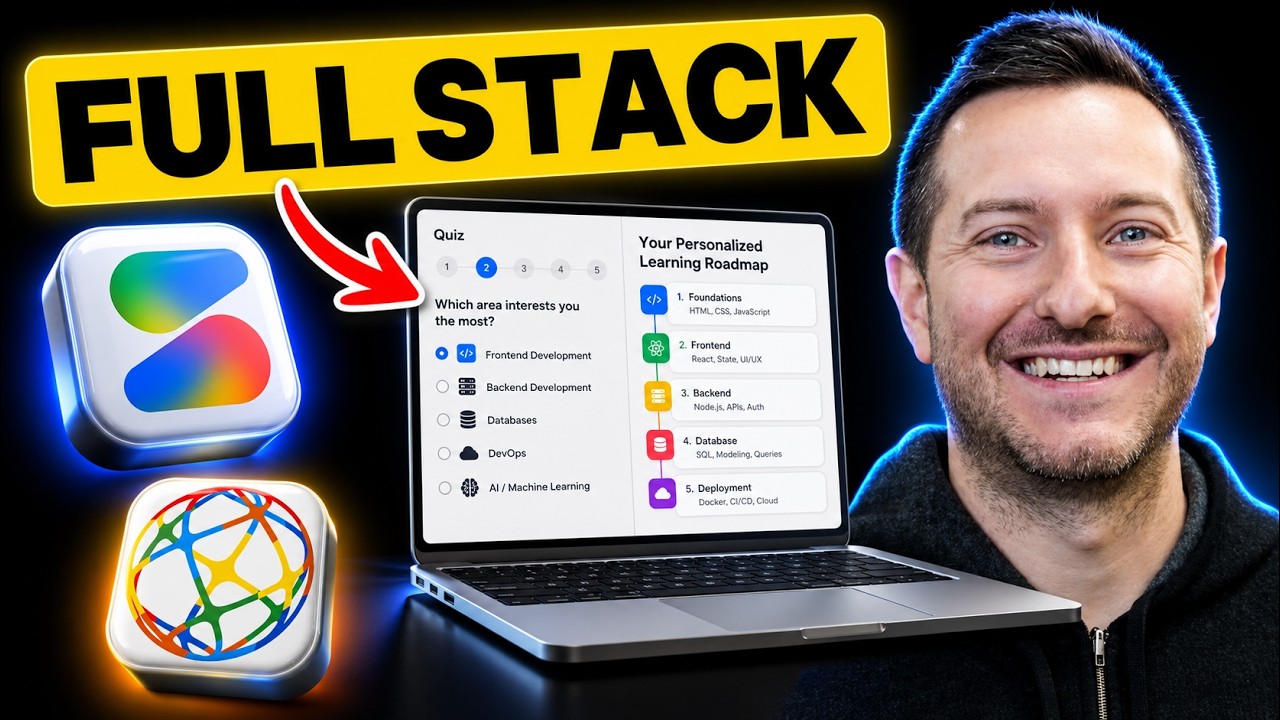
- 9:36Building the Lead-Magnet Quiz
- 11:00Installing the Router and Wiring CTAs
- 11:22Capturing Emails
- 12:08Saving Leads to the Cloud
- 12:11Replacing the Fake Loader With a Real Gemini Call
- 12:50The Results Dashboard
- 13:35What Sending the Emails Actually Needs
- 14:04Staging the Student Dashboard
- 14:4460 to 70 Percent There in 10 Minutes
About this video
Transcript
Read the full transcript
0:00Nice. All right, I can't believe we did it in just a few minutes. We actually have a working prototype of this AI accelerator course. That is awesome. They get to be part of a community. They get to learn on their own time. If they do sign up for the $500 a year plan, they get also weekly coaching calls. So, that's crazy and that's the power of building with Google AI Studio and Idea Browser. And that took what? 10 minutes? All right, so the two tools we're going to stick with in is going to be Idea Browser for the ideation phase and to be able to get the product requirements document and all the necessary prompts to be able to build this app within minutes. And we're going to be building out in Google AI Studio because it's very, very fast and
0:45does a great job at front-end design. So, the first place we're going to go to is Idea Browser and we're going to look for an idea that we can build out in just a few minutes. So, if you go to the database, they have over a thousand validated ideas and I'm basically just going to search from most popular. Okay, I came across this one on page three. It's called AI Skills Accelerator. Teach busy professionals how to use AI. And when you like an idea, you just click on the view full report and then you can look at I think the best part about it is you can look at and validate demand with just these keywords. So, you can see here it's a growing niche ever since 2023 had 1600 searches monthly and now you can see it's searched 110,000. They also have a really cool feature that I
1:31kind of skipped over. It's called build with AI Studio. You can literally just hit this button and it will open up your Google AI Studio. I'm guessing you have a Gmail account, so it will automatically connect with your account. You pop open the studio, make sure you're on Gemini Pro 3.1 preview and you start building. So, we're going to get into why I like Idea Browser so much is because it has a build kit. That build kit comes with a few prompts that are going to be helpful to lay in the foundation for your build. So, you can see here it comes with a ton of information here, too. We're going to use this information to be able to basically feed into Google AI Studio, but it's pretty awesome. Um so, here we go. We're going to scroll down. So, you
2:17click build this idea right here on the top right. You can go to the idea builder or you can go to the AI workspace. So, when you go to the idea builder section, you're going to see there's a bunch of prompts. Don't get overwhelmed. There's one for your front-end design, brand packaging and landing page. And there's one for marketing. Like I said, don't get overwhelmed. You're not going to use all these. We're just going to lay the foundation. The next one, very important, is product requirements document and feature specs. We're going to be giving this to Google AI Studio and then start building. So, what is awesome is they have it already built in. So, we're just going to click right here and it's going to pop open Google AI Studio to start building. So, while that's open, we're going to start Like I said, before you build anything, you
3:02need to lay a foundation. And I truly believe that foundation is your product requirements document. It's basically the foundation of the vision of your product, right? So, without this, building is just a little bit harder. So, you click on the product requirements document and it comes with a prompt that you're going to give Google AI Studio. So, I'm just going to paste a bunch of stuff in here to be able to get building, okay? So, we have that. I'm going to go to the feature spec as well and get that in there. I think that's a good place to start. I also want to go over the idea just a little bit so you understand what we're building. AI Skills Accelerator. I think this is huge. Everyone wants to learn AI, but they don't have time. Well, let's build a web app for that. So, it just says most professionals know AI will change their careers. I 100% agree,
3:47but they feel lost in tutorial hell with no clear path forward. The AI Skills Accelerator transforms aspiring entrepreneurs and digital marketers into AI savvy professionals through structured, hands-on, project-based learning. You get a clear roadmap from basics to advanced applications focusing on practical skills employerial employers will actually pay for. So, we can monetize this $49 a month or $500 a year. Members receive structured learning paths tailored to their career goals, real-world projects that build their portfolio, weekly live sessions with industry experts, a supportive community of fellow builders and a placement assistance with high-growth companies. So, digital skills market has continued to grow rapidly and yes, it just shows like the potential here. Everyone's wanting to learn AI, but they
4:33don't have time to do it. So, we're going to help them save time while they can learn on their own time, right? So, why now? The explosive growth of the AI market coupled with corporate demand for AI skills and technological advancements makes now the perfect time. Okay, so obviously this is in demand. So, let's just fire off Google AI Studio so it can start cooking. So, you can see you want to click the little gear icon on the top right. Make sure it's on Gemini 3.1 Pro preview. By default, it's on Gemini 3 flash preview. Just it's going to be one of their frontier models. So, we're going to let it build and then we'll start working on like the landing page and tweaking that and we'll make different varieties. I like using dribbble.com for inspiration because you can see just by design I'm not the best
5:19designer, but you can go to dribbble.com, sign in, it's free and just kind of look at some cool landing pages. And then you can just screenshot them and give them to Google AI Studio and it will build it. I actually like this one already, so maybe we won't overthink this too much. Oh, yeah. Wow, that's incredible. So, we'll keep that open. Google AI Studio is building it out and like I said, the whole point of this video is to be able to just show you that you can build an app out within minutes nowadays. You just need to head in the right direction. People don't even know what a product requirements document is. That's huge for building out your app. Otherwise, the LLM is not going to know what you're building. All right, let's see how it did. That just took like 3 minutes. So, just quick over. I have created a comprehensive, interactive product requirements document for all your AI Skills
6:05Accelerator platform. I've built a beautiful, browser-based previewer for the PRD that organizes the document in tier 10 clear sections using the sidebar, okay? The PRD covers executive summary, problem opportunity, user requirement stories. Great. You can interact with the app on the right. Oh, that's awesome. That is really cool. That is that Wow, I didn't even ask it to do that. That's incredible. Okay, and then what about the feature spec? Did you build out the feature spec as well? Cuz we gave it the feature spec prompt as well. Okay, so I incorporated the high-level functional requirements into the PRD preview, but I had missed building out the feature spec. Okay, cool. So, let's build out the feature spec. Let's go back and build this idea.
6:50Idea builder and we're going to start with the landing page and I want it to use and I just want to see what it comes up with on the first try. There's a repo on here called Awesome Design markdown and it's meant to be used for with Google products. So, this pulls in a lot of design templates from like Stripe and Notion, Pinterest, Figma, Coinbase, Airbnb, SpaceX. It just pulls a lot of principles and concepts for design. It's going to make it getting your agent and your LLM skills in markdown files that can help it just be better than how it is out of the box. So, here we go. I'll just give it that and let it do its thing. Okay, good. So, I have completely designed and developed a high-converting, premium landing page
7:35for the AI Skills Accelerator fully tailored to the target audience and your blueprint structure. That's awesome, awesome. Okay, we will look at it. Let's take a look. And to take a look at your landing page, you just want to go ahead and click up the share button. You can share with friends and family or whatever business partner. You don't want to make sure you want to hit public and then you're going to have it default to full screen. You want to click that toggle and then you want to hit share or copy link and then you can pop it open. Here's what it did. Out of the box, I think it's pretty good, but it looks like a lot like every other website out there. So, this is a good start to play around with. I want to push the limits though. So, that's a good start, right? Let's give it this outcrowd.io. I think
8:20this thing kicks butt and let's see how good it can do it like replicating that. I want my landing page to look like this website. That's it. Be very simple. We'll see what it does. All right, so just finished up. I've completely redesigned the landing page to match the iconic, highly creative aesthetic outcrowd.io. Awesome. So, let's just take a look. Let's see what it So, you saw what it looked like before. Okay, I like the I like it. It's different, right? So, there's one option. There's one option. The default one needed work. Let's go back and say, I want to introduce a lot of motion to the landing page just like outcrowd.io website. I think we have a good foundation. Let's take a look. In the tutorial hell, accelerate your career. The step-by-step roadmap for entrepreneurs to master AI skills, build real projects and become industry leaders. So, ideally this would just be
9:06a platform with courses and weekly boot camp calls to be able to help people learn about AI. A structured path to AI mastery. We remove the fluff, focus purely on practical tools, agent workflows and strategies that generate immediate ROI in your career. Awesome. So, for $49 a month, they get a foundational video library, prompt templates and a community. That's awesome. For $500 a year, they get weekly group coaching, they get an official certification and advanced industry tracks. Then their lead magnet is taking a free quiz. So, at least we get their email. Okay, let's see what it's doing. All right, so just finished up here. I have completely overhauled the page's animations using Framer Motion to create that incredibly dynamic, fluid feel. All right, cool. Just just a little more a little more
9:52something, you know? Oh, yeah, that looks better. It just flows better. Awesome. All right. Now, let's just go back and what is the next step to get our product working? Go back to the LLM and ask it. Of course, we could go back to Idea Browser and plug in some of these other assets like go to the Idea Builder and we have the feature spec, we got the PRD in there. We could, you know, figure out the brand packaging better and plug that in. Just finished. What did it say? Okay, so to transform this landing page into a fully functional product, we need to connect the UI to real business logic. So, based on the strategy outlined in the PRD, the overarching goal right now is lead generation and validation. So, build the interactive AI skills quiz, which is the
10:38lead magnet, how we get their email, and then set up app routing. So, then we implement the database authentication. We could do that through Firebase within Google AI Studio, and then generate the road maps. Okay, so they take the quiz and then they get their road map. Yes. So, it says, "If you give the green light, I can execute step one and step two right now. I will install the router, hook up the call to action buttons and on the landing page, and then build the interactive quiz component." Yes. All right. So, I just set up the complete front-end flow for the interactive AI skills quiz. So, we can start the free quiz on the landing page and then it routes us to the quiz, move through the smooth animated multi-step quiz flow. At the end, you enter your email in the email [clears throat] capture capture state,
11:24and then it's going to analyze our profile, land on the result state, which confirms the email was sent, and actively pitches the pro tier. Very cool. So, to capture the emails, we need to set up the database. And what's nice with Google AI Studio, you can do that right in here. And you can do it right in the builder right here. So, basically, we will just say yes, continue. I think it's really important that you capture emails in some way, even if it's a free trial or some type of lead magnet, you want to be able to communicate with the people that are just remotely interested in your product. Okay, it's set up the database. Firebase can now collect the emails. And if you open the quiz in preview, pick your answers and enter an email on the final step, it will legitimately save the lead into the cloud instance.
12:10Awesome. So, next up is we should replace that fake analyzing profile loader with a real generation call to Gemini API. So, it actually emails or unlocks a customized three-month road map based on their quiz inputs. Yes. We're so going to wire that up. Let's take a look at the site. So, all these buttons work now. Start the free quiz. While it's doing that, let's start let's take the quiz. So, discover your exact path to AI mastery. Answer a few quick questions and we'll generate a custom three-month road map tailored to your specific role and goals. Yay, everything is working. So, successfully transitioned the app into a full-stack platform wired with Gemini. So, full-stack, no no server, live road map generation endpoint, and dynamic results dashboard UI. That's awesome. So, when
12:55the users enter an email, we show the loading spinner, the app simultaneously writes leads securely to Firebase, and then fetches the road map from Gemini. Once the data is returned, we display the dynamic results in a beautifully grid away with a massive call to action at the bottom. So, I was take out was taking the quiz, but I wanted to make sure we have that so we could see if it delivers to my email. So, let's start the quiz. I'll just say I'm in marketing and sales. What's your current level of experience with AI? I build AI agents. What's your main goal for learning AI? Build a startup. See, it's put in my email. Check my inbox. Okay, to send the actual emails, we would need to get the Resend API or SendGrid to be able to actually process the email, which is fine. Uh we could do that later. I can
13:42update the UI text. Uh I think that's fine. Fine to skip for now, but we need to fill the dashboard with content, right? Would be the next step. Okay, so we're going to start creating the dashboard where potential students can learn, right? So, the post-checkout experience, once they claim their spot and get their road map, they'll be dropped into the dashboard. And there's curriculum navigation. It features a persistent sidebar displaying the curriculum depending on what their road map, like how they did the quiz, what they completed. Interactive video staging, I stage out the large video UI complete with lesson transcriptions, downloadable PDF cheat sheet placeholders, and quick links to the Discord community, which they would have access to. Very cool. Okay, so I can
14:27sign up and log in and get access to the dashboard. I want to see how it looks. Okay, it says we can log in. After we've created our account, we can log in, check out the dashboard, and see how it looks. The whole goal of these videos is just to demonstrate that you can go from just an idea to a working prototype in minutes nowadays with the use of something like Google AI Studio and a platform like Idea Browser, there's no need to hire developer anymore. You don't need to have a technical background anymore, and you can just build what you want. The cool part with these tools is you get your idea validated, you get the prompts ready to go that you could just pop right into Google AI Studio. And yeah, there's a lot of work to be done with this app, but just the fact that we spend about 10 minutes working on it and we actually
15:13have 60-70% of the way there is pretty impressive. So, I'll put the links to those two tools down below. Check them out and we'll see you in the next one. Have a blessed day.
Build this with us, live
Shipping Skool is a free community with 4 live build sessions a week. Bring your idea.
Join Shipping Skool — Free