This Repo Lets You Clone Any App With AI
By Beau Johnson · · 13 min · 107 views
Chapters
- 0:00What REA (Reverse Engineer Anything) Is
- 0:54Why It's Going Viral: Subscription Fatigue
- 1:45How REA Works: One MCP Server + One Skill
- 2:43The Catch: The App Lives on Your Machine
- 3:04Why Clone Software You Already Have
- 3:47My Example: Rebuilding a $30/Month Whatnot Tool
- 4:29The 4 Steps: Ask, Map, Interrogate, Manual
- 5:30Walkthrough: Reverse Engineering Wispr Flow
- 7:51Interrogate: Every Claim Comes With Evidence
- 8:36The Manual: Claude's Build Guide
- 9:35Supported Targets: Electron, Rust, Flutter, Websites
- 10:51How to Install REA
- 11:11How I Use It in My Live-Selling Business
- 12:40Free Skool Community
About this video
Transcript
Read the full transcript
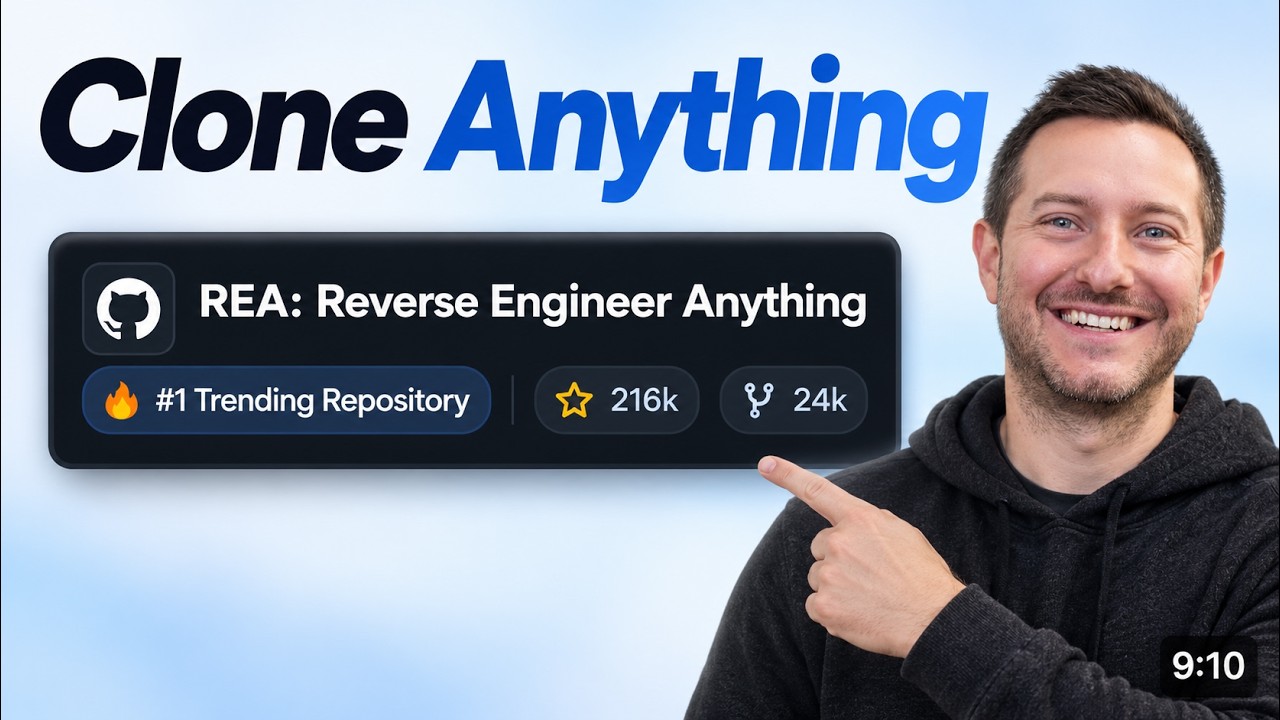
0:00This free GitHub repository just came out a few days ago and it allows you to be able to clone any app that is existing on your computer right now with Claude or Codeex. And in this video, I'm going to be showing you how it works and how I'm using it in today in my other businesses to clone other apps. So, Reverse Engineer Anything, if you haven't heard about it, I put the GitHub repo down below. It has taken the internet by storm. over 200,000 stars on GitHub right now. And this is just in the last few days. I'm sure you've seen these videos pop up on your feed. But what is it exactly? How does it actually work? So, I'm going to be taking you through the step-by-step process on how I'm using it in my whatnot reselling business, how it
0:46actually specifically works and breaks it all down into four easy steps, and how you can use it today. Let's jump right into it. So, you can see here it's going mega viral. It's crazy. just launched a few days ago. I mean, insane. And there's a reason for it. I think people are getting tired in this space of paying for subscriptions, paying for softwares that they can build themselves, i.e. Photoshop, i.e. Screen Studio, other many examples out there. I had cloned a product that I use in my resell business every day. I didn't want to pay $30 a month for, so I decided to reverse engineer it, how it worked, and how I'm using that product in my day-to-day, saving me, you know, $200 a year. I think people are just past that point. If we could build personalized software ourselves, we're going to and
1:32that's what reverse engineer everything kind of heads down that path. So you can clone desktop apps, websites, all their 20 target types as well. So not just with claude as well, you can use codecs. So what it actually is, so it is one MCP server plus one skill that plugs into specialist tools into your coding agent. So your agent cloud codeex cursor if you're still using the Gemini CLI although I wouldn't recommend it you can so reverse engineer anything you connect your MCP server and skill that's the router to your agent and then it's going to break down that app. So that app needs to be installed on your actual device to be able to take all of that
2:18data and then input it into your coding agent. So this is a bridge not a decompiler. So, REA picks the right specialist tool for the job and then handsclaw the evidence or codecs or whatever you're using. So, you're going to want to do MPX Rea agents setup to install the node package. And once you get that going, you're going to be able to point that to any program that you're wanting to clone. And now you're probably asking like, you know, it can't be that easy. There is a catch. You need to actually have the app installed on your machine. So, if you're trying to clone and reverse engineer Photoshop, for example, you're gonna need that installed on your machine for you to be able to reverse engineer it. So, it only works on an app that's already installed
3:03on your machine. So, why clone something you already have? I believe this is our next step into the development process of personalized software. Let's take Screen Studio for example. Maybe there's features that you don't need inside of Screen Studio that justify a $30 a month subscription. Maybe you don't even use their inapp editing feature. Well, that's where you can be able to reverse engineer Screen Studio and make it so it's more tailored to your personal recording experience. The real point here is you're pointing it to something that already exists that you use in your day-to-day and then you're using REA and your agents to understand how it actually works and then you build your own version for your life, your task, and your business. For just a quick
3:48example, there's this program called Notbot. It is helping what not sellers keep track of sales, who bought what, what it sold for, and also taking screenshots of what the items sell and who paid for what. So, I was looking through this, oh, this would be really helpful for our business. But then I was thinking, you know what, it's $30 a month. Why don't I just create my own thing here? So, I created Windnap. It runs as a Chrome extension while the show is going. You can see the show is going here. And while that show is going, it takes screenshots of the items and when they sell. So, not only am I saving $30 a month, but now I built a tool that is tailored towards my business, thus saving me $30 a month. That is just a quick example. Here is how it actually works. The four-step process, and don't get lost in the sauce
4:34here. It is super simple to understand. So, ask one plain English prompt. So, this is just an example. doesn't need to be your prompt that you actually use specifically, but it says break the app down into its parts so we can build our own and then it's going to create a map. It's going to split the app into parts. Send each part into the right driver tool and then it's going to inter integrate and then it's going to interrogate. So this is where you're going to go back and forth with your agent. It's going to use claude or codeex or whatever you're using and it's going to create a REA question loop. Every claim comes with evidence. This is the key part here. You don't want to forget this. And then the manual step, the final step is hear how it works plus the proof. Now write your own implementation. So the four-step process
5:21is ask, map, interrogate, and then manual input. And that's essentially what I did with the whole app that I built for my reselling business. So in this example here, I think many of us know the app Whisper Flow. you know, Whisper Flow, if you're going to want to recreate something like that for yourself, you're going to ask your agent to break it down into simple steps. Create a map for that so it can communicate back and forth with REA to actually break down how does Whisper Flow actually work, what is the voice dictation process, how does that all work, map it out, and then it's going to interrogate that process back and forth between the agent and the REA MCP. And then once it all breaks it down, it's going to have the proof how it actually works and comes together. Then is where
6:07you're going to be able to add it and make it more of a personalized software. There is points where Claude doesn't even need REA to read simple JavaScript. It's going to come up with its own answers. A lot of the times if it's an Electron app, JavaScript is already readable by Claude, so it's going to be easy for Claude to pick up. That's kind of in the step three process here with interrogate is it's going to go back and forth and ask simple questions that are just short sharp questions. How does X feature work? And it comes up with that question loop. It says every claim comes with evidence. And this just isn't applied to Electron apps. It can be any other apps in any other binary. If you have a product that is built in Rust, it's going to be the same type of process. Here, here's kind of the map
6:52for example. So use the rea skill on whisper flow. Let's just take that for example. If you're paying for whisper flow, you shouldn't be anymore. You should be able to rea Whisperflow fairly easy, especially if you're using a Mac. So use it on Whisper Flow, break it in into its component parts so we understand how it works, and we could build our own version. So Rea loads its skill, it picks the tools, summarizes, and asks the real questions. You know, what happens when the mic turns on? What are the hot keys? How does the text get from A to B? How does it land in the text field? Here is the visual map of how it actually works. So you can see electron app is the brain here and it's using JavaScript electron parser. So here is the way you can kind of build that. You're building a native helper
7:37mic keys keystrokes the OS that you're using GIRA which is free by the NSA and you can see it's going to write the machine code the assembly and then it's going to map it all together. The parts the strings the URLs and then who calls what. This is what actually makes it go is that interrogate feature. It's the question answer loop between Claude and Rea. Claude code's going to ask short sharp questions. Rea is going to respond with answer plus evidence. Sometimes claude doesn't need REA at all. Like I said, if it's JavaScript in Cloud Code's going to just be able to read it and answer it right away. So, every claim gets a tag. Confirmed points to the code it came from. Inferred says it's out loud. and then unknown. It just admits it. No making stuff up, which is a very
8:24annoying part of a lot of these LLM nowadays. But Opus 5.5 has been extremely good over these past few weeks. I have not used a model better than Opus 5.5. And if you're not using it, I don't know what you're doing. You need to be using. So the manual, what is that? What is that exactly? That is a crucial p piece of the process of tying this clone that you're trying to make all together. Thus, whisper flow. So Claude stitches everything back together into a build guide. So everything Rea plus Claude found map answers and evidence. That's how whisper flow works. So the hot keys, how does those how are those programmed? How are they working? The recording, how does that work? The cleanup is inferred, not confirmed. Typing into apps, confirmed. And then open questions are unknown. Where every
9:10answer came from comes from the file, the function, and address. And then it writes your own personalized version. And why I think this is going to be the right use case for personalized software going forward. You're already seeing it inside of video games. I mean, this world of AI is going crazy. That's why I had to make a video on REA because I think it's a glimpse into the future of what builders can build and stop paying for subscriptions. So, the secret sauce is the right tool for every target. plain claw code has to figure this out alone and rea gives it the stepping stone to figure it out the answer and the keys in the map to build personalized software for yourself. So native binaries, rust binaries, electron javascript, flutter apps, logic signals,
9:56Linux, Apple bundles. So it goes into that more into the repo here. You can check it out. Like I said, I have it linked down below. You really need to at least experiment. Maybe you're using something like Screen Studio or Photoshop. I mean, who uses Photoshop anymore? You know, let's just say Premiere Pro or some type of editing software. You know, for my example, it was this Notbot um Chrome extension. I didn't want to pay $30 a month for it. So, I gave, you know, all the information to Claude Code and we built our own and it was amazing. It took like 20 minutes. So, really look into this. See how you can plug it in into your business or into your workflow. Like look how many packages that you can analyze. I mean like I said it's pretty extensive. I mean just let's just take
10:42for example websites. You know maybe you like someone else's website. It will analyze the page structure scripts network observations and requested screenshots. Come on now. And honestly if you're wondering how do I install this thing? You can install it through your terminal. you know, you just run MPX Rea agent setup or you could go the lazy way like me and just copy the repository here and give that to your cloud code agent or codeex agent and just say install this and let's start implementing it. That's it. So rather than just talking about it, I had to actually use it to build something that I was looking to avoid paying $30 a month for. And you know, we do a live selling business that does, you know, seven figures a year. And I want to be able to get as much data and optimize that data so I can make data driven
11:28decisions the best we can. So that simple tool that takes screenshots of every sale helps us analyze the data much better. So pre-owned Lululemon is mainly what we sell. $1 start auctions and then live from our garage studio. So we already did this the slow way like a paid sellers tool wind snapshots feature. So, Windnap is the name of the Chrome extension we built for my setup, streaming on the iMac, and shipping on the iMac. So, this extension is on all of our computers here in our business. And Rea is the fast way to do this again. So, the pain point is shipment scattered across WhatsApp, forwarders, and UPS, and also show numbers typed in by hand after every single stream. So what REA looks at is saved network
12:13captures of my tracking pages and how my seller dashboard loads my show data. So what I built is one tracker for every carrier and shows logged automatically live to my dashboard. You don't need to start off by reverse engineering every single app that you're paying for. But look at something that you're paying for something simple as Whisper Flow or some simple Chrome extension and see if you can use REA to kind of make more personalized software for your use case. And if you want to learn and build along other builders, we have a free school community linked down below. 100% free to join to communicate with other builders and see what other people are building with AI. We do also weekly boot camp calls. We also have several courses in the classroom, resources, and we do
12:59about three or four boot camp calls a week, so you can check that out linked down below as well as the free Discord. We'll see you in the next video. Have a blessed day.
Build this with us, live
Shipping Skool is a free community with 4 live build sessions a week. Bring your idea.
Join Shipping Skool — Free